
Question
New swatch with the incremental number is added after find/change text between different files
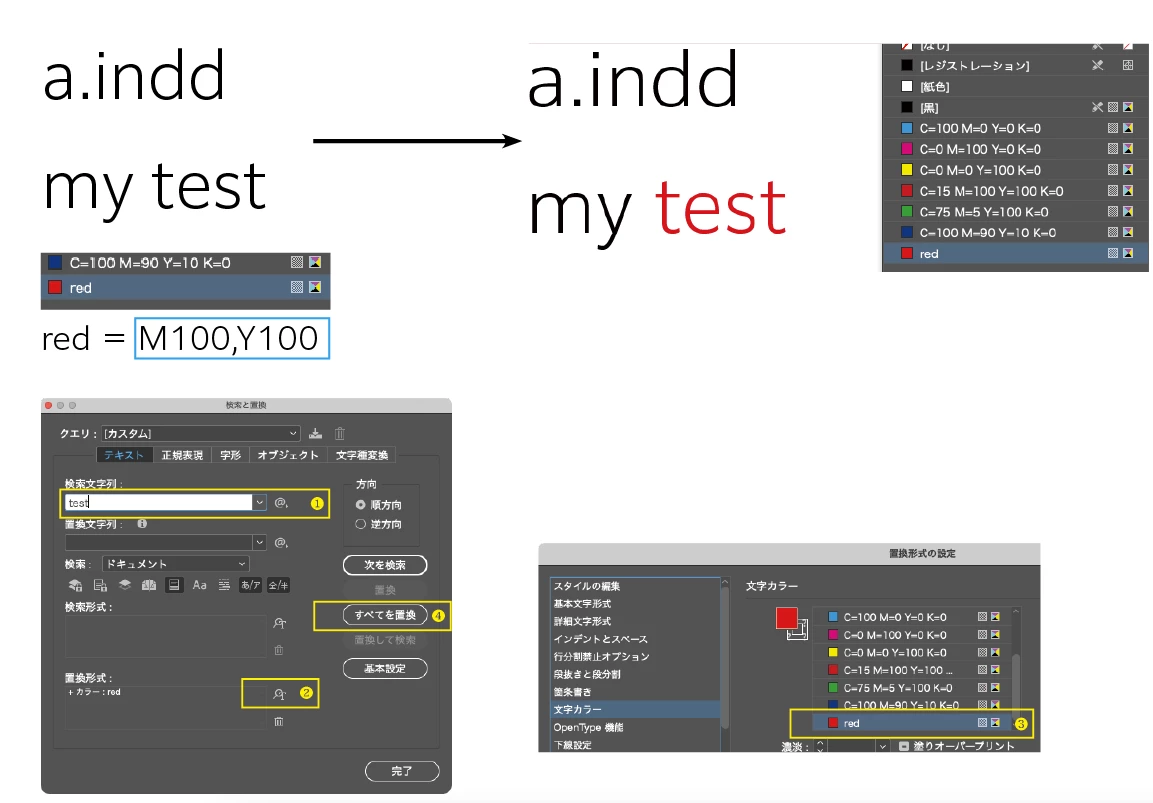
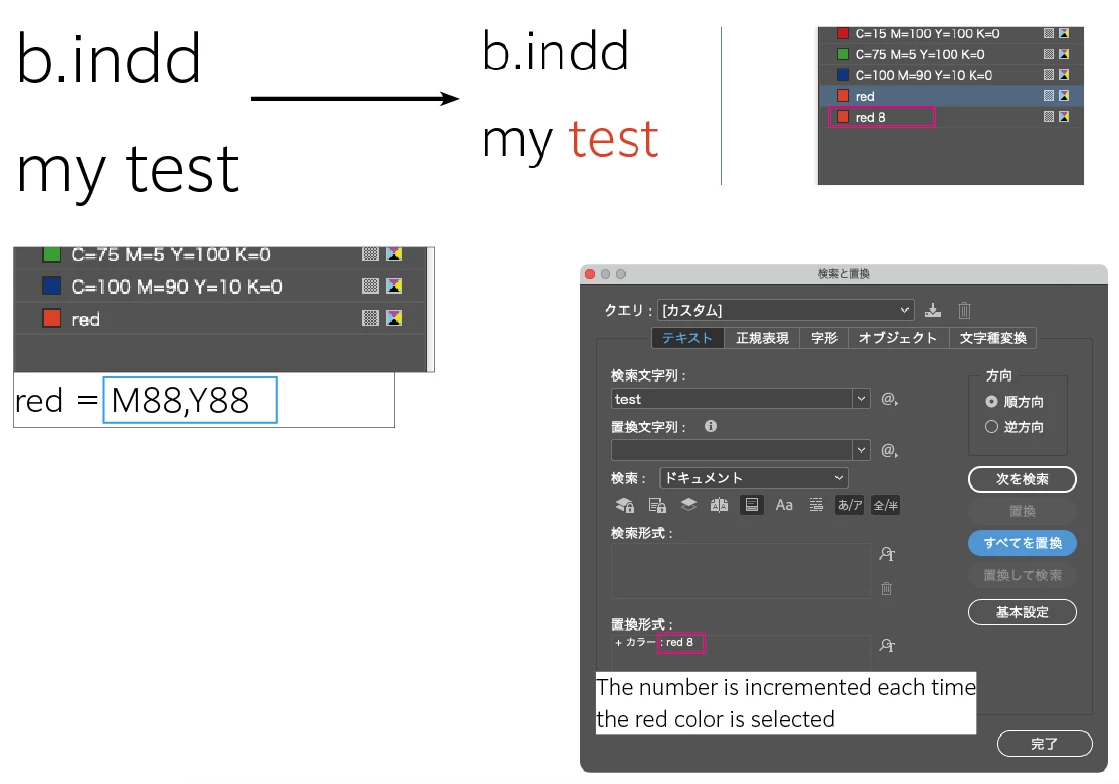
I have two InDesign files: a.indd and b.indd. Each of these files has a swatch named "red", with the same name but different CMYK values.
Steps to reproduce the issue (this problem occurs in all Mac versions of InDesign, Windows version is unknown).
- In a.indd, open the Find/Change window and enter some text to find, for example: "test".
- In the "Change Format" section, choose to change the character color to the "red" swatch.
- Execute the change.
Up to this point, everything works normally.
Next, open b.indd and repeat steps 1-3. This time, when you select the color swatch, an incremental number (starting from 2) appears after the color name (e.g., "red 2"). After executing the change, new swatches with these incremented names (e.g., "red 2", "red 3",...) are added to the Swatches panel.
※ If you quit and restart the InDesign application before performing the operation in b.indd, this problem does not occur.
Is this a bug?


 AdChoices