user82573258
Inspiring
February 4, 2023
Question

New windows overlapping panels

  • February 4, 2023
  • 2 replies
  • 414 views


This topic has been closed for replies.

2 replies

BobLevine
Community Expert
Community Expert
February 5, 2023

Turn on the application frame (window>application frame) and then turn on "Open documents in tabs" (preferences>interface)  to see if that helps.


I realize it's a personal preference but for the life of me, I have no idea how people work without that application frame.

user82573258
Inspiring
February 4, 2023

My original message doesn't seem to be showing and I can't edit my post... so here it is again:


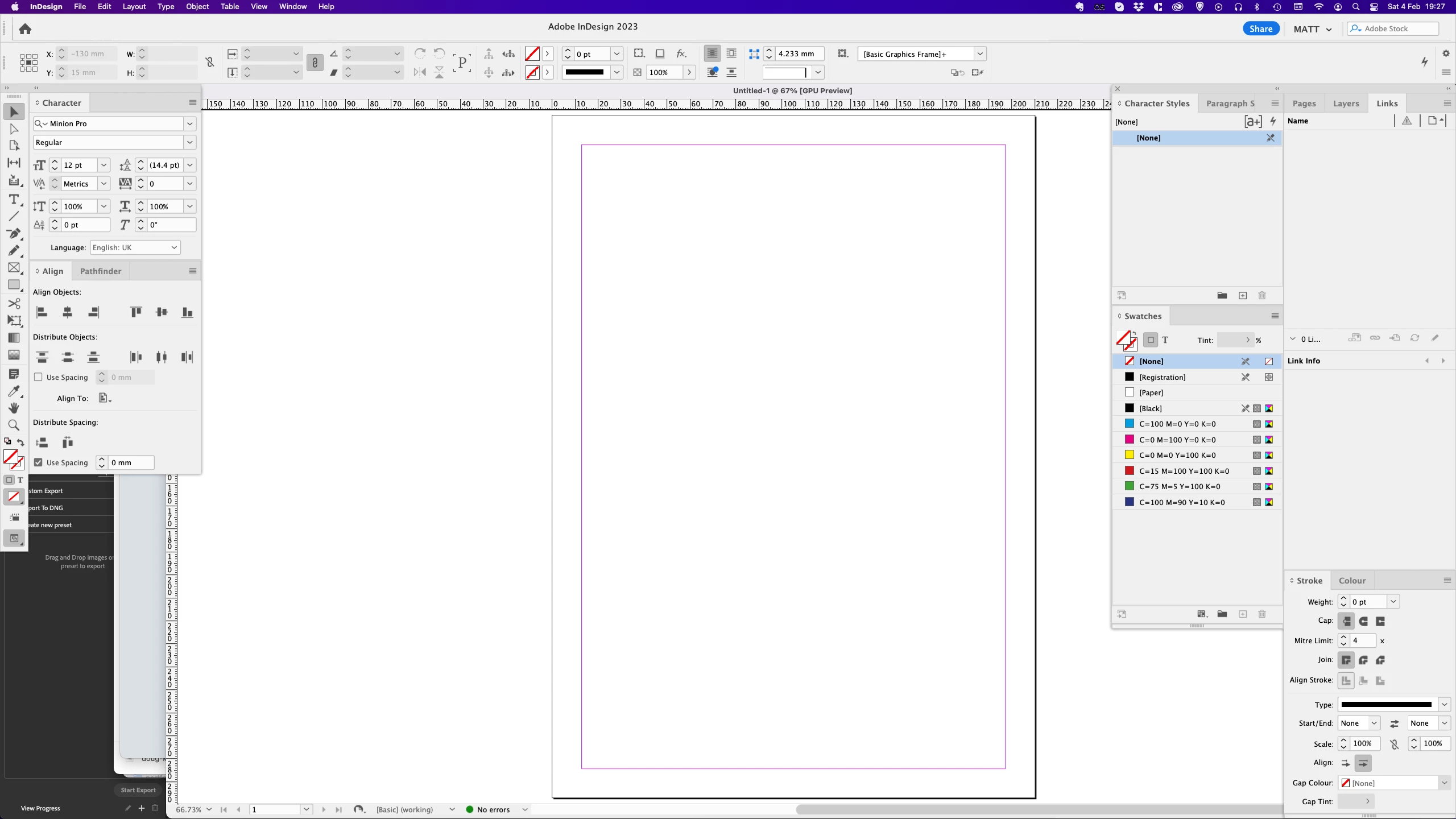
Whenever I create a new document / window, it opens almost the width of my full screen, meaning it goes behind my panels.


It's annoying because I then have to resize the window each time a new one opens.


I also can't collapse the panels because then they don't open properly (a bug I've noticed on numerous 2017–2018ish Macs)


Is there a way around this?

Steve Werner
Community Expert
Community Expert
February 4, 2023

Here are 3 things I can think of to try (in this order):

(1) I can see some of your desktop in the background. Choose Window > Application Frame (at the bottom of the menu).

(2) Your current workspace is called MATT. Click on the Workspace menu and choose Reset MATT.

(3) Restore your preferences and caches using these instructions:

https://www.rockymountaintraining.com/adobe-indesign-rebuilding-preferences-cache/

BobLevine
Community Expert
Community Expert
February 5, 2023

That's odd...I didn't see your response before I typed mine.