Correct answer dublove

What does em mean?


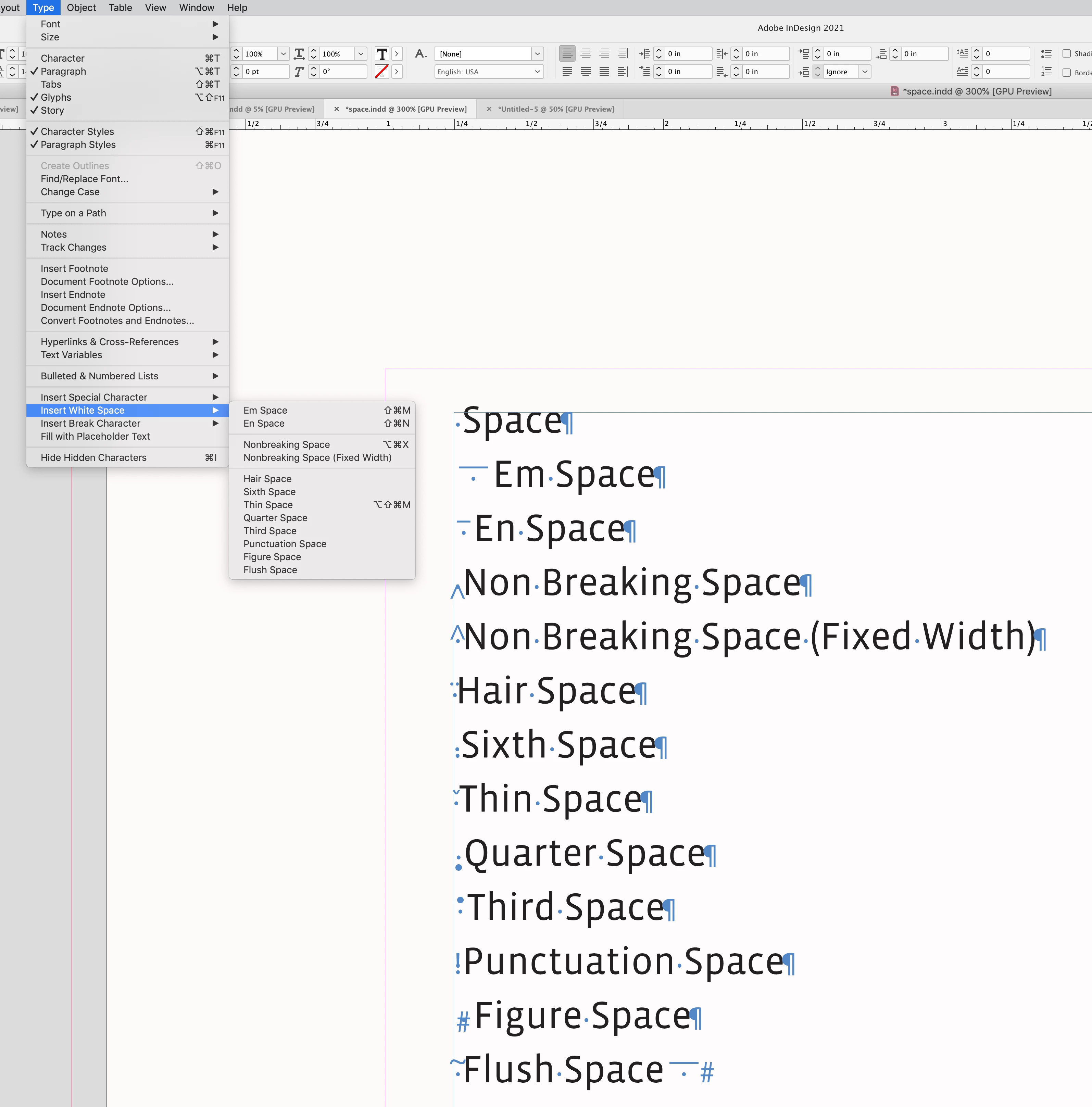
Hi @dublove , Most fonts include multiple space character options—see Type>Insert White Space. The type designer chooses the width of each space character—an em space is generally the width of the font’s uppercace M.


I should have used ideographic null (hitting a space directly on the keyboard) instead of full-width character null (em en Ctrl+Shift+M/N).
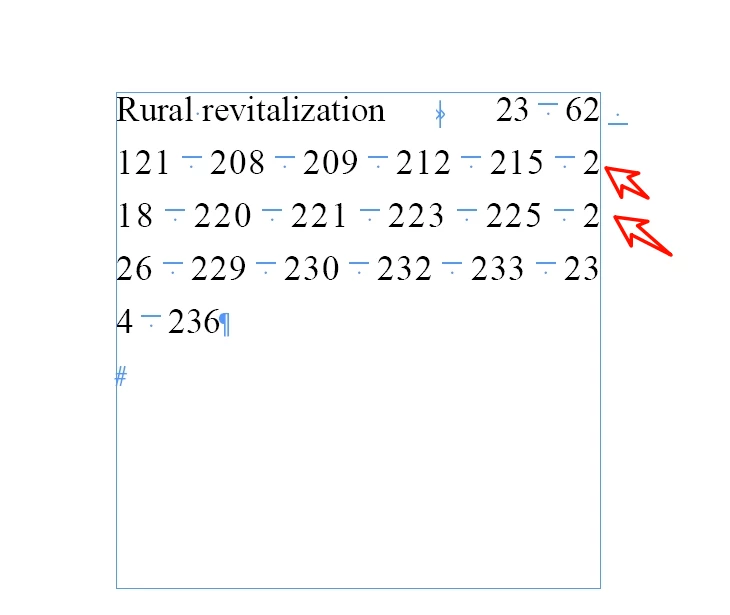
The combination of full-width character blanks and numbers will disable number line feeds.

2 replies

Mike Witherell
Community Expert
Community Expert
May 20, 2025

Cześć Robert,

The interesting side detail that captures my interest is how the whitespace characters look different between Layout View versus Story Editor mode. Both the right-indent tab and the em space icons look a bit different in the two modes.

I wonder why that would be?

Mike Witherell
Robert at ID-Tasker
Legend
May 20, 2025

@Mike Witherell 


Probably because of two different fonts?


Mike Witherell
Community Expert
Community Expert
May 21, 2025

Hi Robert,

In your screenshot, you see it too. In Story editor, the symbolic character representing (I guess) an Em space shows a flat line with a dot under it; yet the dot is floating to the right side of the dash above it. In layout view, the symbolic character representing an Em Space shows the flat line with a dot centered under it.


I was just wondering why the difference in appearance? I have never seen that before.

Is it something special from the Japanese version of InDesign?

Mike Witherell
Mike Witherell
Community Expert
Community Expert
May 20, 2025

I see what looks like a right-indent tab, but what character are you inserting between numbers? Are those em spaces?

What character is inserted after the 62? An ideographic space?

Why set type this way?

Mike Witherell
Robert at ID-Tasker
Legend
May 20, 2025

Yes, @Mike Witherell, you're right - those are Em spaces.


@dublove - you have it as a one long word...


After changing to "regular" spaces: