Participant
January 2, 2018
Answered

Numbered list continues from embedded numbered sub list, not from previous numbered list number

  • January 2, 2018
  • 1 reply
  • 599 views

Hi, I have a style set up for the first number in a list so it always starts with 1, then another style for the remaining numbers in the list to continue from the previous number. I have two such sub list styles as well. The issue is that when I have a numbered sub list embedded within a numbered list, the numbered list continues from the sub list, not from the numbered list. Here is an example:

1. text (Numbered list restart style, always starts at 1)

2. text (Numbered list continued style, always continues from previous)

3. text

4. text

5. text

     a. sub text (Numbered sub list restart style)

     b. sub text (Numbered sub list continued style)

3. text (Numbered list continued style, always continues from previous)

4. text

Obviously it's continuing from the sub list (previous). How can I get it to continue from #5?

Thank you
    This topic has been closed for replies.
    Correct answer Barb Binder

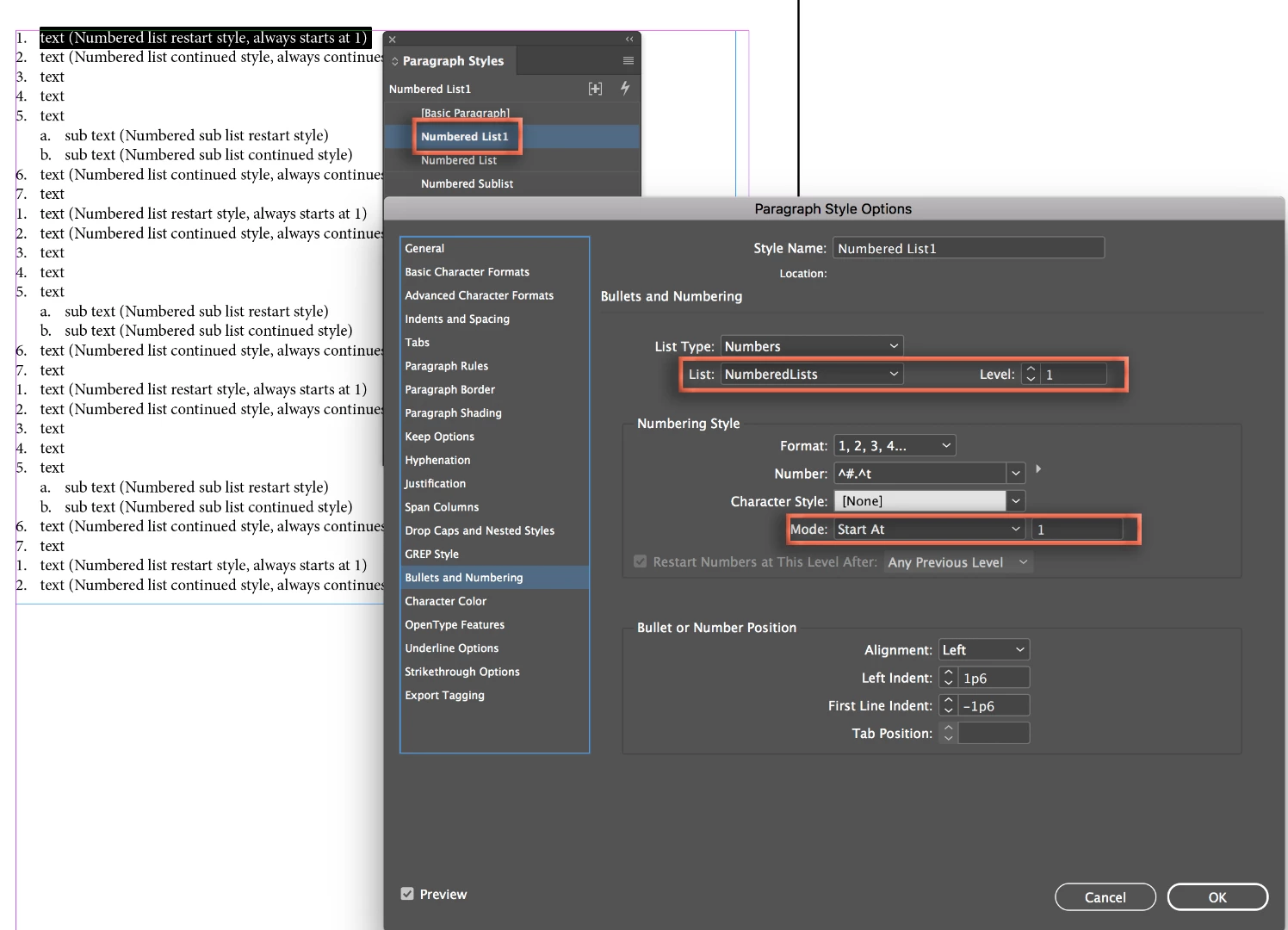
    You can do this with three paragraph tags. The trick is that you need to name the list, and use the name for all three. Note that all three paragraph tags have the List name: NumberedLists. The first two tags are set as Level 1. Numbered List1 has the Mode set to 1, so that each time you use it, the list restarts at 1.

    Numbered List is the same but the Mode is Continue from Previous.

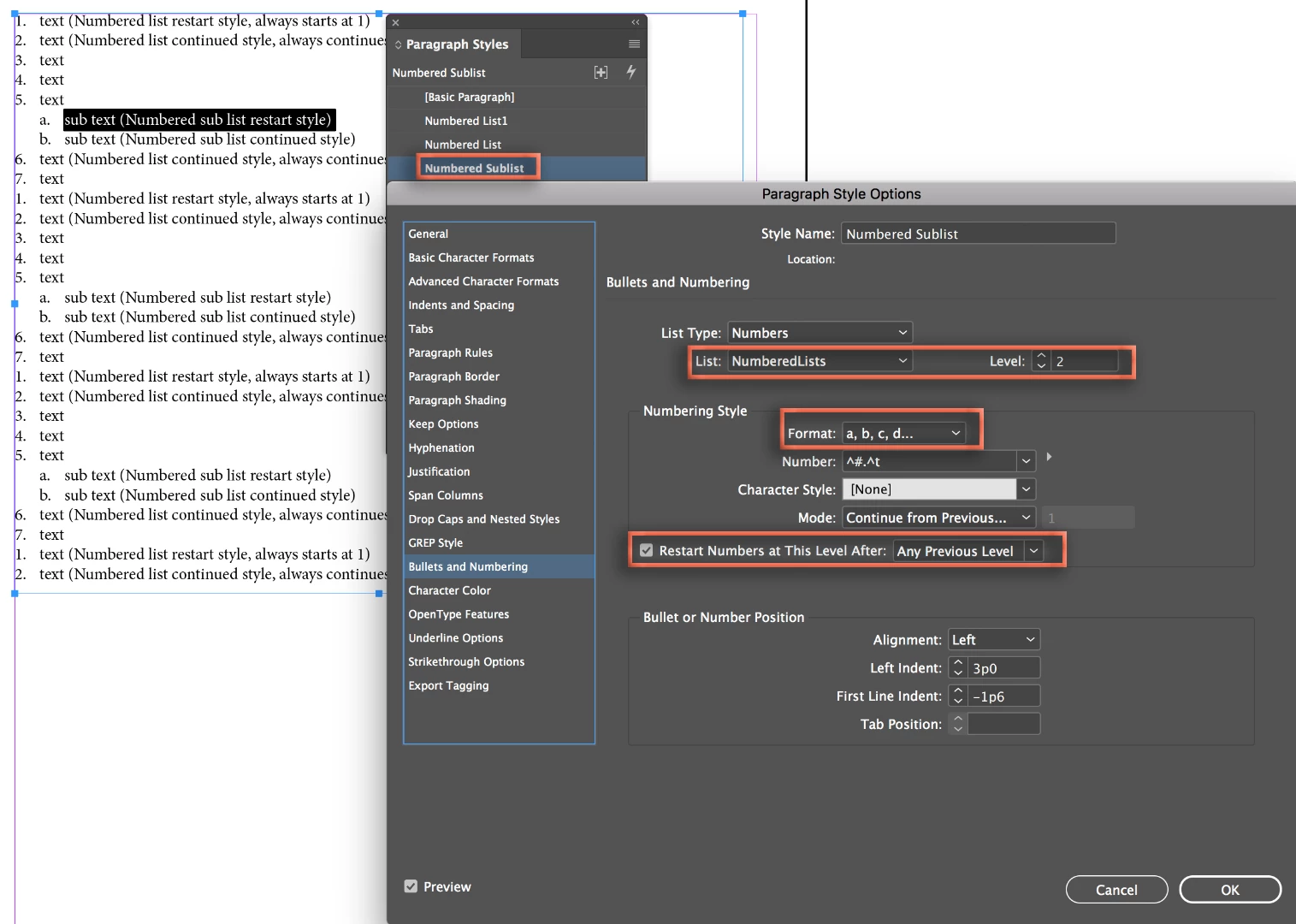
    Numbered Sublist has same list name again (NumberedLists), but is a Level 2, the style is alphanumeric, and it is set to restart after any previous level (so it restarts itself).

    ~Barb

    1 reply

    Barb Binder
    Community Expert
    Barb BinderCommunity ExpertCorrect answer
    Community Expert
    January 2, 2018

    You can do this with three paragraph tags. The trick is that you need to name the list, and use the name for all three. Note that all three paragraph tags have the List name: NumberedLists. The first two tags are set as Level 1. Numbered List1 has the Mode set to 1, so that each time you use it, the list restarts at 1.

    Numbered List is the same but the Mode is Continue from Previous.

    Numbered Sublist has same list name again (NumberedLists), but is a Level 2, the style is alphanumeric, and it is set to restart after any previous level (so it restarts itself).

    ~Barb

    ~Barb at Rocky Mountain Training
    patti_macAuthor
    Participant
    January 2, 2018

    That did it. I was barking up the right tree, stopped at the wrong branch. Thanks!

    Barb Binder
    Community Expert
    Community Expert
    January 2, 2018

    Hi Patti:

    Always happy to help.

    ~Barb

    ~Barb at Rocky Mountain Training