
Danny Whitehead.
Legend
May 3, 2017
Answered

Numbered Lists - Two Levels on One Line

  • May 3, 2017
  • 3 replies
  • 1469 views

Hi all.

I have a multilevel list to format, where in some cases there need to be two levels on one line. See screenshot:
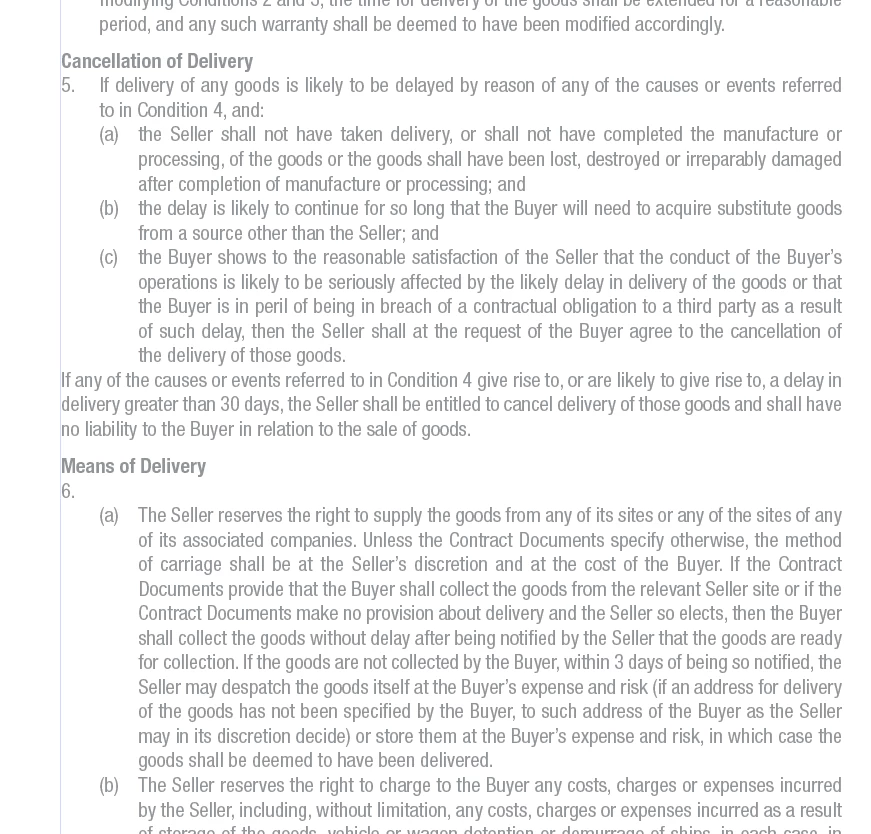
Number 5 is fine, as the text on first line is all Level 1. But 6 is numbered (Level 1) and goes straight into an alphabetical list (Level 2). I've put a return in the example so I could still apply the Level 2 Paragraph Style, but it really needs to knocked up a line and be separated by a tab. Is there a way to achieve this while keeping it a properly formatted list using Paragraph Styles?

Hopefully this explains it, but let me know if it doesn't!

Thanks.
    This topic has been closed for replies.
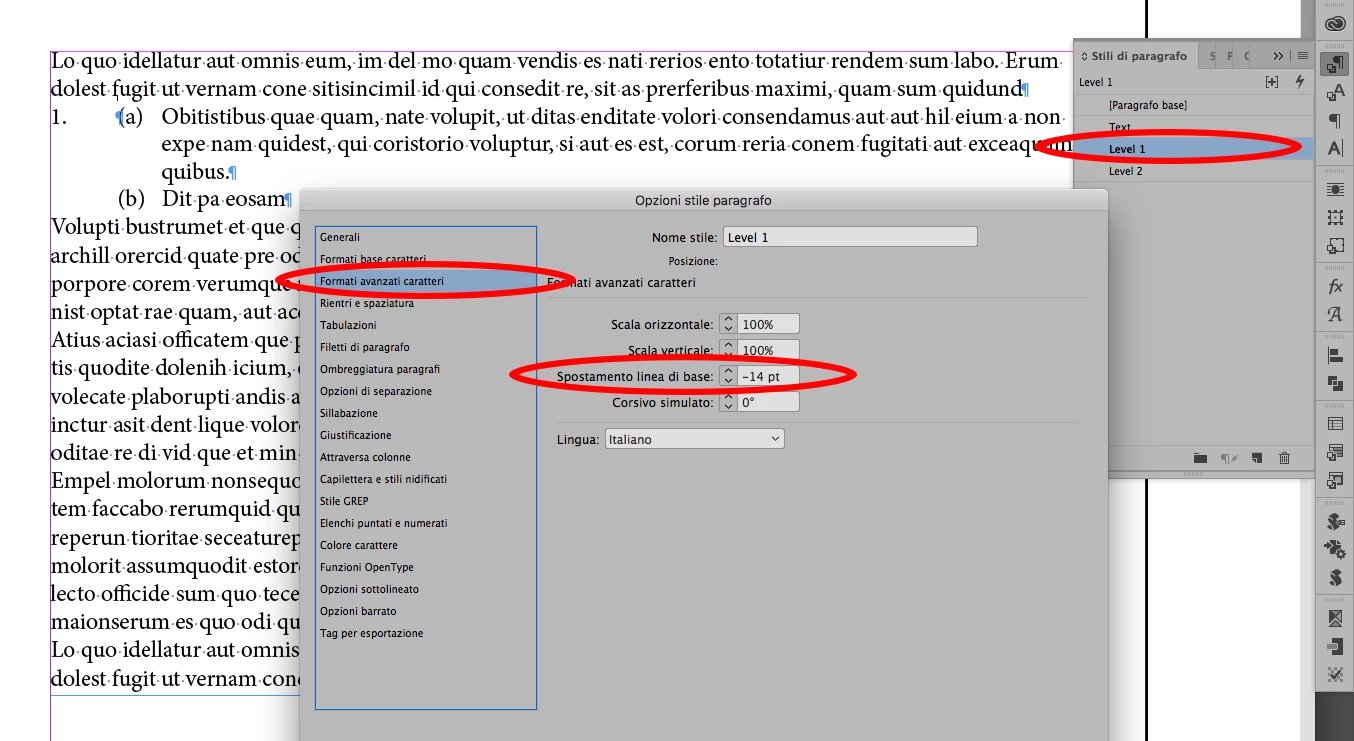
    Correct answer vladan saveljic

    well, in this case you can make only Level 1

    with Leading 0 and baseline shift equal with leading of Level 2

    3 replies

    Eternal Warrior
    Inspiring
    May 3, 2017

    Scratch my previous comments.. premio_oscar​ answer is correct.

    Baseline shift on a secondary or alternative level 2 paragraph style is the way to achieve this!

    Danny Whitehead.
    Legend
    May 3, 2017

    It's actually an alternative Level 1 that works, as the that paragraph always has only one line.

    vladan saveljic
    Inspiring
    May 3, 2017

    (a) is Level 2

    (b) and (c) are Level 2bis.

    vladan saveljic
    Inspiring
    May 3, 2017

    you can do it but you have to made one paragraph style for level 2 with leading 0 (and, of course, without space before)

    Danny Whitehead.
    Legend
    May 3, 2017

    Thanks, and nice try, but that won't work if there's more that one line in the paragraph.

    Danny Whitehead.
    Legend
    May 3, 2017

    If only InDesign let us apply negative paragraph spacing...