
Inspiring
May 11, 2023
Answered

Numbering or Numbered list in arabic problem

  • May 11, 2023
  • 1 reply
  • 1143 views

Hi, (sorry for my bad english I am a french guy)


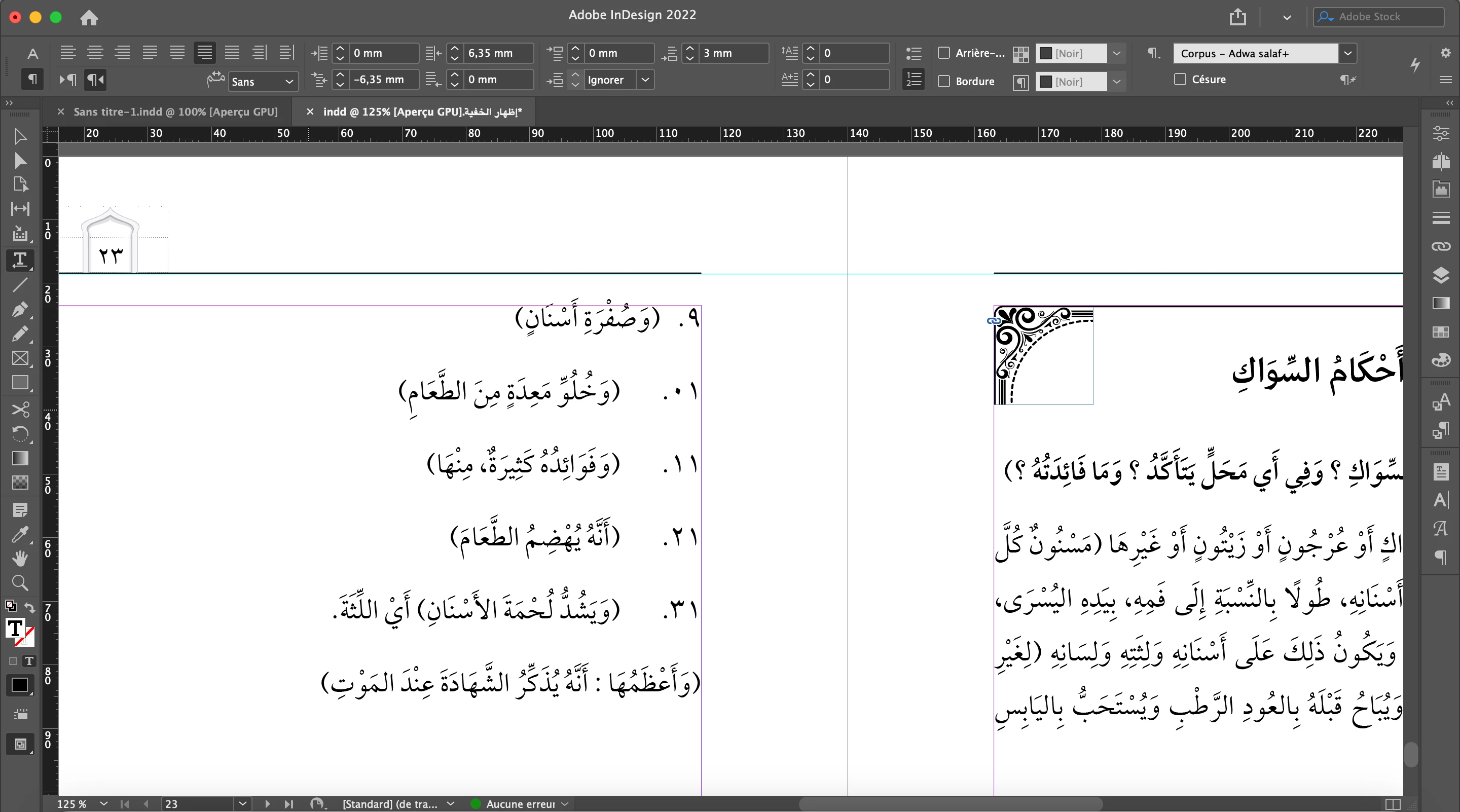
I have a problem dealing with the numbered list in arabc. As you see on the screenshot, when I come to 10 and over, the arabic just write 01and not 10, 21 not 12 etc.. By the way, the gap between the first numbers is exactly what I wanted, but when I came to 10 and over the gap have been longer.


What can I do ? thank you all. 
Correct answer Alexandre25072577glef

thank you but I have done it before. But I think that I have found the solution, in fact I had to change some options in numbering list option's.

1 reply

Zaid Al Hilali
Community Expert
Community Expert
May 12, 2023

Highlight all your text, open Character Panel, go to the fly-out menu and change the "Character Direction" settings to "Default".

Warning! Although the Default Character direction is the best and is the default setting always, however for you since you had - I think you do - changed in the past the setting to Right-to-Left, this time when you're going to change the setting to Default, some or many of your text may get messed, just watch it.


Alexandre25072577glefAuthorCorrect answer
Inspiring
May 12, 2023

thank you but I have done it before. But I think that I have found the solution, in fact I had to change some options in numbering list option's.

muhammeds4937497
Participant
October 5, 2025

Can you tell me how you experience the same problem?