
numbers in text using wrong font--Futura PT
I have placed text where the numbers pick up another font. This happens even if I copy/paste the text, and weirdly, it happens even when I'm in the text and I type a numeral.
My typeface is Futura PT. All numerals in the paragraph get tagged differently, heavier.
For example, if I tag the text as Futura PT Book (see first image), the numerals are tagged Heavy but don't display as Heavy. I can then apply the Book character to the numerals, but they that is seen as an override.
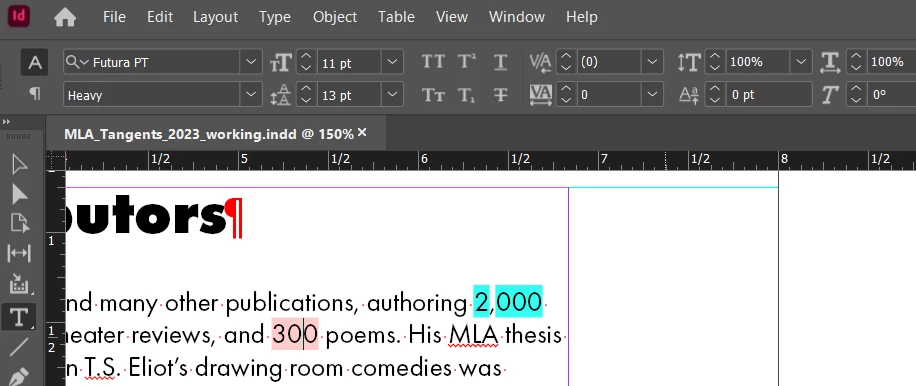
I tried changing from Book to Light and the numbers show as Book but InDesign lists it as Heavy:
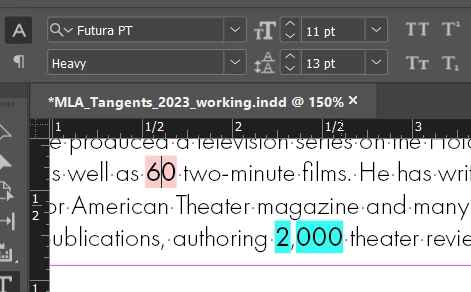
I have tried looking at the Open Type numbering options. That doesn't change. If I use a different type altogether, the problem resolves. Obviously, the work around is to apply the correct character tag to all numbers, but that's a lot of manual work. Ideas?


 AdChoices