Participant
August 23, 2017
Answered

Object arranging

  • August 23, 2017
  • 1 reply
  • 908 views

Hi Guys,

Trying to build script (JAVA) that when several objects are selected (i.e. three rectangles),  exclude the first selected object and then bring others to front. Trying to use bringToFront() method but stuck. Not working. Please help

This topic has been closed for replies.
Correct answer Trevor:

I think this is what you want

var s, len;

s = app.selection;

len = s.length;

while (len > 1){

s[--len].bringToFront();

}

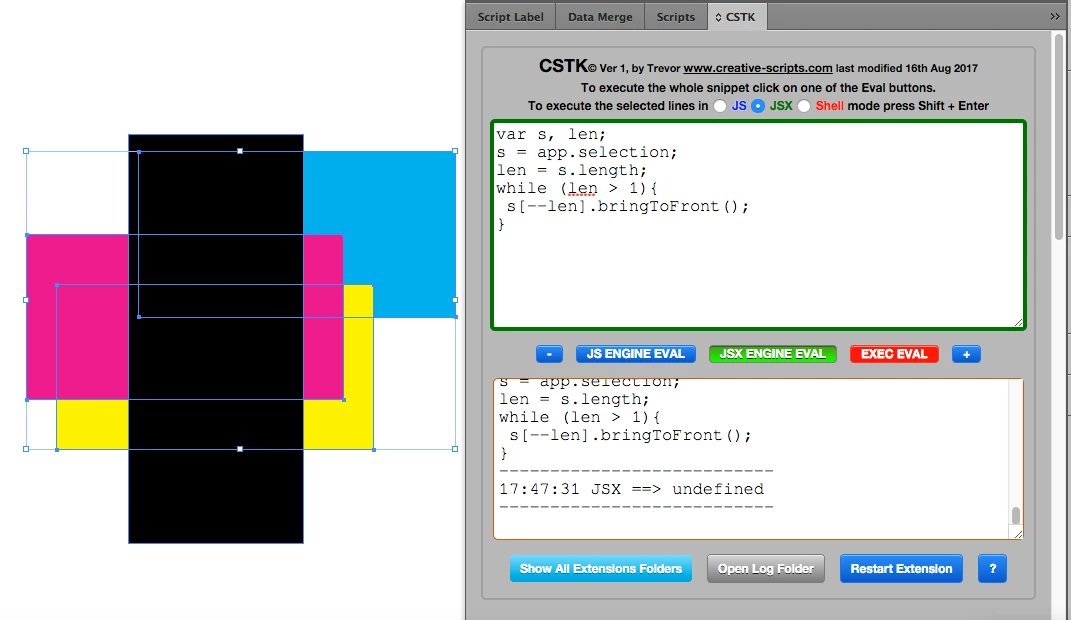
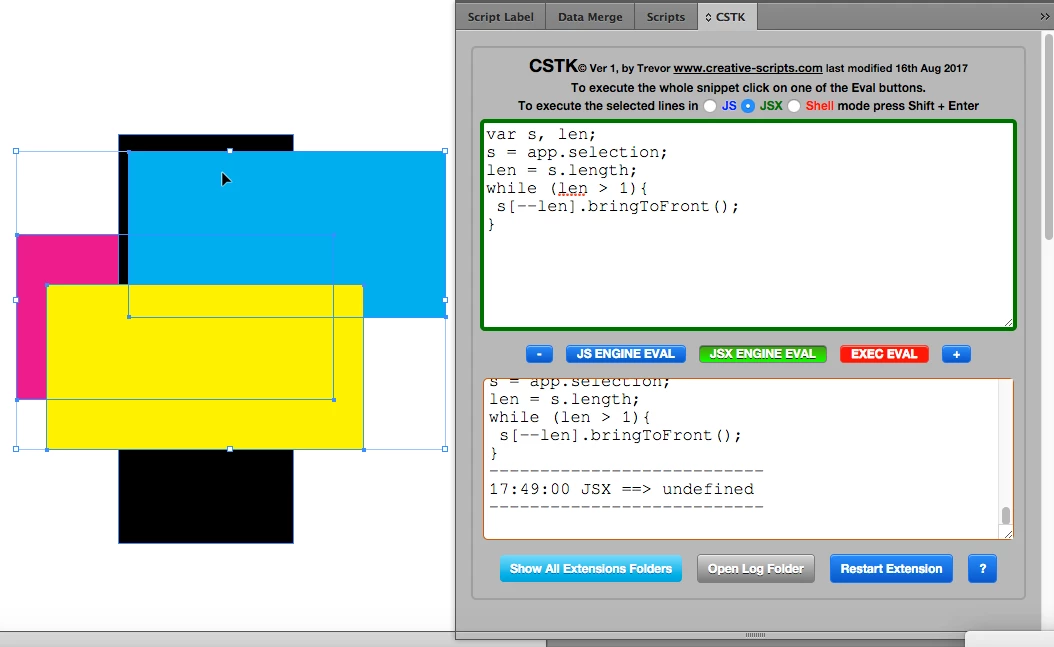
The first selected object was the magenta one, that stays unmoved  the black object was not selected

So the blue and yellow objects move to the front.

I sort of suspect that you would want the current order of the other objects i.e. the blue and yellow ones preserved, maybe I'll have a bash at that in a while

1 reply

Jongware
Community Expert
Community Expert
August 23, 2017

InDesign does not support Java out of the box, although it is possible. But I suppose you mean "JavaScript" instead (see JavaScript is not Java - MozillaZine Knowledge Base ).

At a first glance, I'd say "well then why just not select that first object" ...

Show what you got so far, so we can help you on your way.

Participant
August 23, 2017

Well,

Yup it's javascript. This part that sends the latter objects above the first one selected is part of a bigger script that does other stuff.

So, in detail the job that I'm trying to do is:

Have a textframe and several logos (each logo is in it's own rectangle frame and they vary in numbers). The script should first fit every object to frame (already done), then arrange the logos above the text frame (sometimes the logos are below the textframe). After that - the script have to arrange the logos in specific order within the text frame with offset of 1 mm. Well the latter job is for later, so I have to use this type of arrangement with the textframe object slected. Tried to make a new array with 'slice (1)' and then send it the front, but so far can't find any example of the bringToFront() method.

The script so far:

(just a reminder: I'm totally new to scripting so expect newbie stuff)

if (app.selection.length > 1) {

  for (i=0; i<app.selection.length; i++)

    {

        var target = app.selection;

        target.fit(FitOptions.frameToContent);

    }

}

else {

      alert ("Wrong selection or no objects selected!");

      exit();

      }

var mySelection = app.selection;

mySelection.bringToFront(); ===> I know currently this is not specified for the whole array of selected object excluding the first one but still not sending anything to the front. Just bringing error.

Trevor:
Trevor:Correct answer
Legend
August 23, 2017

I think this is what you want

var s, len;

s = app.selection;

len = s.length;

while (len > 1){

s[--len].bringToFront();

}

The first selected object was the magenta one, that stays unmoved  the black object was not selected

So the blue and yellow objects move to the front.

I sort of suspect that you would want the current order of the other objects i.e. the blue and yellow ones preserved, maybe I'll have a bash at that in a while