
Inspiring
April 14, 2023
Answered

Object corner not responding

  • April 14, 2023
  • 3 replies
  • 546 views

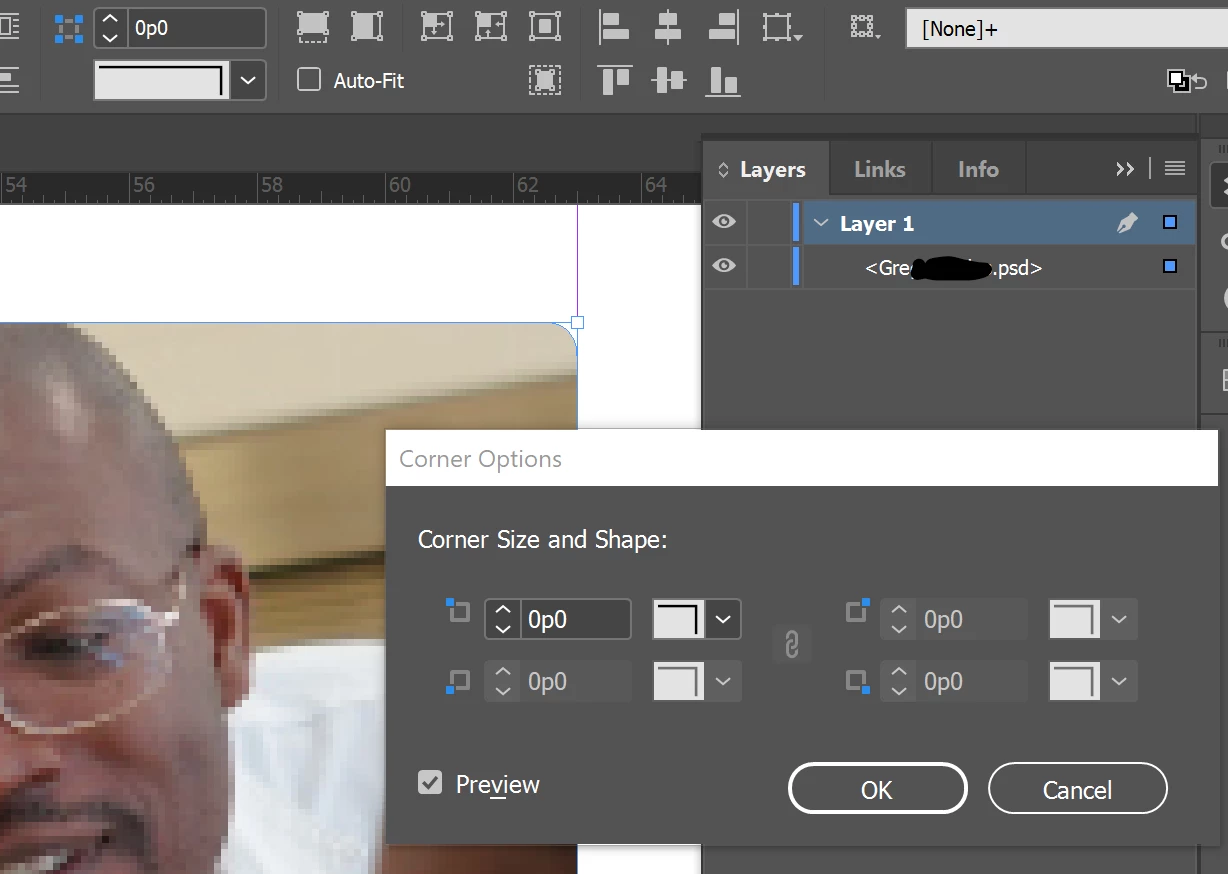
This object once had a rounded corner on it in InDesign, but I removed it. However, the curve will not go away. As you see here, that file is the only thing in the layer, and the corner is set to none. And yet, the corner is curved. It is a PSD file, but it is not curved in Photoshop. The photo is larger than this with square corners. What else can I do?


This topic has been closed for replies.
Correct answer Jeffrey_Smith

The frame most likely has a point added to it. You can use Object > Convert Shape > Rectangle to restore the frame and eliminate the corner.

3 replies

Willi Adelberger
Community Expert
Community Expert
April 14, 2023

Maybe that it is not a corner effect but a rounded corner.

Go to Object > Convert form > Convert to rectangle 

to get a clear form.

Jeffrey_SmithCommunity ExpertCorrect answer
Community Expert
April 14, 2023

The frame most likely has a point added to it. You can use Object > Convert Shape > Rectangle to restore the frame and eliminate the corner.

Inspiring
April 14, 2023

That did it though I have no idea how the frame got the corner. Thank you. 

James Gifford—NitroPress
Legend
April 14, 2023

Keep in mind that you can apply effects, borders, corner mods etc. both to a graphics frame and to the graphic it contains. Check both, separately.