

Question
Object style inset query
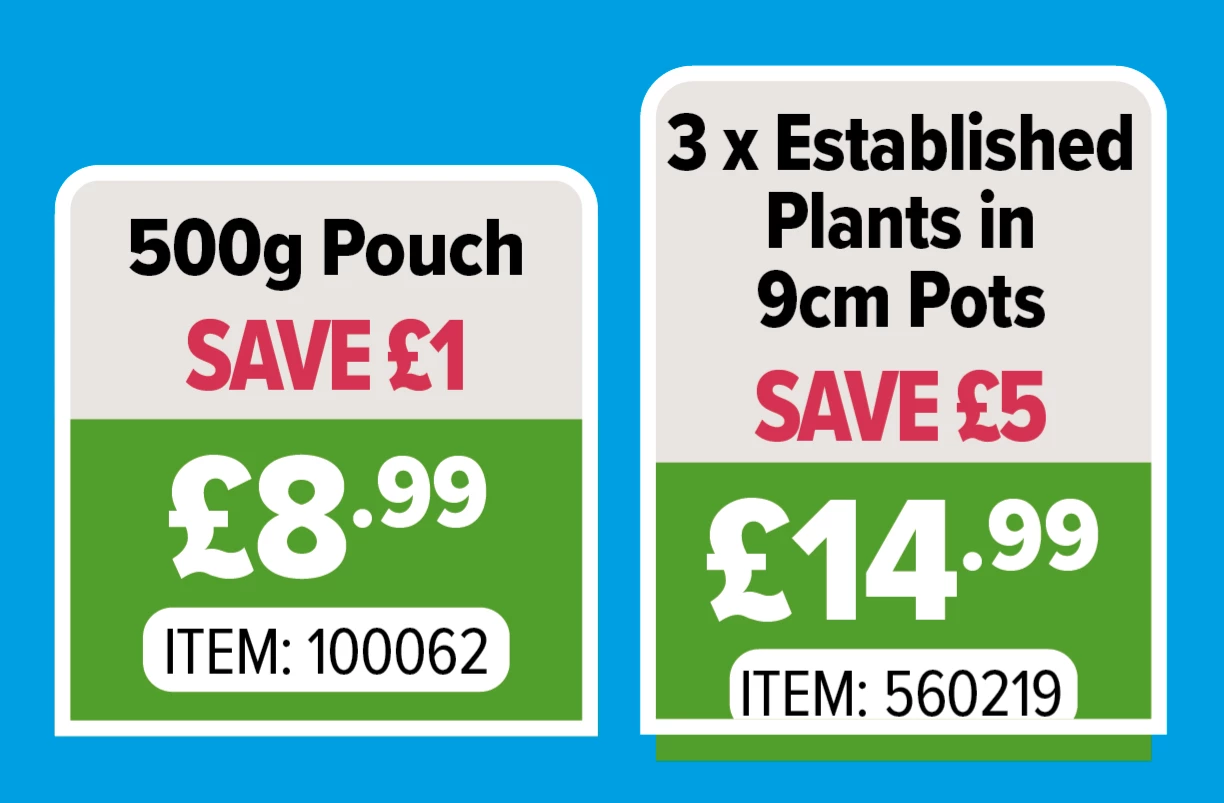
Hi all. Quick question with object styles. I am creating a price box to use in catalogues. Currently we use a box with a white outline grouped with four individual text boxes (left in pic). This means depending on the length of the item name and whether there is a saving, I am constantly altering the sizes of the the boxes. So I created a version with object styles instead (right in pic). I am happy with what I have except I can't get the bottom inset in this version, ie the item code is flush with the bottom. In fact when I altered any of the top or side insets in the object styles text frame general options as a test none of them changed. Why is that? Any help appreciated! Thanks.
 AdChoices