
Objects randomly disappearing, becoming corrupted, and causing InDesign to crash
I use InDesign frequently for work, creating and publishing a magazine. Recently I had a strange issue that I could not figure out! Randomly elements on one page would disppear and I'd find them apparently shrunk down to zero at the center of the page.
What it should look like:

Corrupted (?) page:
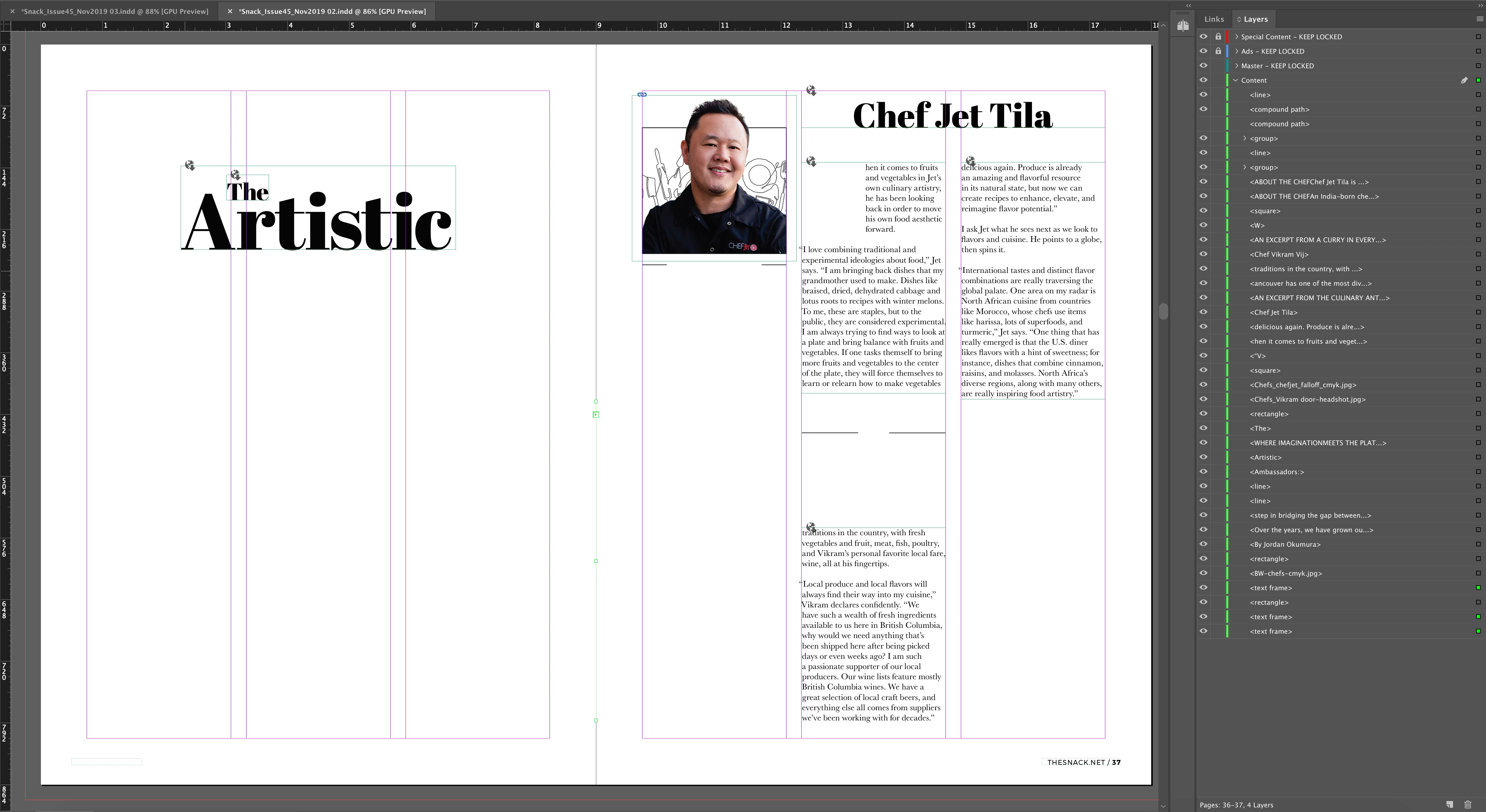
You can see the green anchor points in the center spine of the pages in the second image above. The layers are still there in the layer panel and the link panel, but I'm unable to move or resize them. Any attempt to shift or resize them using the toolbar or anchor point, gives me the error "This value would cause one or more objects to leave the pasteboard." Evening setting the size or positioning to zero gives me this error. Attempting to delete the objects crashes InDesign (just completely closes). Attempting to move the page in the page order, crashing InDesign. Attempting to change the Master page number on that particular page (change or remove) crashes InDesign. I tried restarting InDesign, restarting my computer, and yes Indesign is up to date.
This happened three seperate times in this document, on three seperate pages, of all types of links (text boxes, images, graphic frames, etc). Completely at random. I hadn't touched any of those elements, moved them, nothing to cause an error.
Eventually I was able to find a workaround by moving all the pages to a new document (using the Move Pages option), where suddenly the corrupted elements were correct again. No idea why this one feature was still workable, but I'm thankful.
Can anyone explain why this would happen or how to prevent it from happening?
ETA: Added all the logs for InDesign on the day in question. Not sure if its helpful, but there it is!


 AdChoices