kkk66769115
Participant
November 13, 2023
Answered

OCR-Text not exported to PDF

  • November 13, 2023
  • 1 reply
  • 920 views

Hello!

I have embedded (linked) some pages of an OCR-edited PDF into the Indesign document and would like the OCR text to remain legible in the output. Currently, the corresponding pages are output as images and the readability has disappeared.

What am I doing wrong or is this not possible?


Thank you very much!
This topic has been closed for replies.
Correct answer Luke Jennings3
Without seeing the files it's really hard to know what you're trying to accomplish but if you only care about appearance, try opening the PDF in Photoshop and saving it as a PSD at high resolution.

Place that in InDesign but be aware that it will be a graphic so if accessibility is important, you're going to have a lot of work cut out for you.

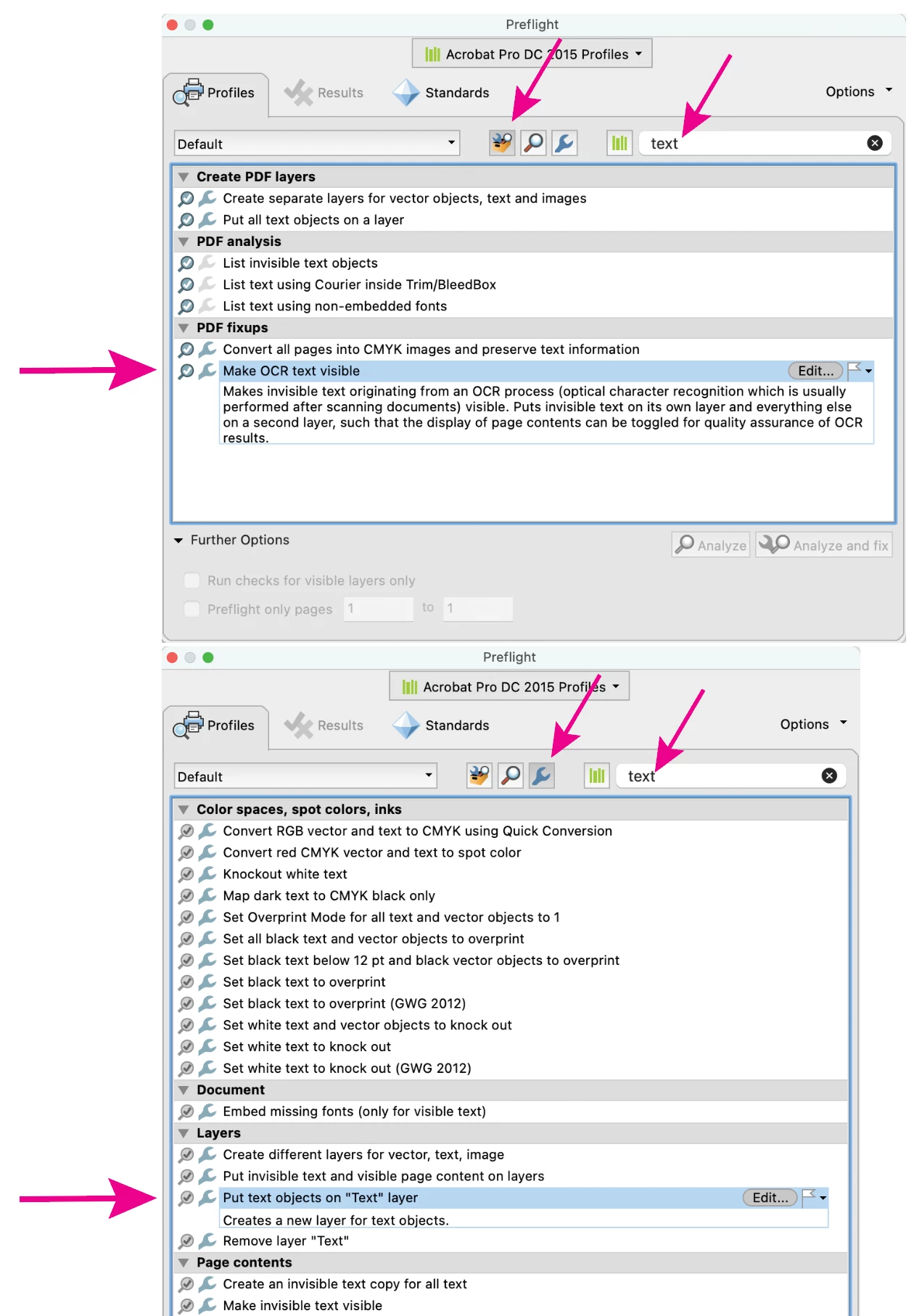
Can you upload a sample pdf page with the Abbyy OCR type? There may be an Acrobat tool that will make the OCR type available in InDesign. You could try one of the Preflight fixups shown below. (Acrobat> Tools> Print Production> Preflight) or save-as PDF/X-1a.


1 reply

BobLevine
Community Expert
Community Expert
November 13, 2023

You're not doing anything wrong...it's your expectations that aren't realistic for this workflow. OCR that PDF after you've placed it and exported it from InDesign.

kkk66769115
Participant
November 13, 2023

No chance to get it done?

I used Abbyy Finereader for OCR as for this case (an old typewriter manuscript) the OCR-results were much better than OCR with Acrobat.

Thanks.

BobLevine
Community Expert
Community Expert
November 13, 2023
Save the PDF as a Word document and place that. I'm sorry, but that's the best I have.