

NM MSDK
Inspiring
May 12, 2025
Answered

Offset/ outline of a stroke

  • May 12, 2025
  • 2 replies
  • 383 views

Hi everyone!


I have a small problem but i really dont know how to fix it.


A few months back i created a standard stroke type, with an white outline/ offset around my stroke.

Now i need to get something similar, a small outline in black, but i cant figure it out anymore how i achieved this...


I searched everywhere, and my AI assistant also cant give my anything usefull. So i nearly tought it was impossible but i still have an object styles as proof for myself.
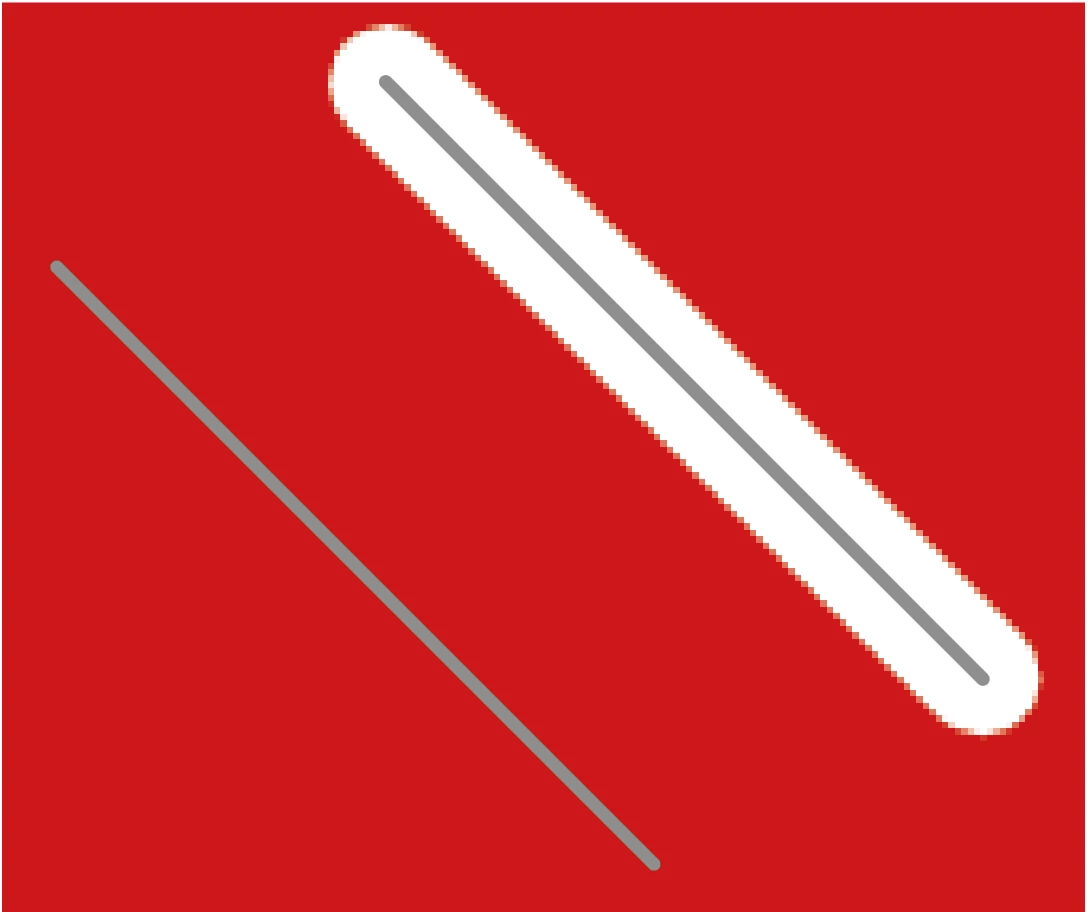
 

The same stroke, one with the offset the other one without.


Thanks already!


-Nick
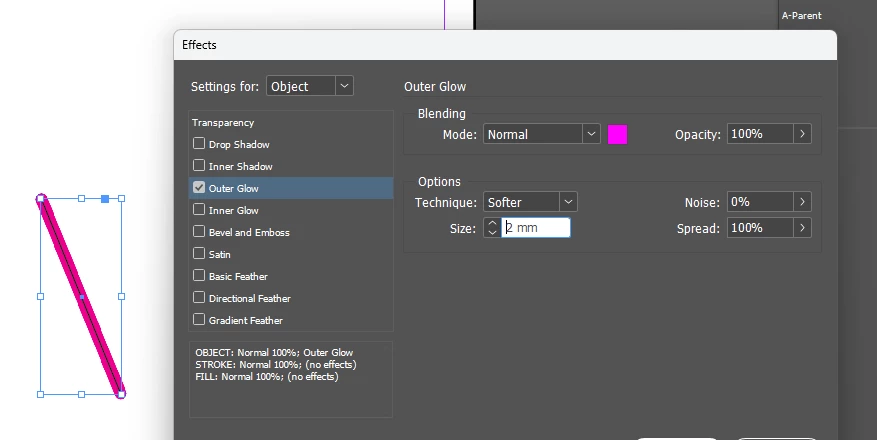
Correct answer RvdT

Window > Effects > Outer Glow


2 replies

Willi Adelberger
Community Expert
Community Expert
May 12, 2025

You describe a functionality from Illustrator. InDesign cannot outline a stroke, but Illustrator can. InDesign cannot apply multiple strokes to a path, Illustrator can. 

Effects, like drop shadow or outer glow cn simulate, but not with sharp vector edges.

NM MSDK
NM MSDKAuthor
Inspiring
May 12, 2025

Thanks for the reply Willi, but what @RvdT described was exactly what i was looking for!


For my project i dont need sharp vector edges, just a small dark outline so that the grey stroke can be destincted from a grey background.


Thanks for the replies both!

RvdT
RvdTCorrect answer
Inspiring
May 12, 2025

Window > Effects > Outer Glow