

dublove
Legend
July 8, 2024
Answered

On any page, how to find my next letter quickly?

  • July 8, 2024
  • 1 reply
  • 242 views

On any page, how to find my next letter quickly?
I have some specific characters, such as ABCD, etc., which uses the "Start Page" paragraph style.
Among them, A is located on page 2, B is located on page 5, C is on page 12, and D is on page 19.
I can remember only 4, and I can jump directly.
If there are more than 20, there is no fast way to create a link, you can directly click and jump to the target page.
I used to use the "reference" link to the anchor point function, but that was actually troublesome.

What are the simple and fast ways you.
This topic has been closed for replies.
Correct answer Barb Binder

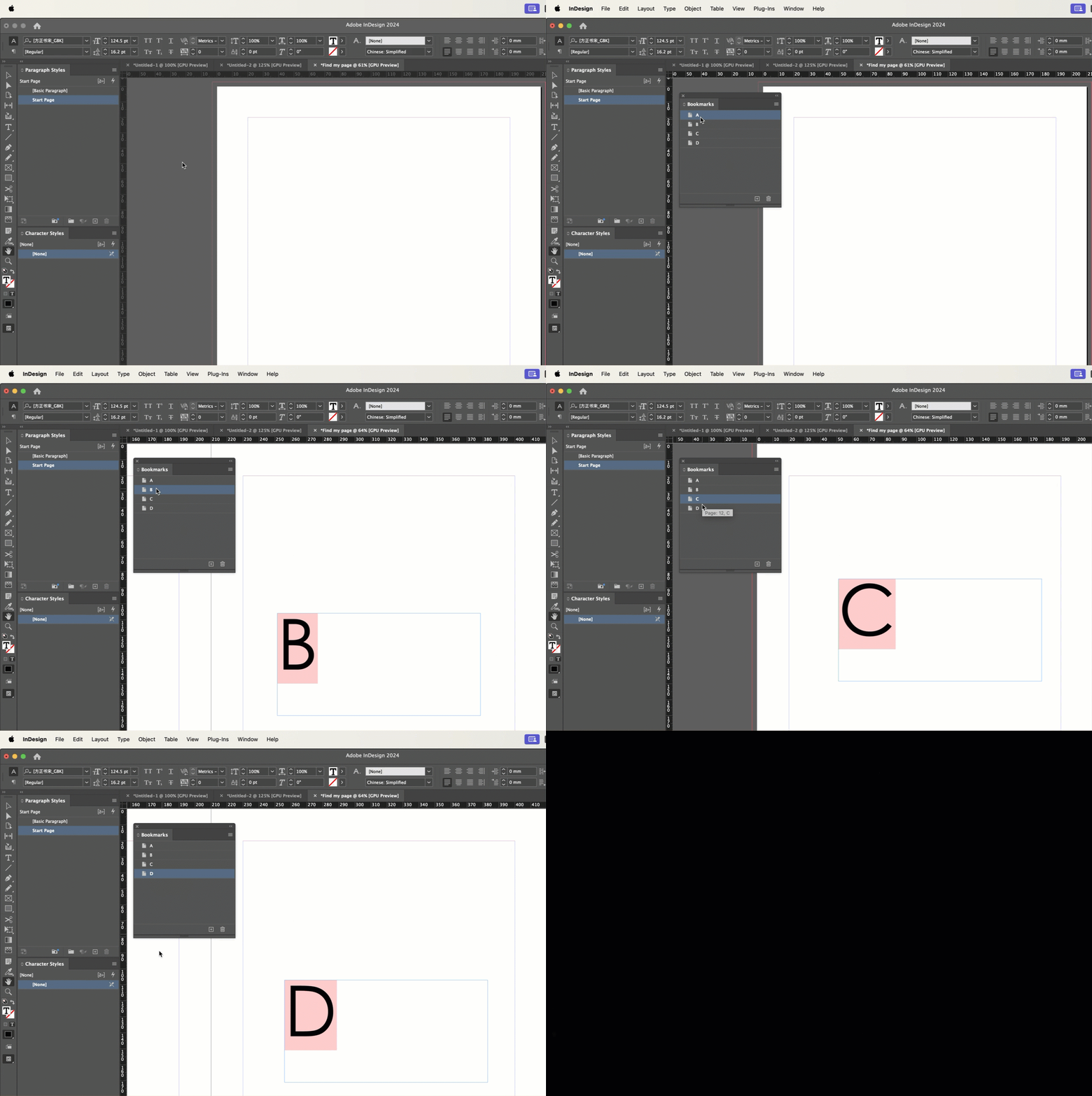
Bookmarks. 


You can create them manually, but because A, B, C and D are using the same paragraph style, you can generate a table of contents for the style and put it on the pasteboard out of view of the page. You can still generate a regular table of contents too—this one is just for the bookmarks.


Enable Create PDF Bookmarks in the dialog box and open Window > Interactive > Bookmarks. Double click to navigate.


~Barb

1 reply

Barb Binder
Community Expert
Barb BinderCommunity ExpertCorrect answer
Community Expert
July 8, 2024

Bookmarks. 


You can create them manually, but because A, B, C and D are using the same paragraph style, you can generate a table of contents for the style and put it on the pasteboard out of view of the page. You can still generate a regular table of contents too—this one is just for the bookmarks.


Enable Create PDF Bookmarks in the dialog box and open Window > Interactive > Bookmarks. Double click to navigate.


~Barb

~Barb at Rocky Mountain Training
dublove
dubloveAuthor
Legend
July 8, 2024

You are so amazing this time.
Thank you ~

Unfortunately, it will not update automatically. It's a bit slow when clicking