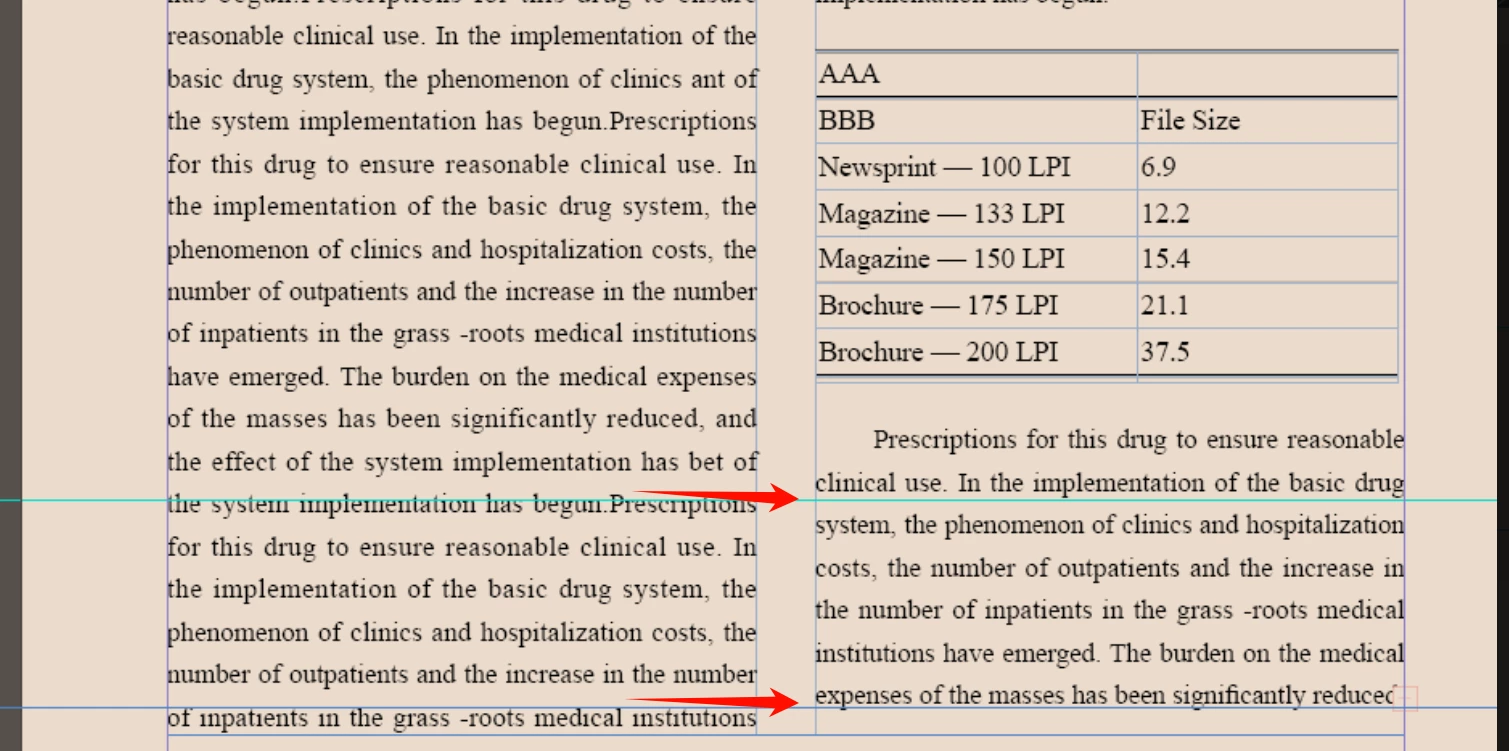
Once I realized I totally misread the OP (dangers of trying to read the forum on an iPhone outside in bright sunlight), I agree, if the OP truly wants things to snap in any automatic way, baseline grid is the answer. That of course means you are kind of forced to align the text to where the baseline grid has been defined to be on the page, and if you are working with many different styles and leading situations, this is not going to be helpful. In fact, looking at the OP's file, their leading is all over the map... the body copy's paragraph's style has a defined leading different than what has been applied as an override applied, as well as different leading in the table, etc, etc. So sorting that out would be way more work than simply manually adding some paragraph spacing to the paragraph near the table to skooch the copy down to line up visually.
Another option is to place the Table as a separate text block as an inline anchored object so Text Wrap can be applied and set to Skip by Leading, but by the time one figures all the intricacies of getting that to happen, a manual kick down would take less time.





 AdChoices