CynniDC-FzceE1
Participating Frequently
November 30, 2018
Answered

One gatefold in magazine

  • November 30, 2018
  • 2 replies
  • 2940 views

Hi,

I'm currently making a magazine for school and I'm struggling to make one gatefold on the right.

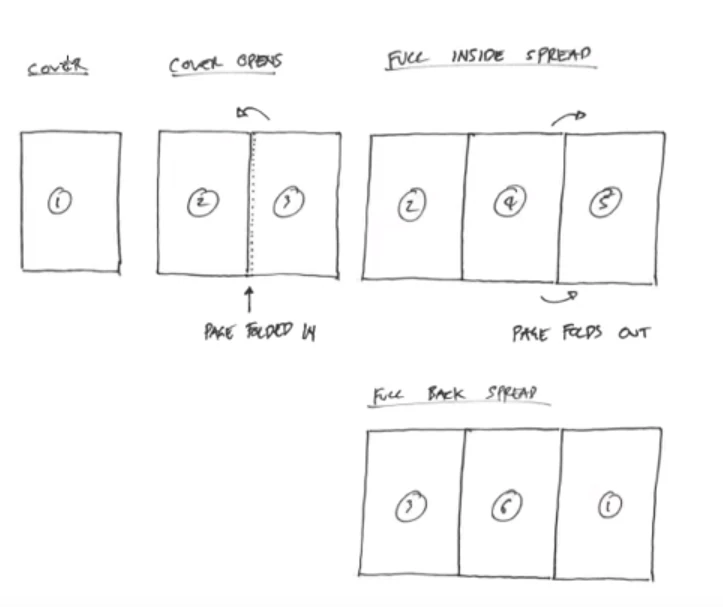
I want to make something like this

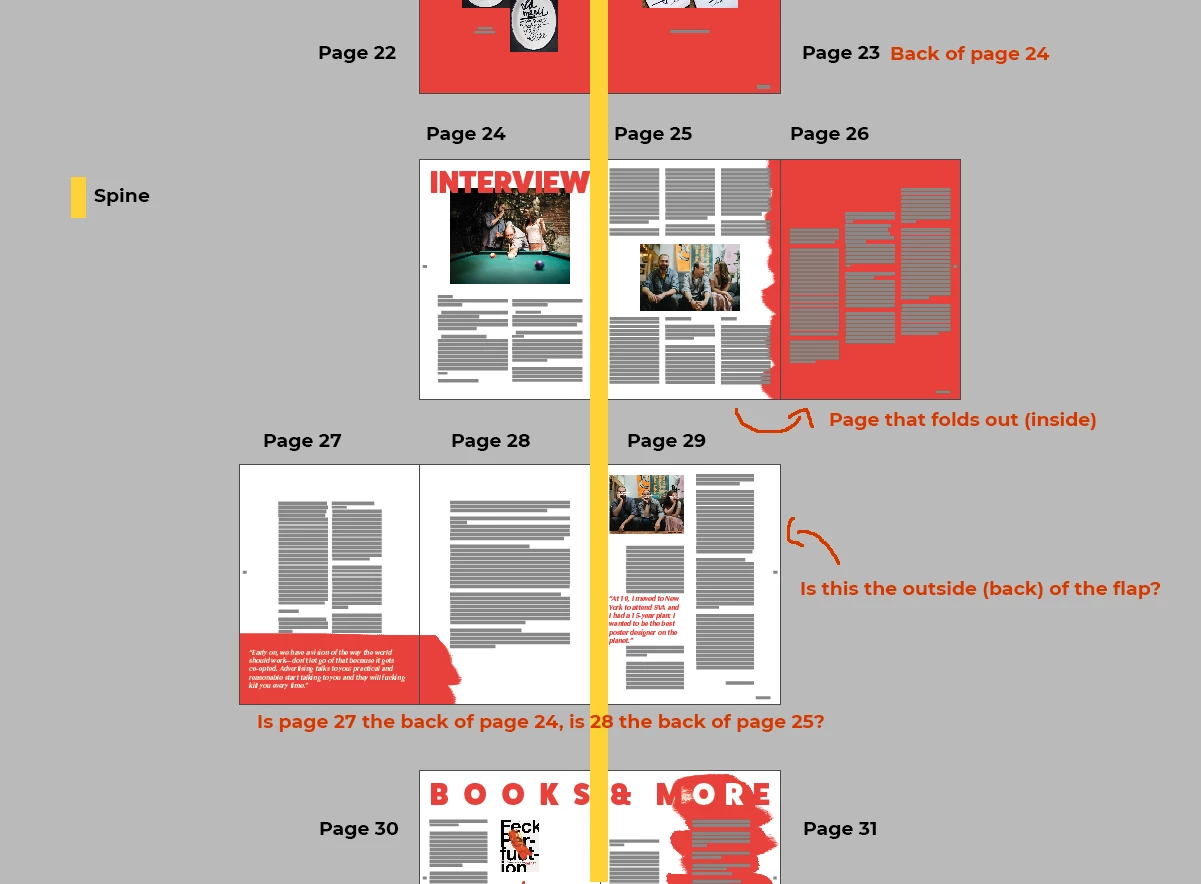
But it's in a magazine and I'm not sure which pages are the front & back. I currently have made this and I don't know if this is the right setup. If someone could check if this right or not.

Thank you in advance

Cynthia

This topic has been closed for replies.
Correct answer hammer0909

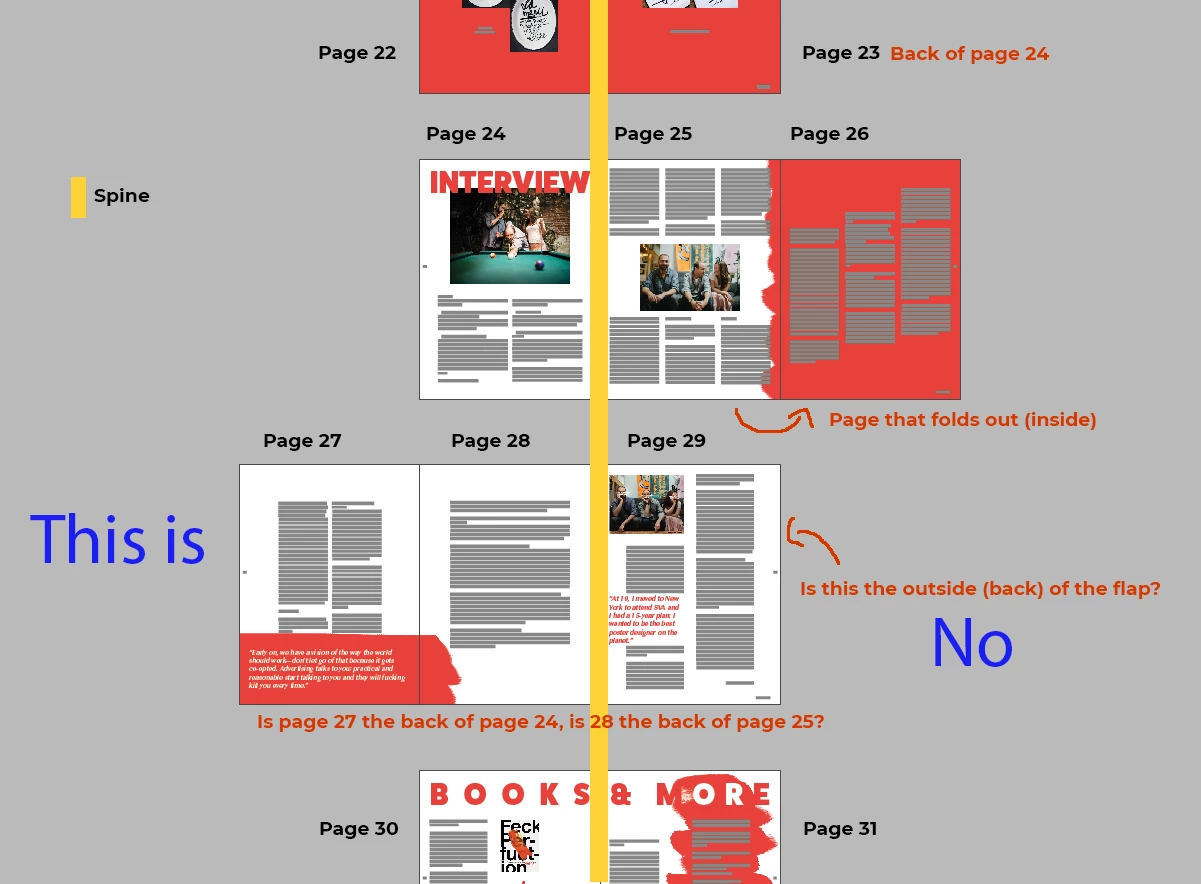
There's several ways to achieve this result. The way you have it set up is probably OK but always check with your printer to find out what they prefer. You have it setup as two separate pages where technically it's a single larger page folded in half. To get really technical, that fold out page needs to be shorter than the page it's connected to. Again, probably more info than you are asking for. I've attached an updated image that I commented on to answer the questions you asked in your comments. To answer your question, it is the right setup, the real question is whether your printer wants it as a separate page or a single larger page. To do the single larger page, you can select the Page tool and make the page larger to accommodate the foldout. In that case you'd need to delete page 26 and 27. I hope that makes sense.

2 replies

hammer0909
Community Expert
hammer0909Community ExpertCorrect answer
Community Expert
November 30, 2018

There's several ways to achieve this result. The way you have it set up is probably OK but always check with your printer to find out what they prefer. You have it setup as two separate pages where technically it's a single larger page folded in half. To get really technical, that fold out page needs to be shorter than the page it's connected to. Again, probably more info than you are asking for. I've attached an updated image that I commented on to answer the questions you asked in your comments. To answer your question, it is the right setup, the real question is whether your printer wants it as a separate page or a single larger page. To do the single larger page, you can select the Page tool and make the page larger to accommodate the foldout. In that case you'd need to delete page 26 and 27. I hope that makes sense.

CynniDC-FzceE1
Participating Frequently
November 30, 2018

Thank you for the explanation!

So if I change it to a single larger page and I have to delete page 26 and 27, what page is going to be the back of that larger page or is there none?

If I keep it this way will it all be printed as separate pages or are there printers that see it as one spread?

hammer0909
Community Expert
Community Expert
November 30, 2018

If you delete 26 and 27, what is now 28 will become 26 and will be the back side of the large page.

Mike Witherell
Community Expert
Community Expert
November 30, 2018

27 backs 26, 28 backs 25; 29 backs 24

Mike Witherell
CynniDC-FzceE1
Participating Frequently
November 30, 2018

Thank you so much!
So where the pages are is fine, right? The spine between page 28 and 29 is the right placement?