Inspiring
July 24, 2020
Answered

One spread has huuuuge pasteboard

  • July 24, 2020
  • 1 reply
  • 197 views

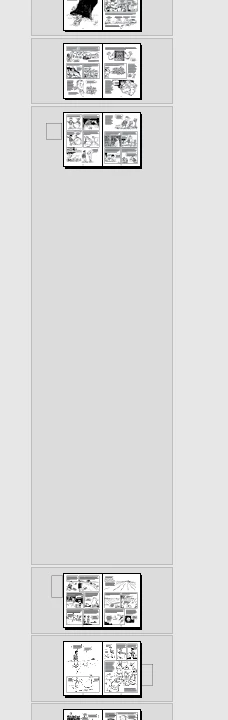
I'm working on a 240-page InDesign document, and everything appears fine except for one thing: a single spread, pp. 92-93, have a gigantically tall pasteboard. You have to scroll and scroll and scroll down before you see pp. 94-95. All the other spreads display normally. What do I do?
This topic has been closed for replies.
Correct answer lawrenceg94065294

Fixed it. Added new blank spread after 92-93, moved everything on 92-93 to the new spread, and deleted the old spread. All fine now.

1 reply

lawrenceg94065294AuthorCorrect answer
Inspiring
July 24, 2020

Fixed it. Added new blank spread after 92-93, moved everything on 92-93 to the new spread, and deleted the old spread. All fine now.