


Answered
Only first two characters of three-digit automatic page numbers are in Old Style.
Just discovered an issue that I found someone else had last year on Reddit: https://www.reddit.com/r/indesign/comments/1k0i25a/old_style_figures_not_consistently_applied_in/
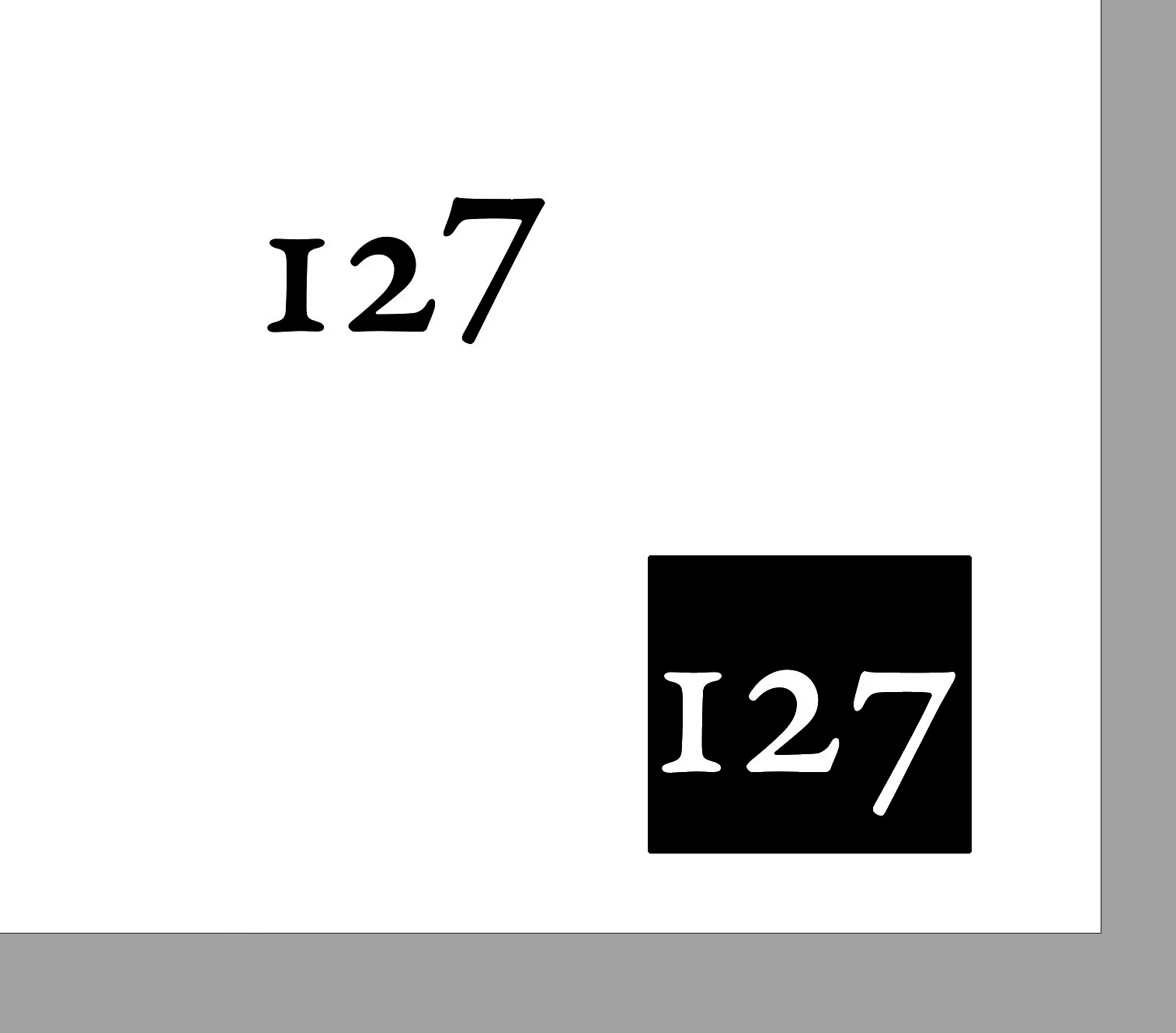
I have page numbers automatically added to the foot of each page set in Garamond Premier Pro Caption using OpenType Old Style figures. All fine until I reach pages 100+. The last digit reverts to Lining, not Old Style.
Illustrated is the automatic page number, with the same digits entered into a separate text box (reversed as selected when I screen-grabbed).
This is not a charater style or Drop Cap paragraph style. Something related to the “Current Page Number” special character (⌘3). If I add another Current Page Number to the page, the same error occurs…
Any ideas?

 AdChoices