Participant
March 29, 2018
Question

Opening a InDesign CC 12.1 File in InDesign CC 13.0?

  • March 29, 2018
  • 2 replies
  • 283 views

I'm designing a menu for a client who originally created their menus using InDesign CC 13.0.

I have InDesign CC 12.1 and am unable to get the latest 2018 version of InDesign due to the fact that I have a Mac Pro 2009 (OS X Yosemite Version 10.10.5).

When opening the client's files, (again, created in InDesign CC 13.0), this dialog box appears:
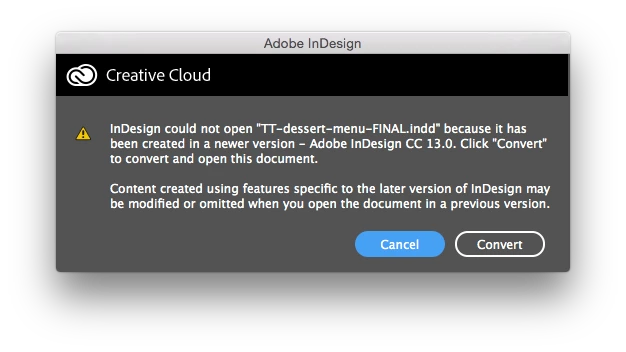
Naturally, I hit convert and the file opens with the original formatting of their menu. My question is: now that I'm designing new menus in an older version of InDesign (CC 12.1), will the client have trouble opening my files in their newer version (13.0)? The client is requesting InDesign files, as they'll need to frequently update their menu from here on out.

Thanks in advance for anyone who has experience with this!

This topic has been closed for replies.

2 replies

Bill Silbert
Community Expert
Community Expert
March 29, 2018

Later versions of Adobe programs can always open a document saved in an earlier version. One word of caution, however, don't keep moving documents back and forth between different versions of the program. It works fine on a limited basis but I was recently in a situation where I was forced to go back and forth several times and a lot of unexpected and disturbing issues arose with the files.

amaarora
Inspiring
March 29, 2018

Hi,

Opening a file (created in an older version) on a newer version  is never a problem.

It when a file created in a newer version is required to be opened in an previous version, you will have to use the "convert" functionality. Read more about this service here: New features and enhancements in InDesign CC 2014

-Aman