Known Participant
Apr 19, 2024 12:13 AM UTC
Answered

opentype alternate glyph popup, turn off or increase delay

Is there a way to turn this feature off or fix it so there's a delay like it use to?


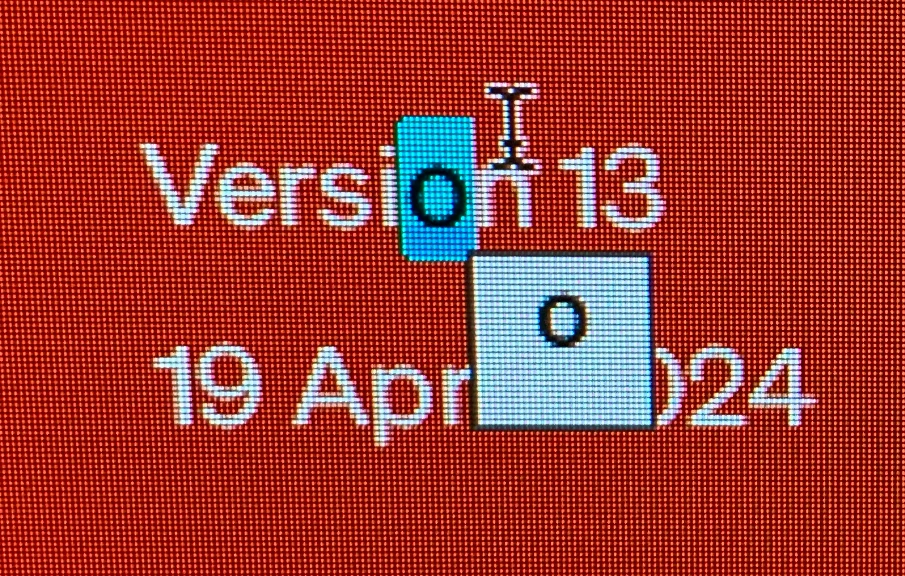
When i select a single character, the opentype alternates window pops up straight away, and then i have to press the esc key before i can type the replacement. 


I think there use to be a delay or the O icon pops up that we have to actually click on. Either way, it didn't create this hinderance when edit text.


was this an accidemtal bug? or a 'feature'? and is there a way to turn it off?
Bill Silbert
Bill SilbertCorrect answer
Community Expert
Apr 19, 2024 12:41 AM UTC

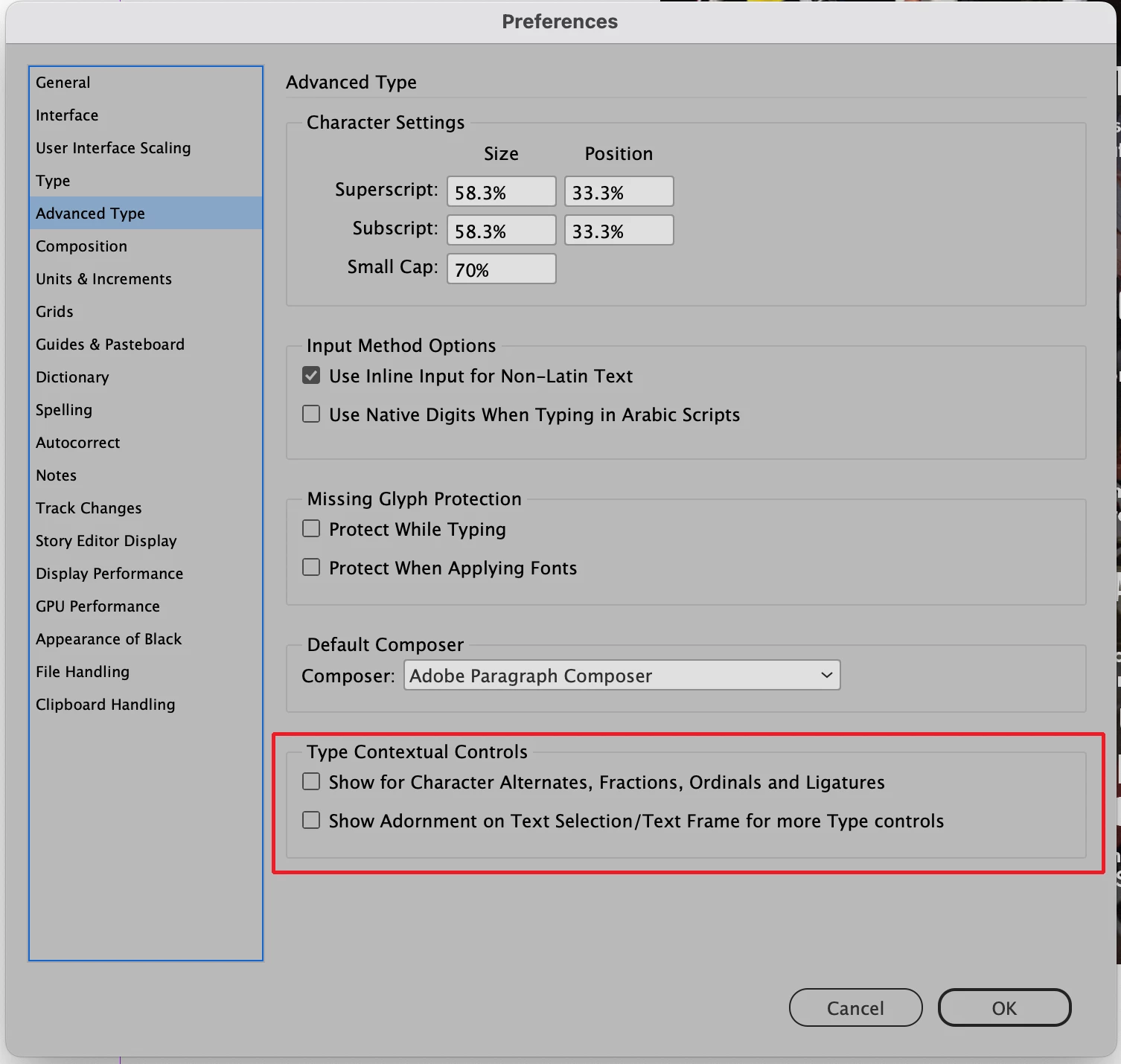
Make sure that Type Contextual Controls is unchecked in the Advanced Type section of your InDesign preferences.

3 replies

Bill Silbert
Community Expert
Bill SilbertCommunity ExpertCorrect answer
Community Expert
Apr 19, 2024 12:41 AM UTC

Make sure that Type Contextual Controls is unchecked in the Advanced Type section of your InDesign preferences.

Translate
Pu KohAuthor
Known Participant
Apr 19, 2024 1:00 AM UTC

amaze thanks!


Translate