dave c courtemanche
Inspiring
May 16, 2017
Question

Options button in Open or Place Window not sticky.

  • May 16, 2017
  • 2 replies
  • 471 views

Indesign CC2017 / Mac OS 10.11.6 El Capitan

With the update to 2017, the Options button in both the Open and Place dialogue won't stay selected. Have to press it every time to reveal open or place options. Bug? Way to fix?
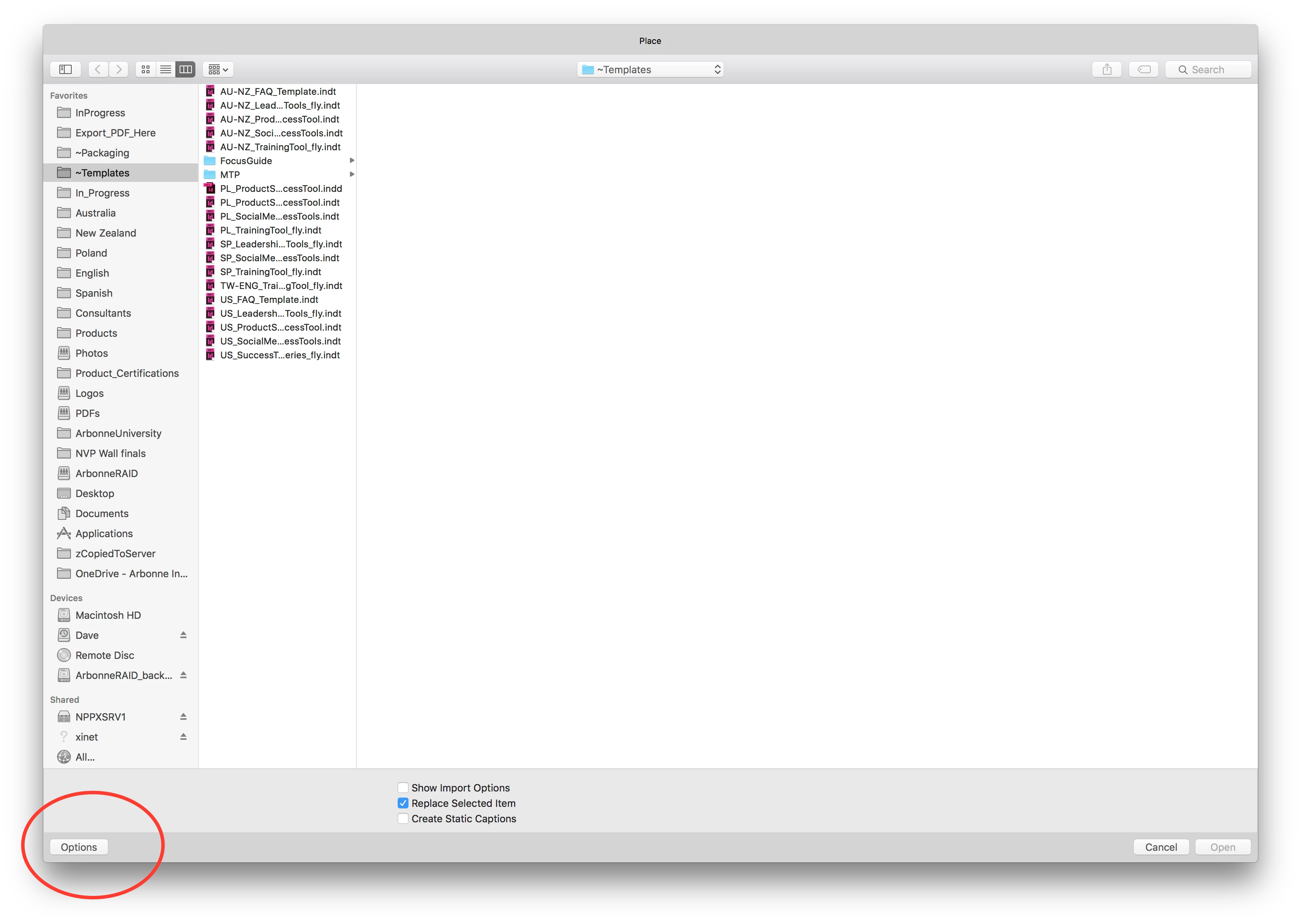
    This topic has been closed for replies.

    2 replies

    Community Expert
    May 17, 2017

    Hi Dave,

    since I am not on OSX 10.11.6, but on OSX 10.10.5 I cannot even see an "Options" button in my "Place" window with InDesign CC 2017 or any older version. So I think, that this comes from the OSX side. The "Options" button is available since 10.11. But not for all versions of InDesign. CS6 will not see it as reported by someone else using 10.12. And it's a bug, if it's not sticky with CC 2017 (at least per session between starting up InDesign and a quit). Should be sticky with CC 2015…

    Report a bug or do a feature request, that it should stay open:

    Feature Request/Bug Report Form

    As a workaround do like Bo suggested:
    Hold down the Shift key while clicking the Open button.

    Regards,
    Uwe

    Steve Werner
    Community Expert
    Community Expert
    May 17, 2017

    Hi, Dave.

    It definitely started with 10.11 and continued with 10.12.

    I use Uwe's workaround (when I remember!)

    Steve

    Community Expert
    May 17, 2017

    Hi Steve,
    It's not my workaround :-)

    Don't know who detected the workaround the first time years ago.
    Maybe David Blatner?

    Regards,
    Uwe

    Participating Frequently
    May 17, 2017

    Are you saying the "Show Import Options" button (above the Replace Selected Item) is not sticky?

    Have you tried to reset your preferences?

    The quickest way to get the options in the Place dialog is to just hold down the Shift key while clicking the Open button at the lower right.