Participant
January 2, 2023
Answered

Organisation bloc Texte Indesign

  • January 2, 2023
  • 4 replies
  • 461 views

Bonjour tout le monde


Je suis a réaliser des mises en pages sur indesign . En copiant collant un bloc texte venant d'un document pdf dans un bloc texte Indesign . J'obtiens le résultat suivant :
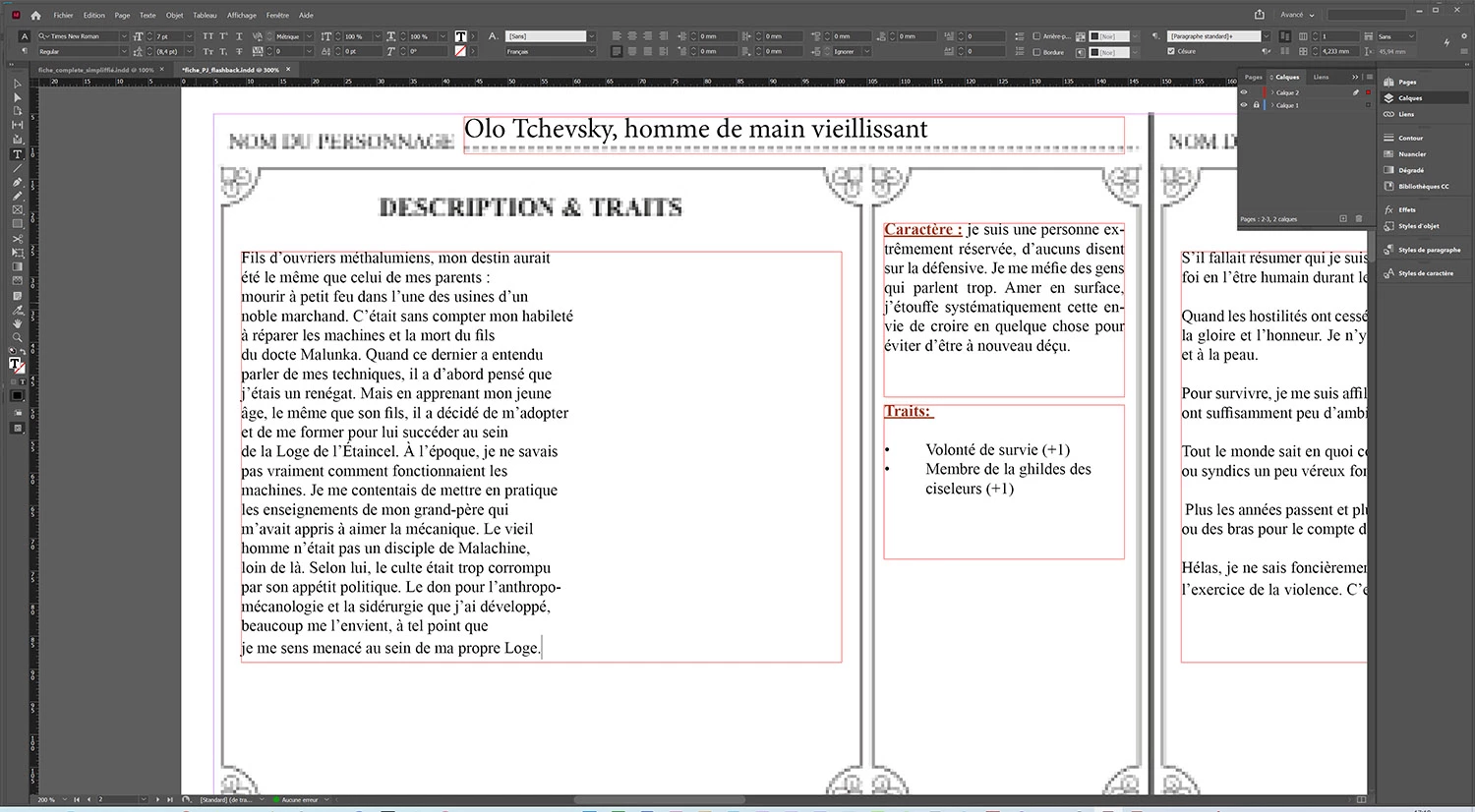


Si je me base sur le document pdf sur lequel je copie le texte , c'est une colonne en gros . Ma question est que au lieu de faire un retour arrière a chaque ligne pour que mon texte prenne tout la longueur du bloc . Existe t-il un moyen de supprimer les blancs en 1 seule manipulation ? Merci beaucoup de vos retours.


A bientot
This topic has been closed for replies.
Correct answer Robert at ID-Tasker

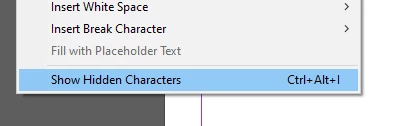
Can you turn on Hidden Characters - Menu Type:


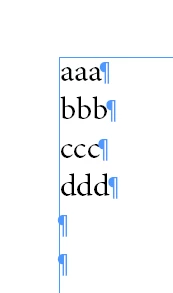
And if you have:


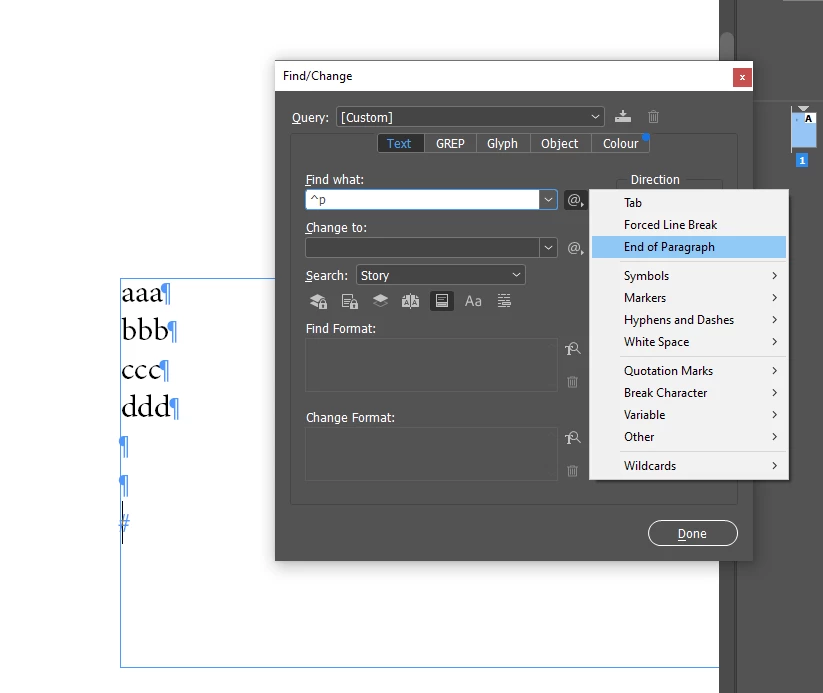
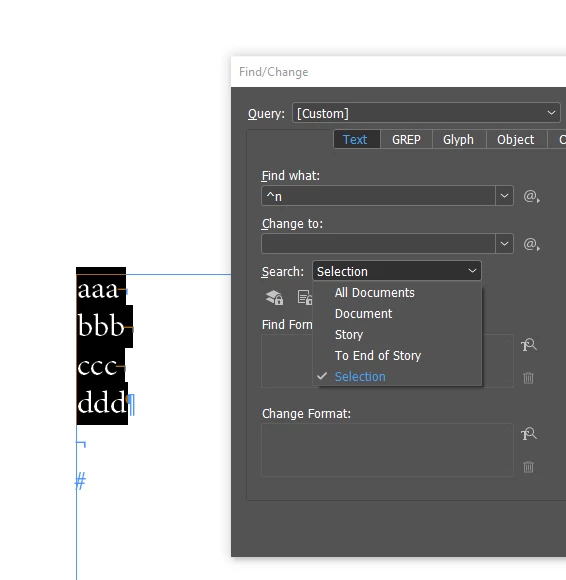
at the end of each line - you can select block of text and then CTRL+F and


^p


Change to:


(nothing)


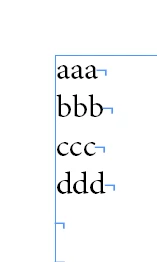
Or if you have:


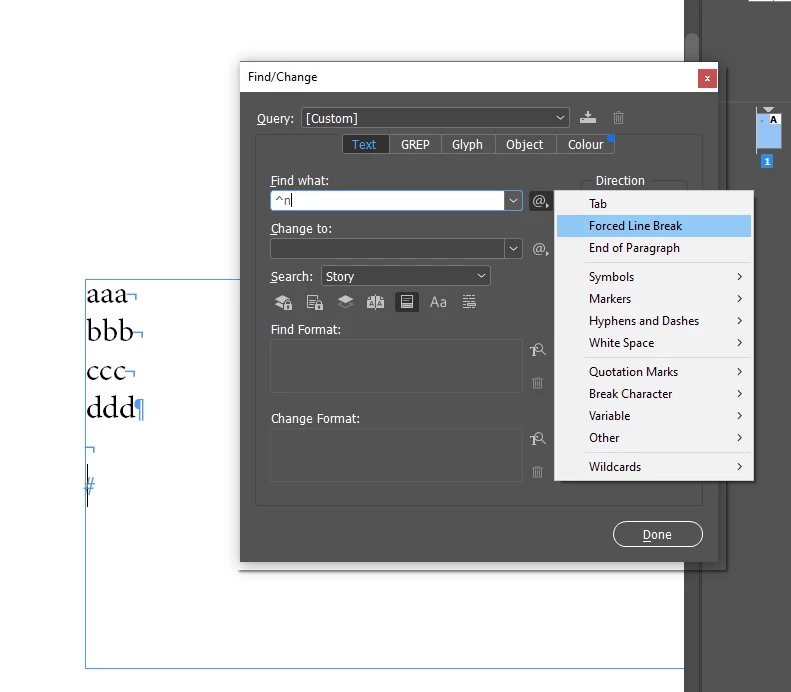
then


Be aware what you have selected in SEARCH:


4 replies

Community Expert
January 3, 2023

Hi @Erwan35131 ,

if you copy text from Acrobat Pro DC make sure you are in Edit PDF mode there.

Acrobat tries to do real paragraphs with continous text in that mode.


Here a sample where some issues arise with hyphenated words, but otherwise the flow of text seems reasonable:


Regards,
Uwe Laubender

( Adobe Community Expert )

Participant
January 3, 2023

merci du retour , mais je sui sur Adobe Reader , j'ai pas le pro. ceci dit , j'ai eu une autre solution qui fonctionne plus haut. Encore merci

Robert at ID-Tasker
Robert at ID-TaskerCorrect answer
Legend
January 2, 2023

Can you turn on Hidden Characters - Menu Type:


And if you have:


at the end of each line - you can select block of text and then CTRL+F and


^p


Change to:


(nothing)


Or if you have:


then


Be aware what you have selected in SEARCH:


Participant
January 3, 2023

Super merci , ca repond a ma question , merci beaucoup

BobLevine
Community Expert
Community Expert
January 2, 2023

As Steve says, the original document would be a far better source. That said, you could try saving the PDF as a Word document and working from that.

Steve Werner
Community Expert
Community Expert
January 2, 2023

There is really no control over copying and pasting text from a PDF file.


It would be better to copy from the document from which the PDF was made.