
Participating Frequently
November 20, 2018
Answered

Organizing the control panel in InDesign 2019

  • November 20, 2018
  • 2 replies
  • 2496 views

I have just installed Indesign 2019 and the control panel is organized in a very unfamiliar way. I think I remember that in earlier versions that you could move things around to suit individual habits. Having tried to do so (without success), I am wondering if that option has been removed.
    This topic has been closed for replies.
    Correct answer Bill Silbert

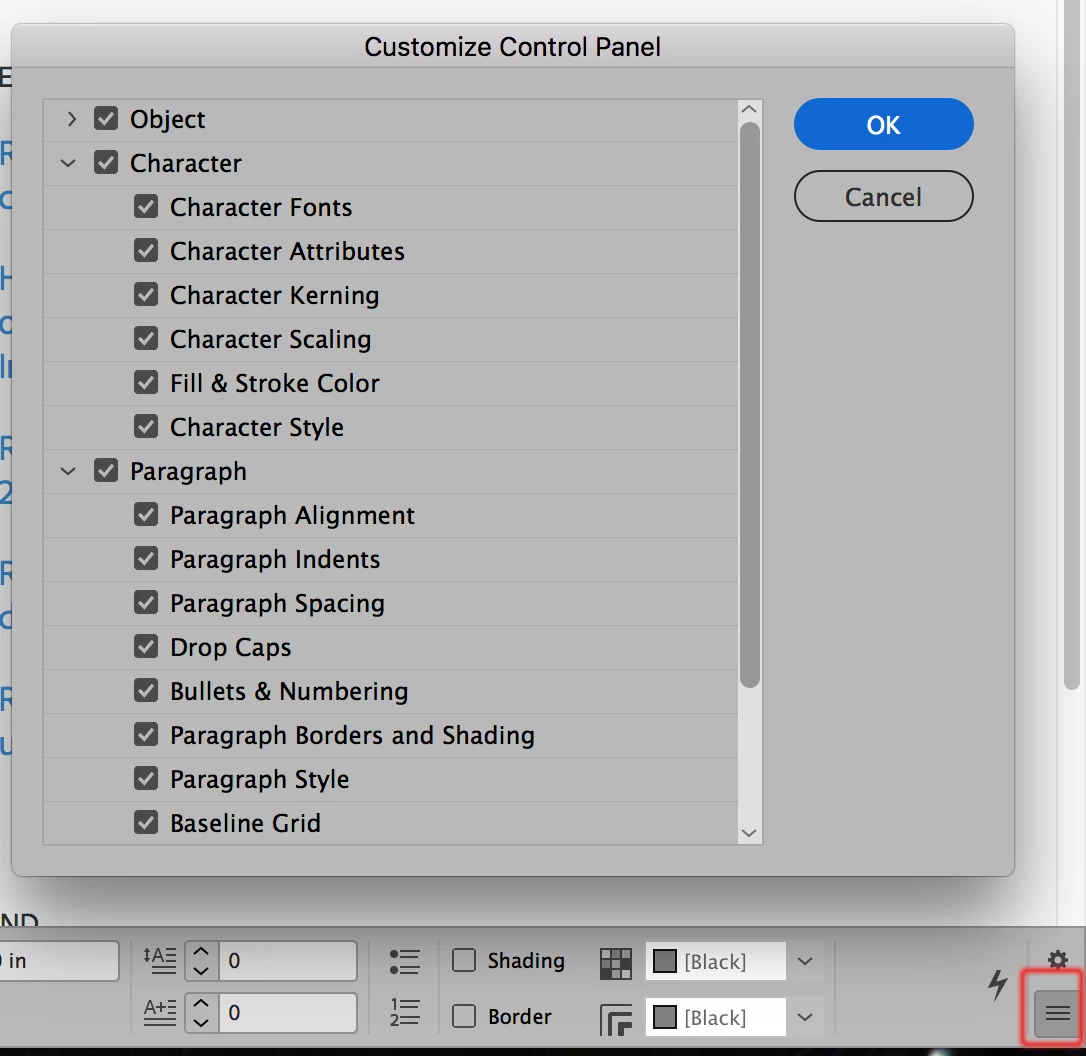
    You can't move things around but you can customize what goes on it. Click on the three parallel lines at the lower right of the control panel (highlighted in red below) and choose "Customize" from the pop-up menu that appears (or for more direct access click on the gear icon above the parallel lines). The Customize Control Panel will appear and you can choose what appears on it. Make sure that you've installed the newest bug fix to CC 2019 (14.0.1) which has fixed the problems that the initial release had with elements disappearing from the control panel.

    2 replies

    Bill Silbert
    Community Expert
    Bill SilbertCommunity ExpertCorrect answer
    Community Expert
    November 20, 2018

    You can't move things around but you can customize what goes on it. Click on the three parallel lines at the lower right of the control panel (highlighted in red below) and choose "Customize" from the pop-up menu that appears (or for more direct access click on the gear icon above the parallel lines). The Customize Control Panel will appear and you can choose what appears on it. Make sure that you've installed the newest bug fix to CC 2019 (14.0.1) which has fixed the problems that the initial release had with elements disappearing from the control panel.

    Participating Frequently
    November 20, 2018

    That's unfortunate. I am quite accustomed to a particular arrangement.

    It would seem that I now need to learn a new one. Thanks Adobe! NOT!!

    BobLevine
    Community Expert
    Community Expert
    November 20, 2018

    Again, nothing's changed! That panel is context sensitive and depends on what tool you're using, what you have selected and the width of your screen.

    BobLevine
    Community Expert
    Community Expert
    November 20, 2018

    The control panel has not changed. You can customize it by clicking on the gear icon and choosing what you want to display.