


Participant
December 27, 2017
Answered

Outlining text from a linked illustrator object text in InDesign

  • December 27, 2017
  • 1 reply
  • 1662 views

Hi,

I have a design in .indd sent to me by my graphic designer. I sent the design as a PDF to my printing guy and he said that the text needs to be outlined. Normally this would be easy if the test was just a text box in InDesign but problem is my designer has all text linked from illustrator files.

(Text that needs to be outlines in pink)
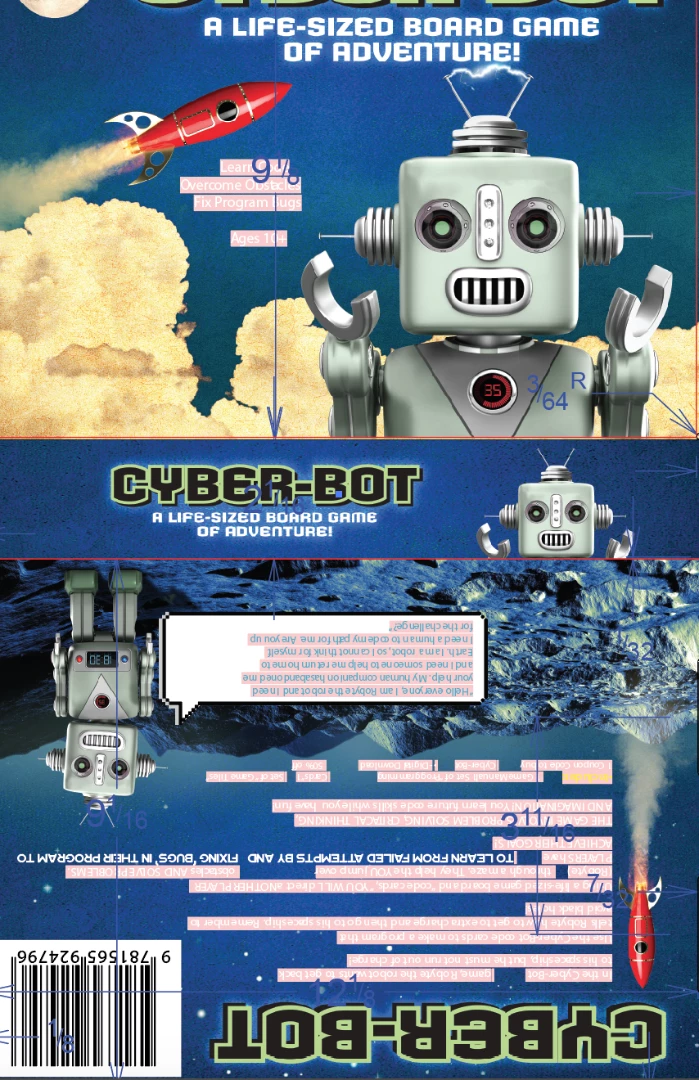
My question is hoe can I outline all that text? Do I have to install illustrator, modify the linked files and then update the indesign file?

This topic has been closed for replies.
Correct answer Dov Isaacs

There is a Preflight profile in Acrobat Pro DC that can “outline” text directly on the PDF exported from InDesign. Takes a few seconds to run and maintains the integrity of your original InDesign document. And it doesn't involve having to modify linked files.

That having been said, except for a very few specific applications (such as sign cutting), “outlining” text is really an artifact of very old workflows running with unreliable RIPs and workflow software. “Outlining text” is not a workflow practice endorsed by any responsible vendor or graphic arts standards organization. It is unnecessary, bloats the resultant PDF files, increases RIP time, and yields PDF files that cannot be properly searched and/or edited for touch-up. If your so-called “printing guy” is insisting / requiring text to be outlined, I would seriously question the credentials and skills of whatever service the “printing guy” is offering.

          - Dov

1 reply

Dov Isaacs
Dov IsaacsCorrect answer
Legend
December 27, 2017

There is a Preflight profile in Acrobat Pro DC that can “outline” text directly on the PDF exported from InDesign. Takes a few seconds to run and maintains the integrity of your original InDesign document. And it doesn't involve having to modify linked files.

That having been said, except for a very few specific applications (such as sign cutting), “outlining” text is really an artifact of very old workflows running with unreliable RIPs and workflow software. “Outlining text” is not a workflow practice endorsed by any responsible vendor or graphic arts standards organization. It is unnecessary, bloats the resultant PDF files, increases RIP time, and yields PDF files that cannot be properly searched and/or edited for touch-up. If your so-called “printing guy” is insisting / requiring text to be outlined, I would seriously question the credentials and skills of whatever service the “printing guy” is offering.

          - Dov

- Dov Isaacs, former Adobe Principal Scientist (April 30, 1990 - May 30, 2021)