Answered
Over and under lapping photos in circles in InDesign
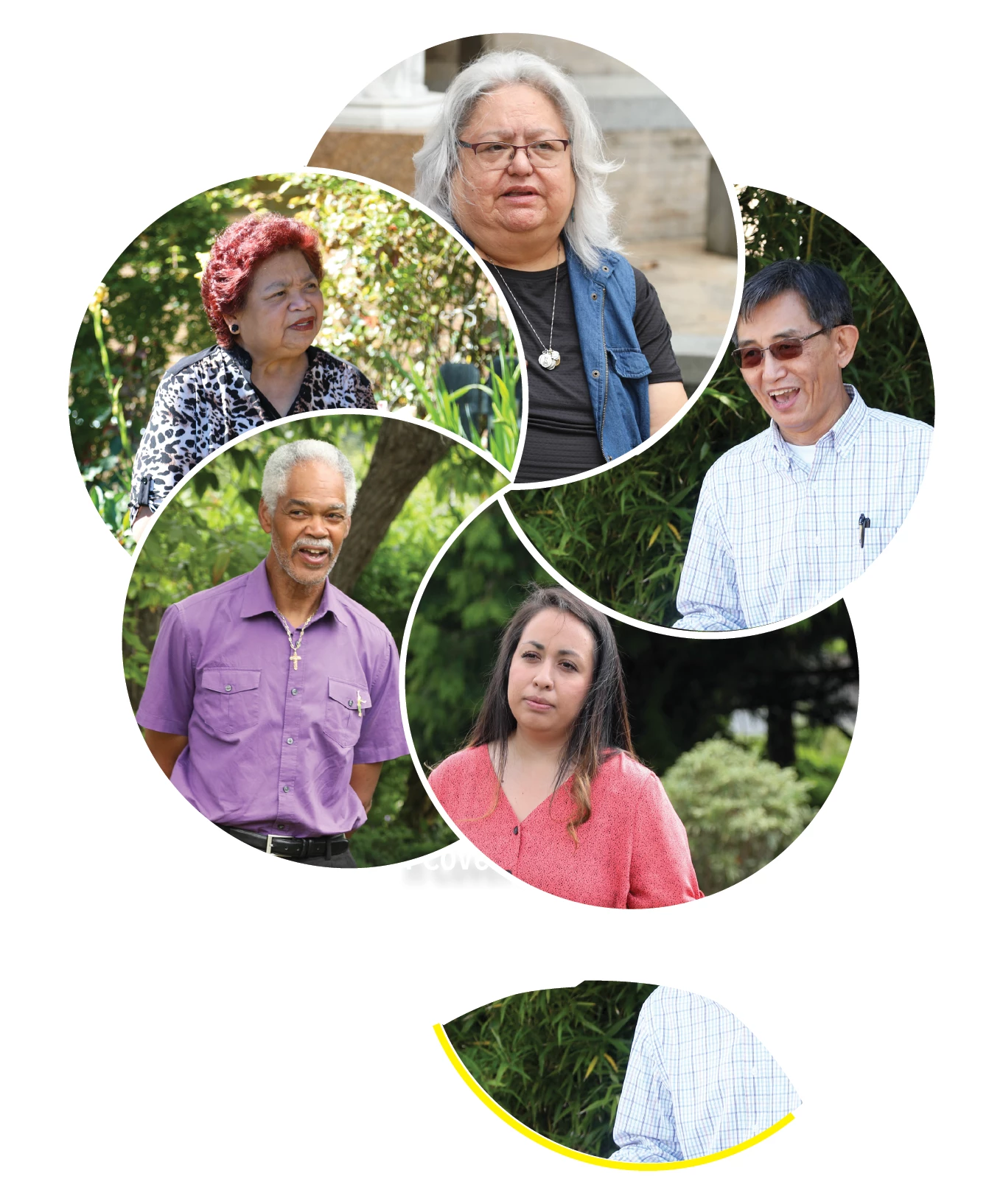
I want the photo of the women in pink to not only overlap the photo of the man in purple, but also underlap the man in the light checkered shirt. Is this possible ?

I want the photo of the women in pink to not only overlap the photo of the man in purple, but also underlap the man in the light checkered shirt. Is this possible ?
Duplicate the man in the checkered shirt and use the pen and scissor tools to re-shape the bounding box so the image will only cover the top object, see the partial image at the bottom of the screen shot. You will also need to make a separate segment of the white circle using the same tools (shown in yellow for clarity). I also needed to do the same for the woman at the top.
Already have an account? Login
Enter your E-mail address. We'll send you an e-mail with instructions to reset your password.
 AdChoices