Participant
April 10, 2025
Answered

Packages Menu indesign 20.2 is nearly full screen width

  • April 10, 2025
  • 2 replies
  • 233 views

When I click on Packages on inDesign 20.2 it is nearly full screen width. How do I get it back to normal size? 
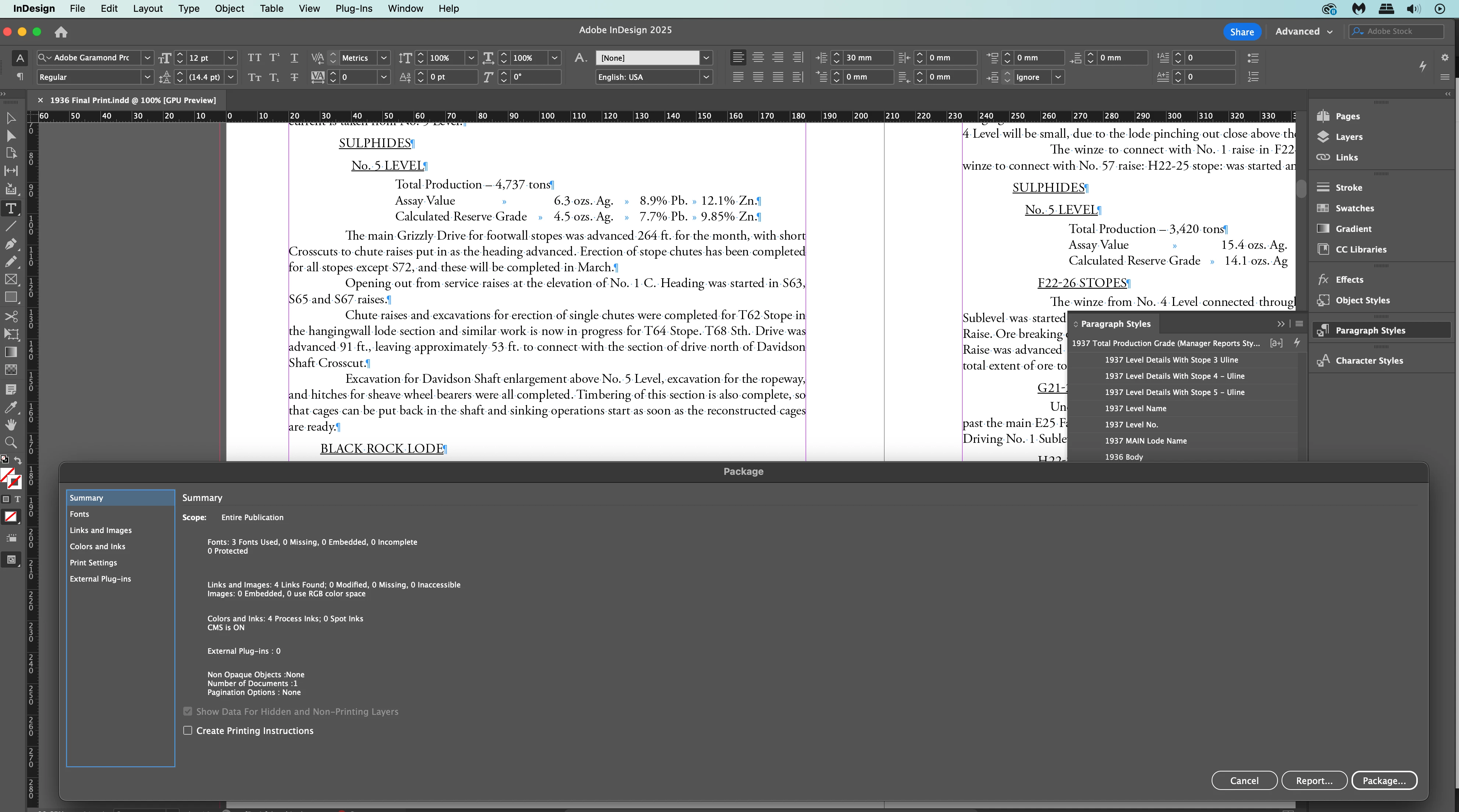
I have tried everything.

Thanks. Barry

    Correct answer barrym90524912

    After trying every suggestion, Mrs. Google suggested to hold down, sghift, control, option, command keys annd then click on the app to open. Lost all preferences, no biggee, now it works.

    2 replies

    Abhishek Rao
    Community Manager
    Community Manager
    April 10, 2025

    Hi @barrym90524912,


    Could you please confirm if you're using InDesign 2025 version 20.2 and let us know your macOS version as well? Also, does this happen only with the Package window or with other windows too, like Preferences? And if you're using an external display, do you notice this behavior only when it's connected?

    In the meantime, try resetting your workspace by going to Window > Workspace > Reset [Your Current Workspace]. Reference: Resetting Workspace

    If that doesn’t do the trick, you can try resetting your InDesign preferences. Reference: Reset Preferences. Just be sure to back up your current preferences before resetting(refer the article). 


    Looking forward to hearing back. 

    Abhishek


    Participant
    April 10, 2025
    Regards
    Barry
    barrym90524912AuthorCorrect answer
    Participant
    April 10, 2025

    After trying every suggestion, Mrs. Google suggested to hold down, sghift, control, option, command keys annd then click on the app to open. Lost all preferences, no biggee, now it works.

    kglad
    Community Expert
    Community Expert
    April 10, 2025

    in the future, to find the best place to post your message, use the list here, https://community.adobe.com/

    p.s. i don't think the adobe website, and forums in particular, are easy to navigate, so don't spend a lot of time searching that forum list. do your best and we'll move the post (like this one has already been moved) if it helps you get responses.


    <"moved from using the community">
    Participant
    August 5, 2025

    Thanks for the heads-up! I really appreciate the guidance — I was starting to feel a bit lost navigating the forums. I’ll do my best to post in the right place moving forward, and it’s good to know posts can be moved if needed. Thanks again for your help!. 

    kglad
    Community Expert
    Community Expert
    August 5, 2025

    you're welcome, but i don't see that you have a post here (or anywhere else for that matter) that was moved, unless you're @barrym90524912 using a different screen name (which would be a bit mysterious).