
Page background missing in some pages and document broken
I’m having an issue that could do away with a week’s worth of hardwork, so I’d really appreciate if somebody could help me out with this without having to re-typeset everything.
For reasons unknown, six pages in my document have lost their default, white background color, and when I go to my Preview Mode (W) or Fullscreen Preview (Shift + W) it becomes pitch black. Since I have my pasteboard color set to black, I can’t see my black text when I’m working on Normal mode, but changing the pasteboard color showed me that my body copy is still there.
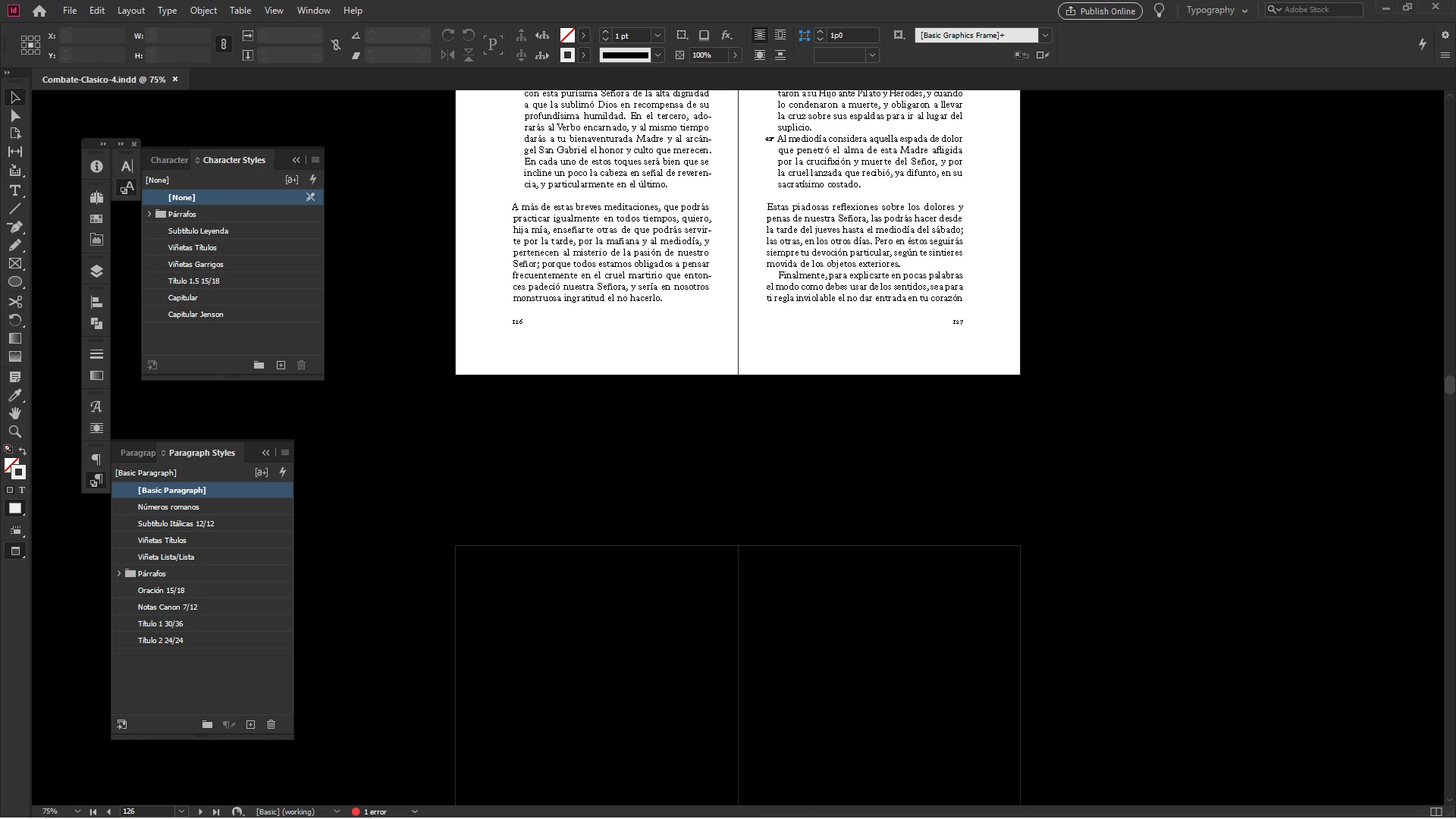
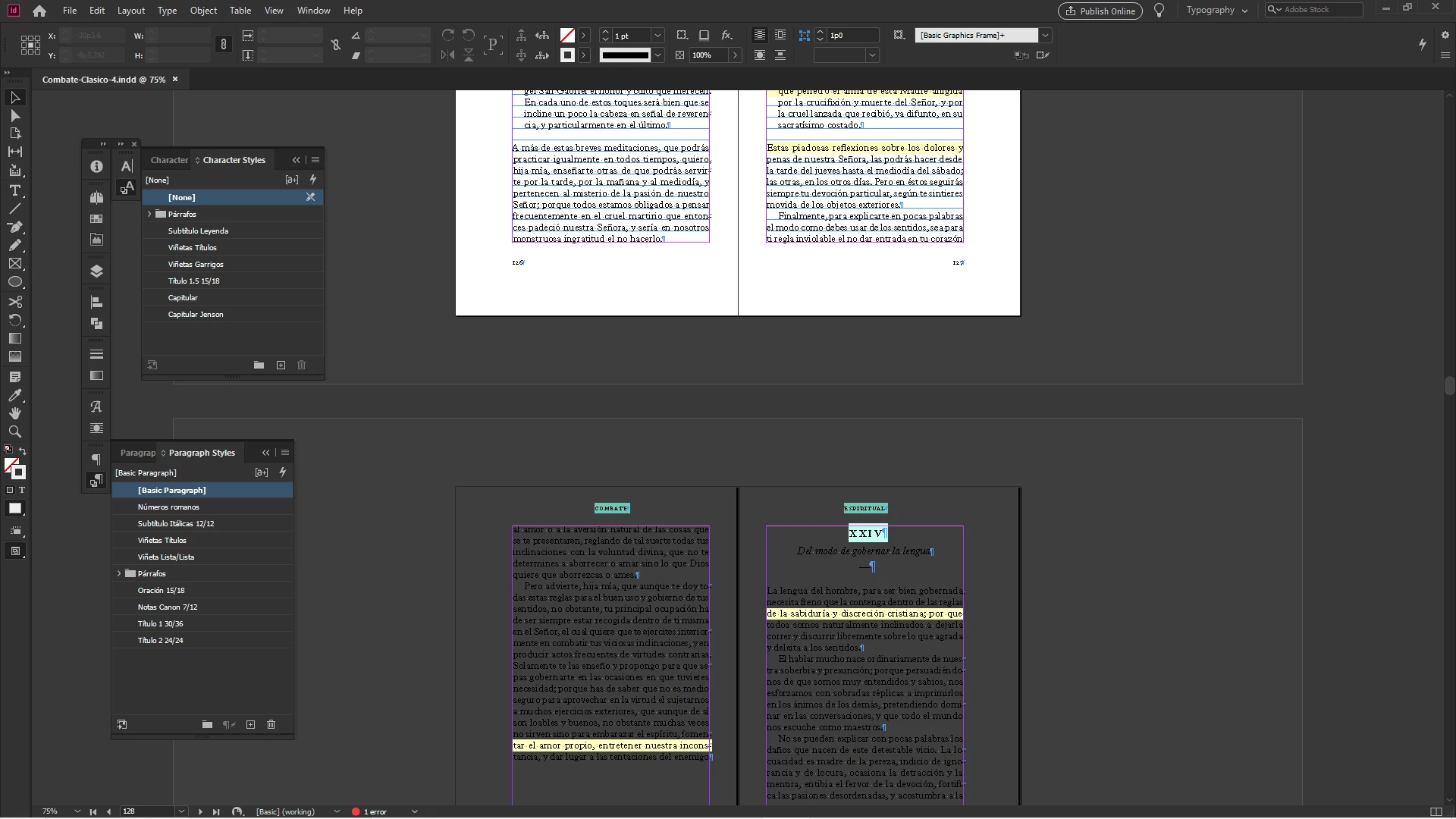
I’m almost shure this goes beyond a mere aesthetic setting, because my document is basically broken: the page numbers in those six pages aren’t showing correctly (it displays “PB” rather than the current page number), and whenever I try to add a new blank pages between any of those six bugged pages, InDesign crashes instantly.
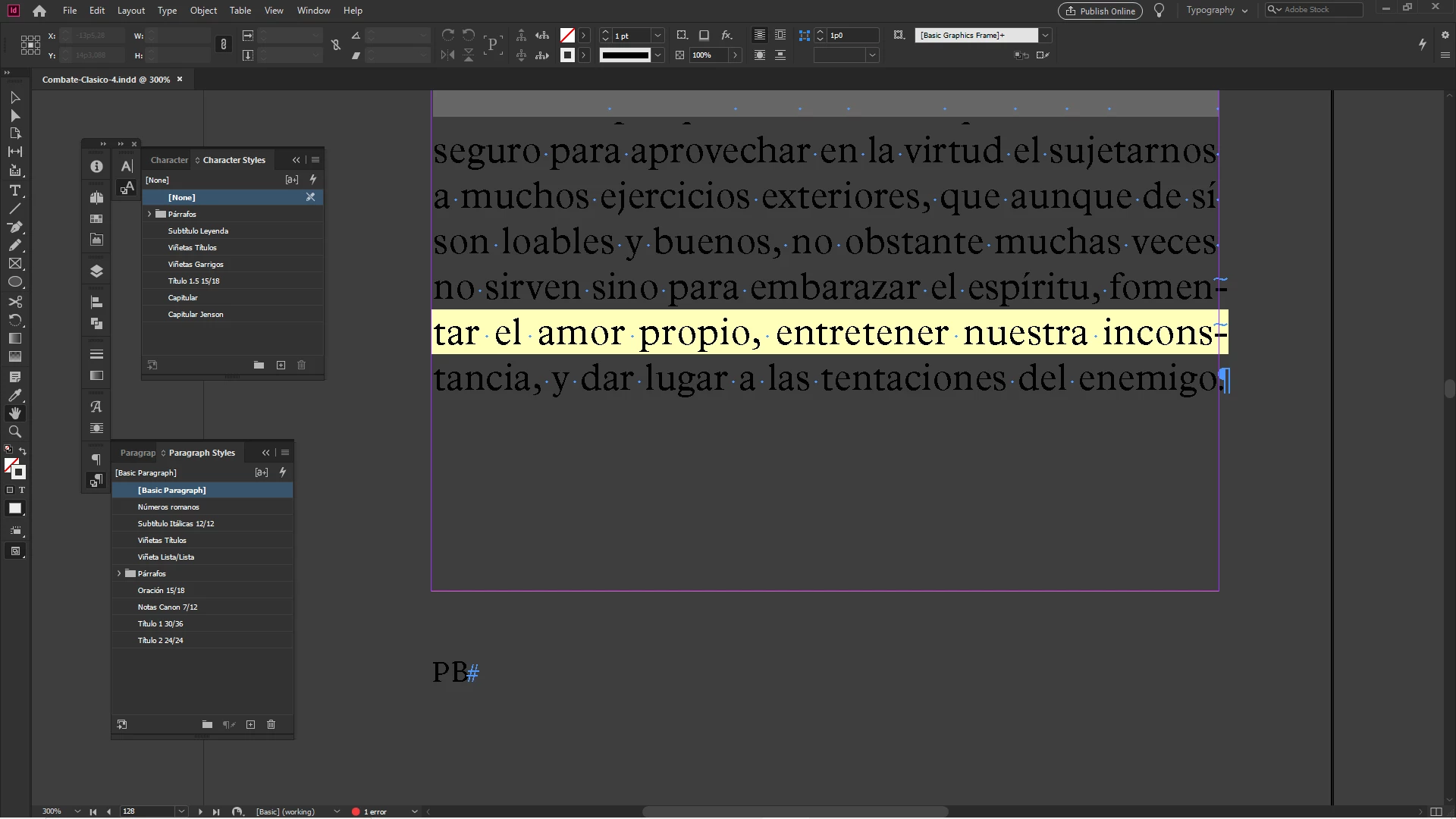
My content is still there, so I’m guessing this might be easier to fix than it seems, but I’ve exhausted all my InDesign knowledge and I haven’t been able to figure out what went wrong. I searched for “indesign page background missing” and some other similar queries, and couldn’t manage to find anything remotely similar to my problem, which led to write my own post and ask for help, since this is rather urgent.
I apologize in advance if the fix for this issue turns out to be rather obvious or easily findable in the forum, but I’ll be really thankful if somebody could lend me a hand to get this fixed today.
 AdChoices