Answered
Page failed to load
Opening screen says "Page failed to load"
Below it gives a URL that no longer exists. I do not know how to relink.
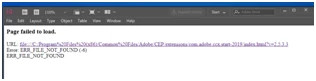
Opening screen says "Page failed to load"
Below it gives a URL that no longer exists. I do not know how to relink.
I have little information. The program hasn't been opened in weeks. Then when it was opened today this error showed up. It appears that files can still be opened, edited and saved. I want to ensure this error will not cause any problems. I am not entirely sure what the link is for in the first place
I uninstalled and reinstalled InDesign but the error persists.
It appears to be a server-related error. I would move the file and its links to your local computer and try opening it from there.
If you cannot do that, then you need to consult your server administrator.
Already have an account? Login
Enter your E-mail address. We'll send you an e-mail with instructions to reset your password.
 AdChoices