Known Participant
February 13, 2018
Answered

Page Number Hidden

  • February 13, 2018
  • 2 replies
  • 2755 views

I applied the current page number to the master pages.

I can see the page numbers on the first two pages

But then the page number resides behind this footer graphic on the remaining pages.  The footer image appears to be sent to the back and the text box on the master page appears to be sent to the front.
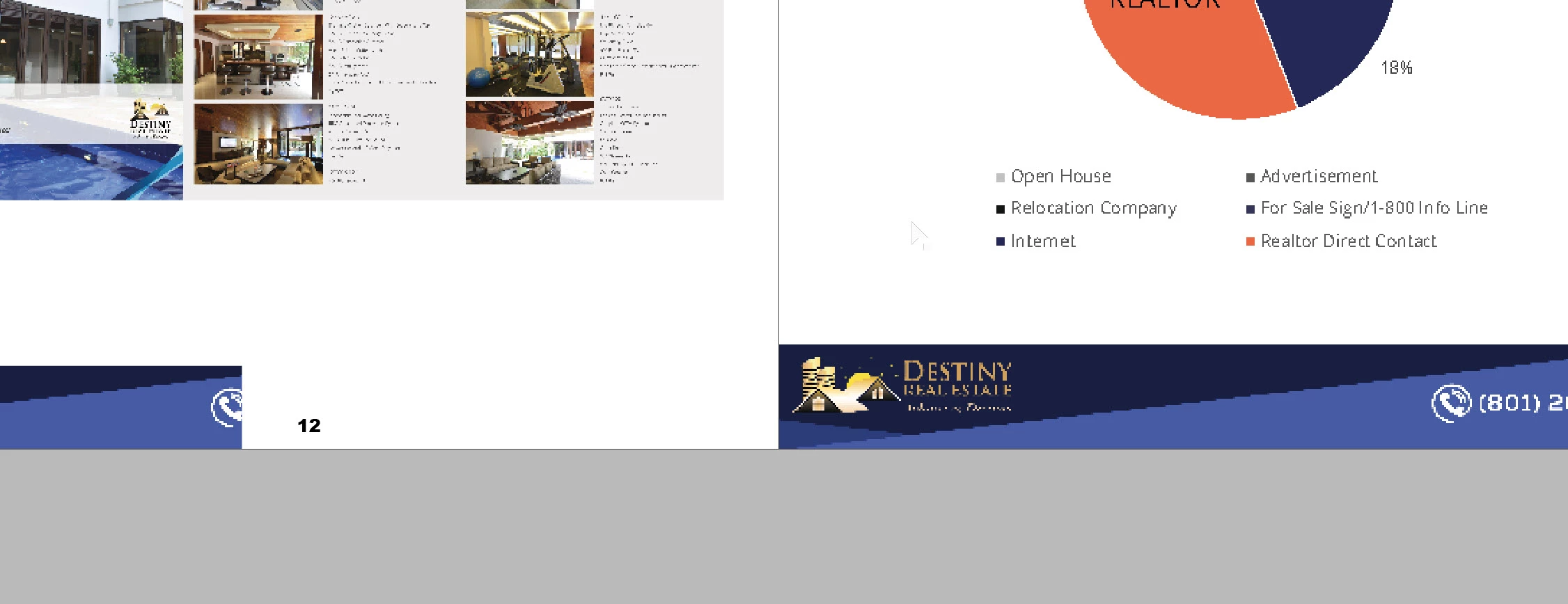
I can't see the page numbers unless I drag the image away.

Thank you in advance for your time and expertise

This topic has been closed for replies.
Correct answer Bill Silbert

Put the page numbers on their own layer in the Master Page and make that layer the top layer of the document.

2 replies

Frans v.d. Geest
Community Expert
Community Expert
February 13, 2018

Items on a Master Page always lay beneath items on document pages. Create a top layer (a layer that always is on top of other layers in the Layer panel) and use that when creating items like page numbers on the Master Page.

Bill Silbert
Community Expert
Bill SilbertCommunity ExpertCorrect answer
Community Expert
February 13, 2018

Put the page numbers on their own layer in the Master Page and make that layer the top layer of the document.

Known Participant
February 15, 2018

Thank you Bill!

Bill Silbert
Community Expert
Community Expert
February 15, 2018

Happy to help.