Acai06
Inspiring
December 6, 2021
Answered

Page number in TOC in different sizes?

  • December 6, 2021
  • 3 replies
  • 630 views

Hello,

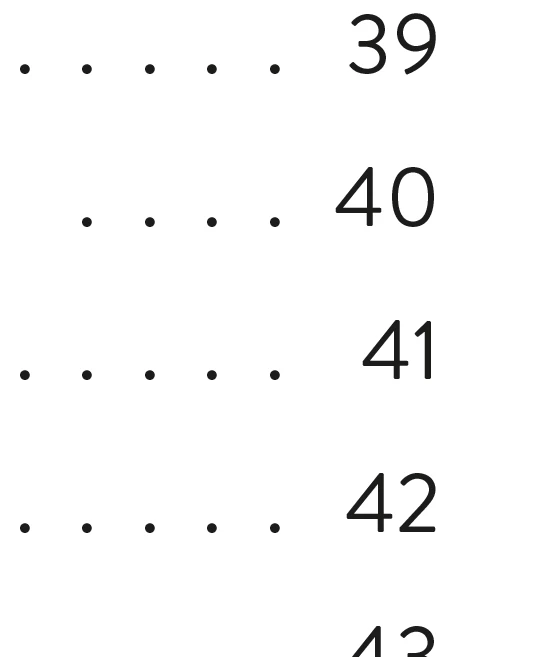
While finishing a file for print, I noticed that the page number in my TOC are somehow squashed like this "See 41". Does anyone know how to fix this, so all page numbers look the same size?



This topic has been closed for replies.
Correct answer Barb Binder

Hi @Acai06:


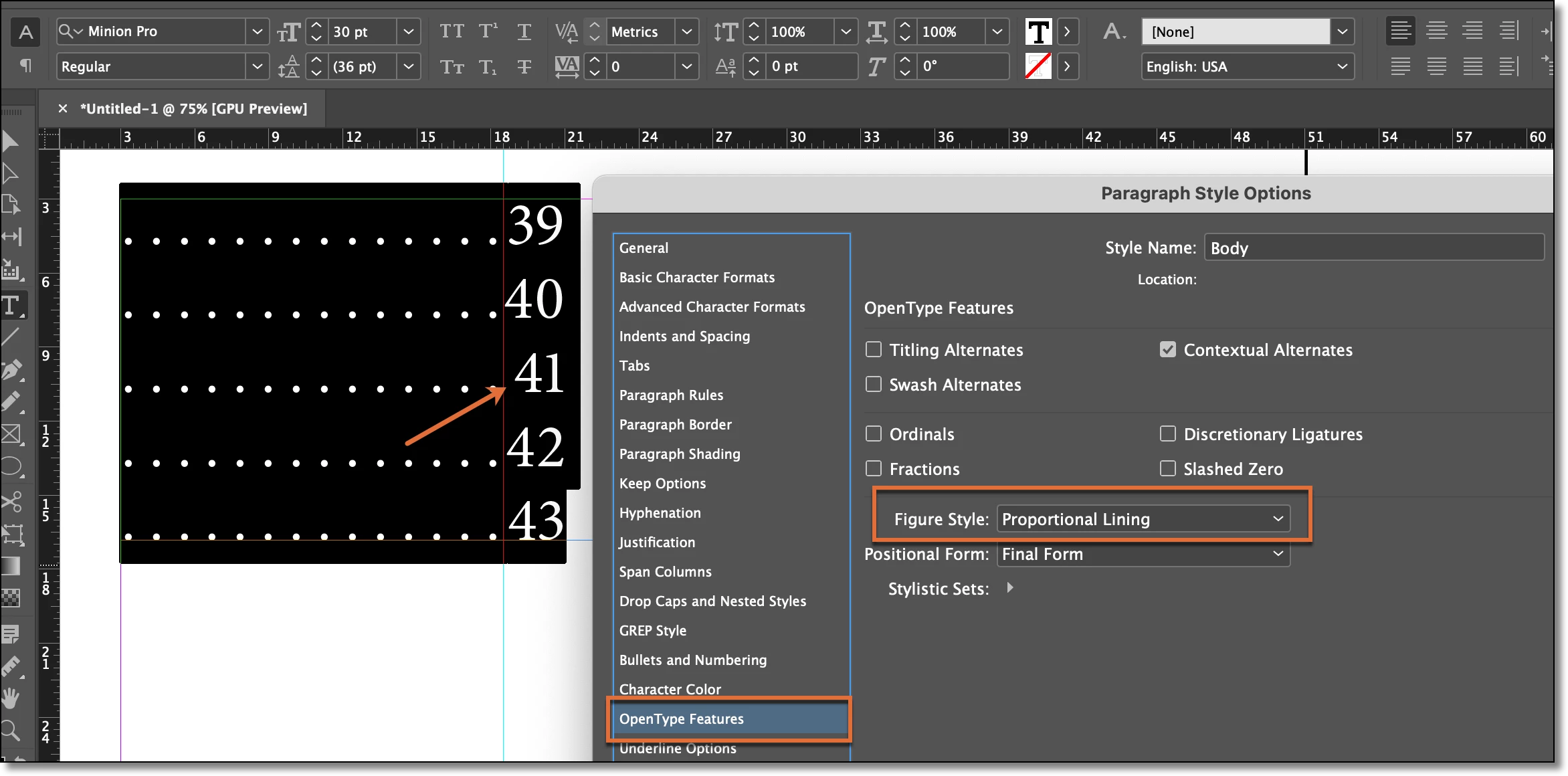
The issue is that you are using a font with proportional numbers—the 1s are skinnier than the other numbers. What font are you using? You should be able to specify Tabular Lining so that all the figures are the same width. 


~Barb
 

3 replies

Barb Binder
Community Expert
Community Expert
December 7, 2021

We are always happy to help, @Acai06.


~Barb

~Barb at Rocky Mountain Training
Barb Binder
Community Expert
Barb BinderCommunity ExpertCorrect answer
Community Expert
December 7, 2021

Hi @Acai06:


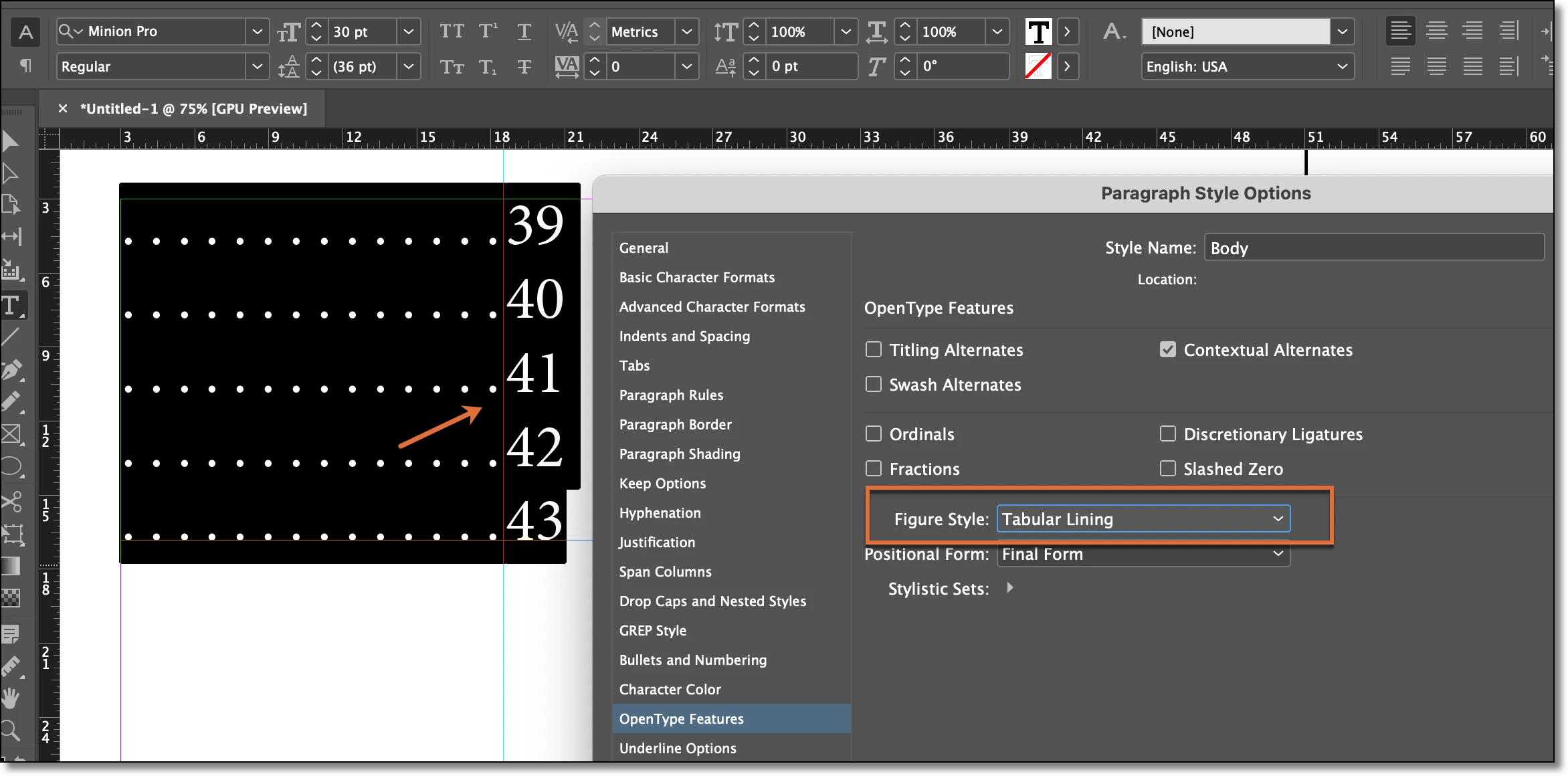
The issue is that you are using a font with proportional numbers—the 1s are skinnier than the other numbers. What font are you using? You should be able to specify Tabular Lining so that all the figures are the same width. 


~Barb
 

~Barb at Rocky Mountain Training
Acai06
Acai06Author
Inspiring
December 7, 2021

Hi Barb,

I am using Brandon Grotesque regular, and wow, your method seems to have just solved the issue.

Thank you!


Dave Creamer of IDEAS
Community Expert
Community Expert
December 6, 2021

In the TOC Style setting, click the More Options button. You can apply a character style to the page number and the leader dot there. That will insure consistency. 

David Creamer: Community Expert (ACI and ACE 1995-2023)
Acai06
Acai06Author
Inspiring
December 6, 2021

Thank you for following up, Creamer. 


Ok, so that means I need to first create a character style by selecing some of the correct looking page numbers?

Then that should apear as an option for style for page number in TOC Style setting? Let me try...

Acai06
Acai06Author
Inspiring
December 6, 2021

Oh dear... that has changed the entire layout of the TOC... I restored the change now. Thinking what I have done wrong..