

Page Number lowers after certain pages
Hi There,
I am very new to Indesign. I have set spreads for a book in Indesign. In order to insert page numbers, I have added a blue box at bottom of Parent-A and Insert page number from Type>Insert Special Character>Markers>Current Page Number like below:
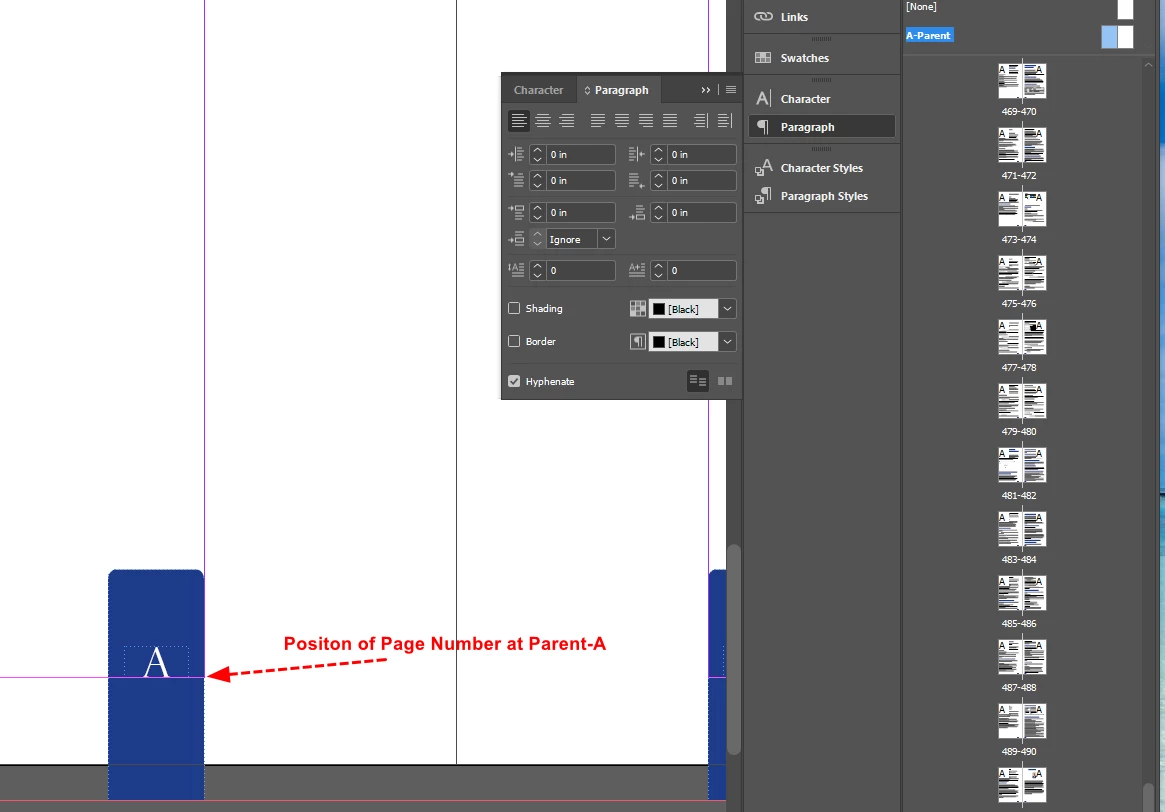
Text frame options of page numbers have been set to Columns=Fixed Number, Width=0.222 in, Align=Top of Vertical Distribution, Unchecked=Ignore Text Wrap and Auto Size=Off.
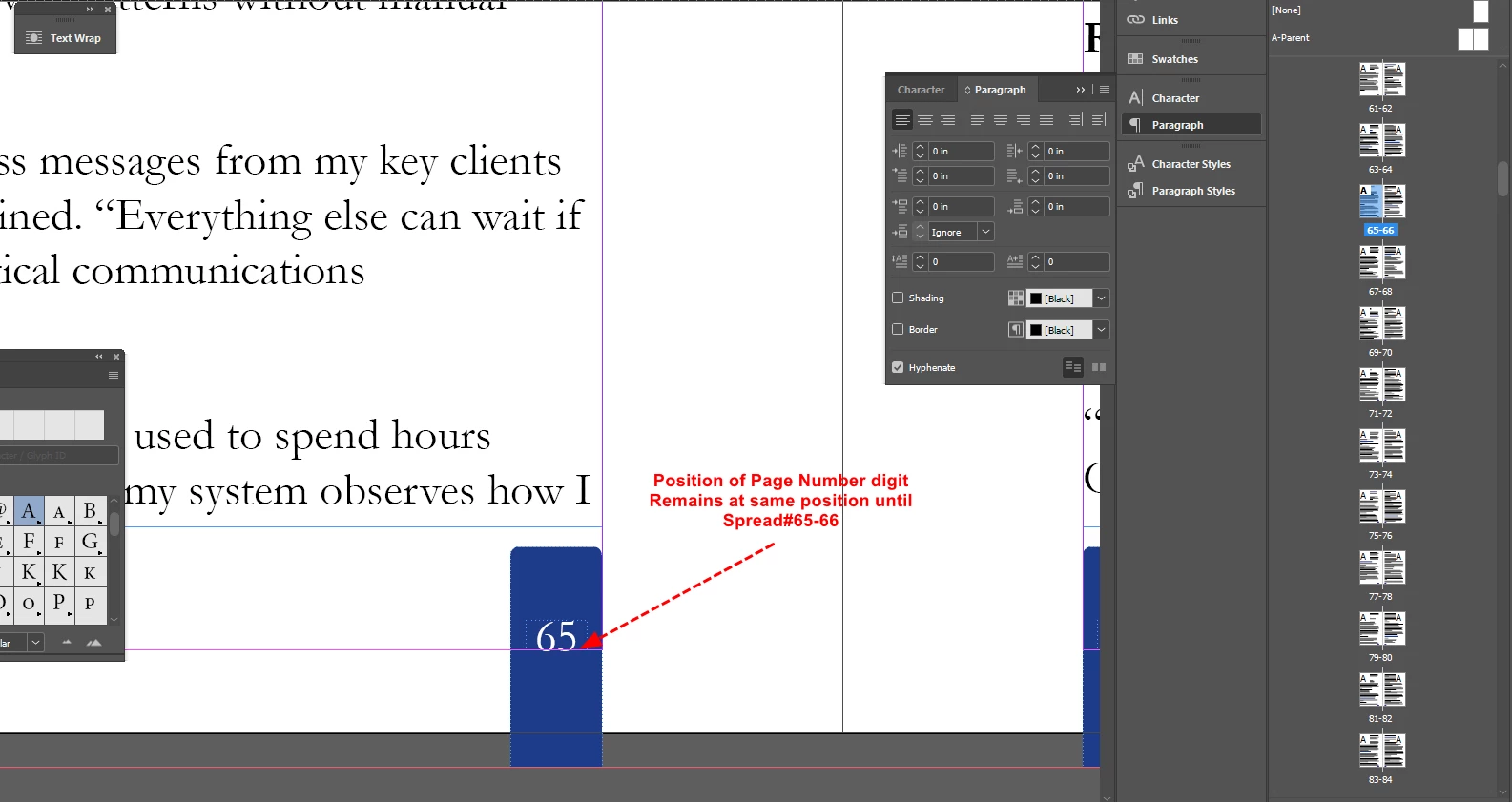
Page numbers appears in normal position as Parent-A page until the Spread 65-66:
But don't know why, digits of page number lower down little bit to bottom from the Spread#67-68 and remain until the last spread of the book:
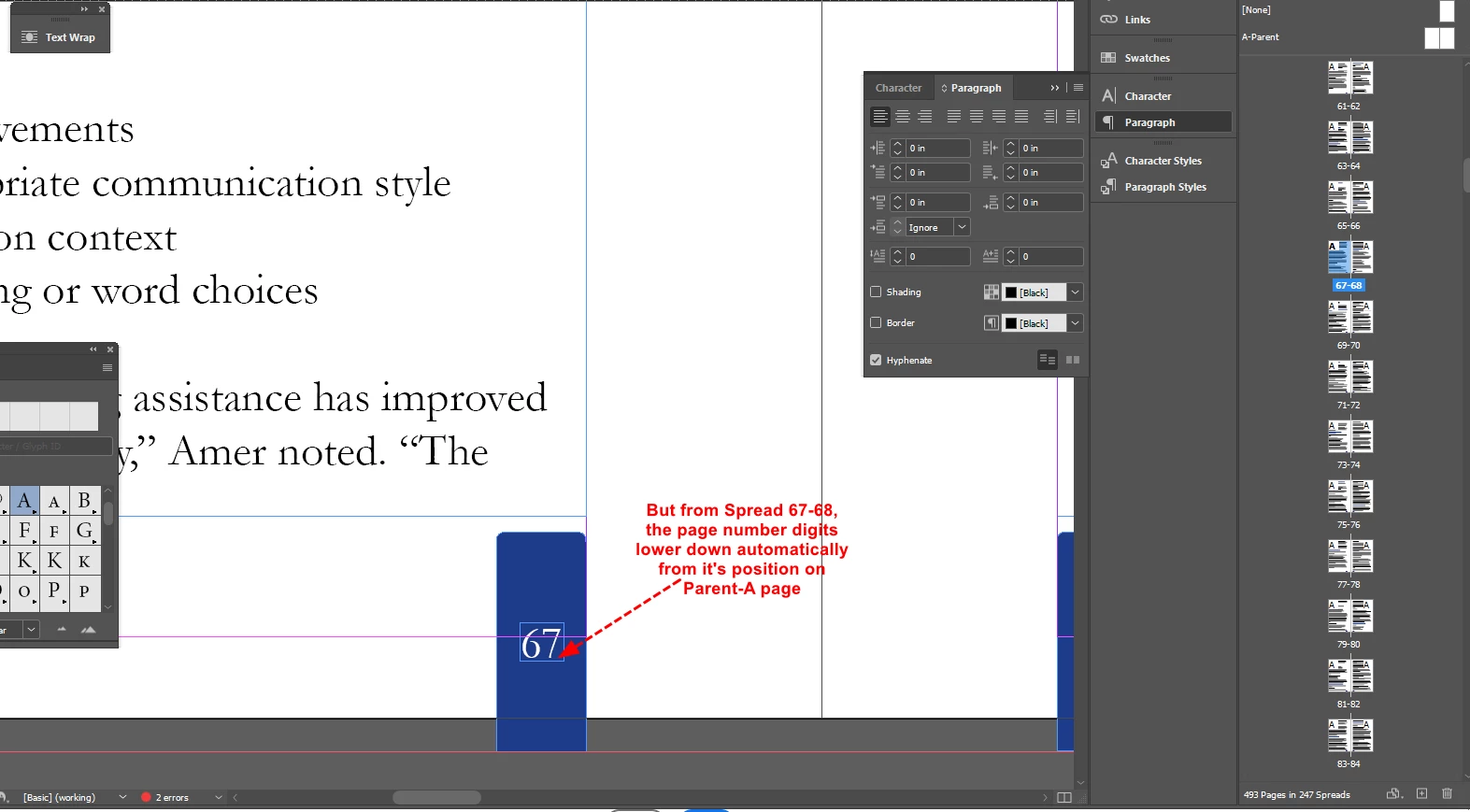
This causes the digit of page number being out of margin for which KDP is issuing Out of Margin error.
Can you explain why this is happened and how to correct this issue?
Regards,
Mamun


 AdChoices