Resuelto
Page Number of Story in IDML Document
I require extracting the page number of the story present in IDML Document. The spread_xxx.xml has a Page tag however it is not in any way related to any particular story.

I require extracting the page number of the story present in IDML Document. The spread_xxx.xml has a Page tag however it is not in any way related to any particular story.
And that deduction can be done by looking at geometric bounds of the page and figuring out whether the text frame is within those geometric bound. Am I right?
Regards,
Diwakar
Basically yes.
But I think, if objects were transformed using a transformation matrix that is not an identity matrix you first have to do the math. And that can be very hard. See for that Marc's PDFs on transformations and working with matrices.
Example:
Added a rectangle on the page. Did not move it, did not scale it, did not rotate or sheared it. Just added it and exported it to IDMS, the little brother of IDML.
Note: The value of ItemTransform is an identity matrix.
ItemTransform="1 0 0 1 0 0">
<Properties>
<PathGeometry>
<GeometryPathType PathOpen="false">
<PathPointArray>
<PathPointType Anchor="-155 -170" LeftDirection="-155 -170" RightDirection="-155 -170" />
<PathPointType Anchor="-155 -44" LeftDirection="-155 -44" RightDirection="-155 -44" />
<PathPointType Anchor="-29 -44" LeftDirection="-29 -44" RightDirection="-29 -44" />
<PathPointType Anchor="-29 -170" LeftDirection="-29 -170" RightDirection="-29 -170" />
</PathPointArray>
</GeometryPathType>
</PathGeometry>
</Properties>
Then I rotated the same rectangle to 45° and exported to IDMS again:
Now look at ItemTransform and <PathPointArray>.
ItemTransform="0.7071067811865476 -0.7071067811865476 0.7071067811865476 0.7071067811865476 48.71424945612296 -96.39339828220179">
<Properties>
<PathGeometry>
<GeometryPathType PathOpen="false">
<PathPointArray>
<PathPointType Anchor="-155 -170" LeftDirection="-155 -170" RightDirection="-155 -170" />
<PathPointType Anchor="-155 -44" LeftDirection="-155 -44" RightDirection="-155 -44" />
<PathPointType Anchor="-29 -44" LeftDirection="-29 -44" RightDirection="-29 -44" />
<PathPointType Anchor="-29 -170" LeftDirection="-29 -170" RightDirection="-29 -170" />
</PathPointArray>
</GeometryPathType>
</PathGeometry>
</Properties>
As you can see the values with <PathPointArray> did not change!
However, the position of the path points according to the page changed a lot. According to ItemTransform.
You simply cannot see by looking at the <PathPointArray> alone where the path points will be positioned.
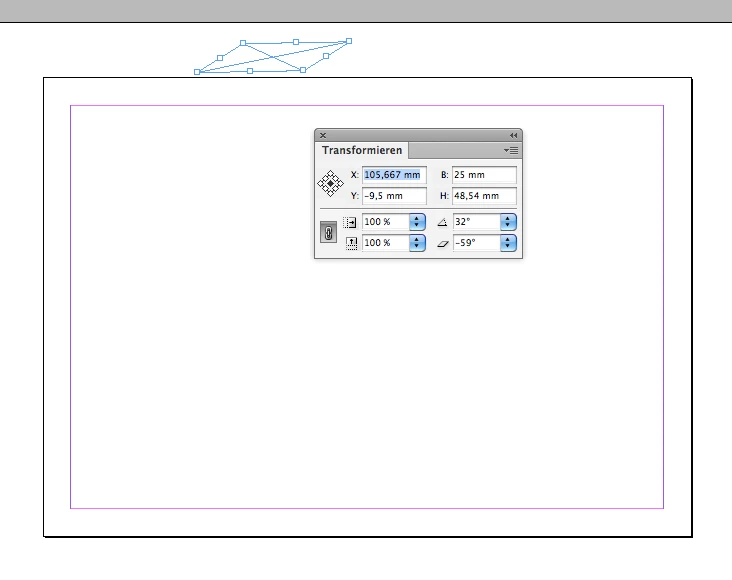
I could have used the shear and rotate commands with InDesign and the whole object will now be outside of the page.
But its <PathPointArray> is still the same!
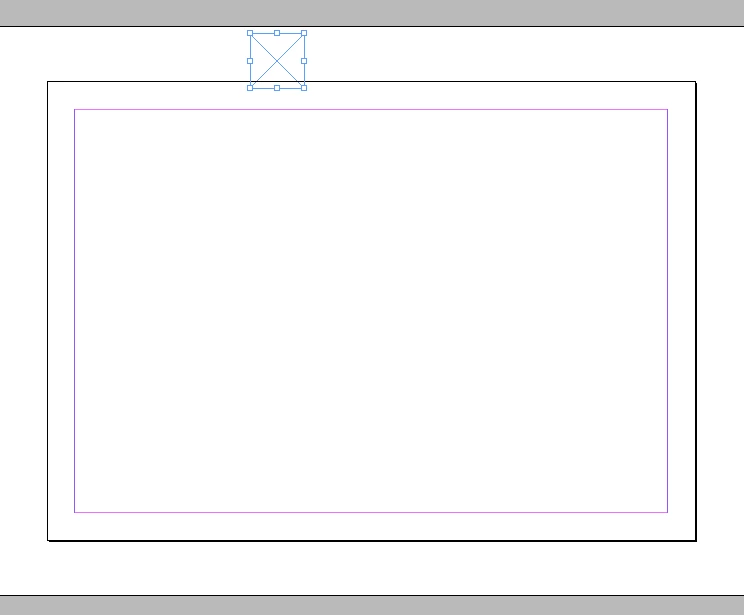
Some screenshots to illustrate this:
After adding a rectangle with my InDesign UI that overlaps with the page and therefore belongs to the page:
After rotating and shearing the object is outside of the page on the pasteboard:
After setting a document property, bleed, the object is counting as if positioned on the page:
For all three screenshots the <PathPointArray> will be the same.
Hope, that helps.
Regards,
Uwe
Enter your E-mail address. We'll send you an e-mail with instructions to reset your password.
 AdChoices