
Question
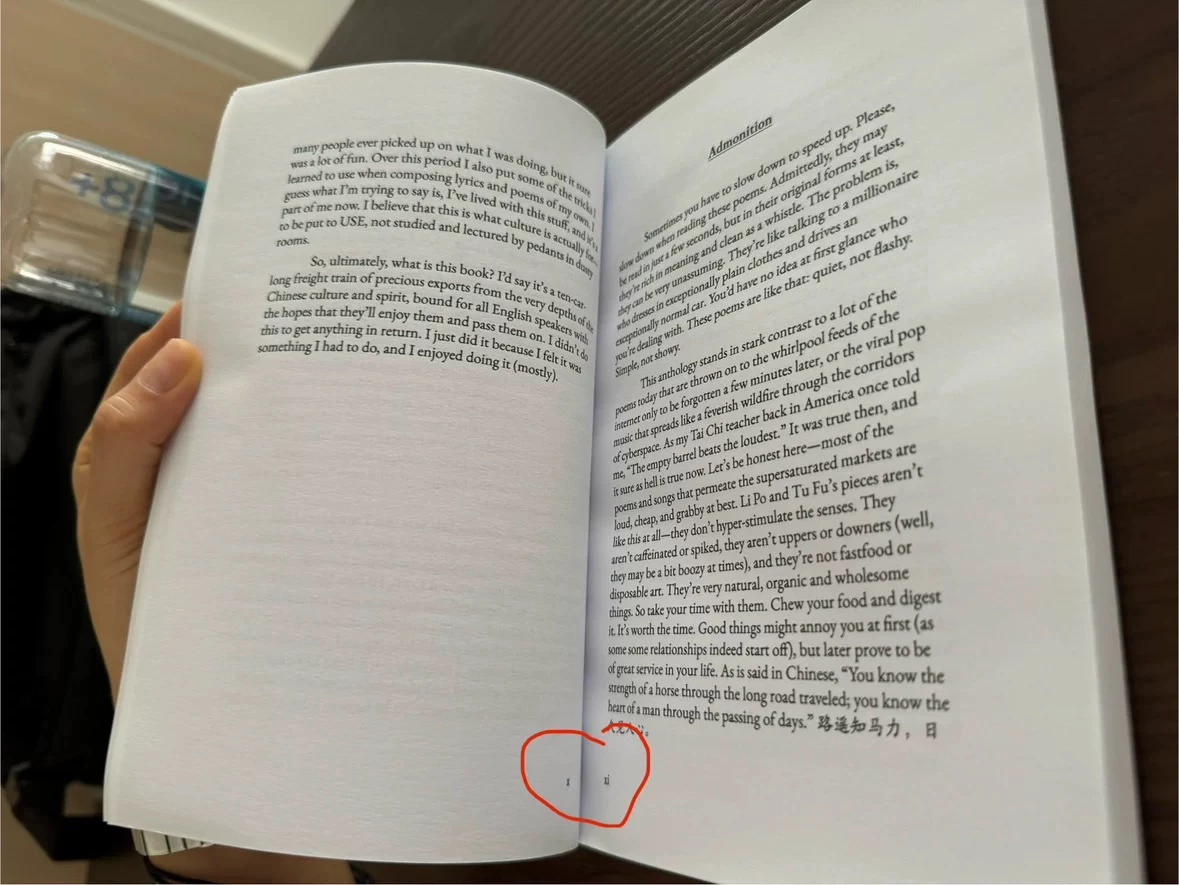
Page number position are all in the inside corner after printing
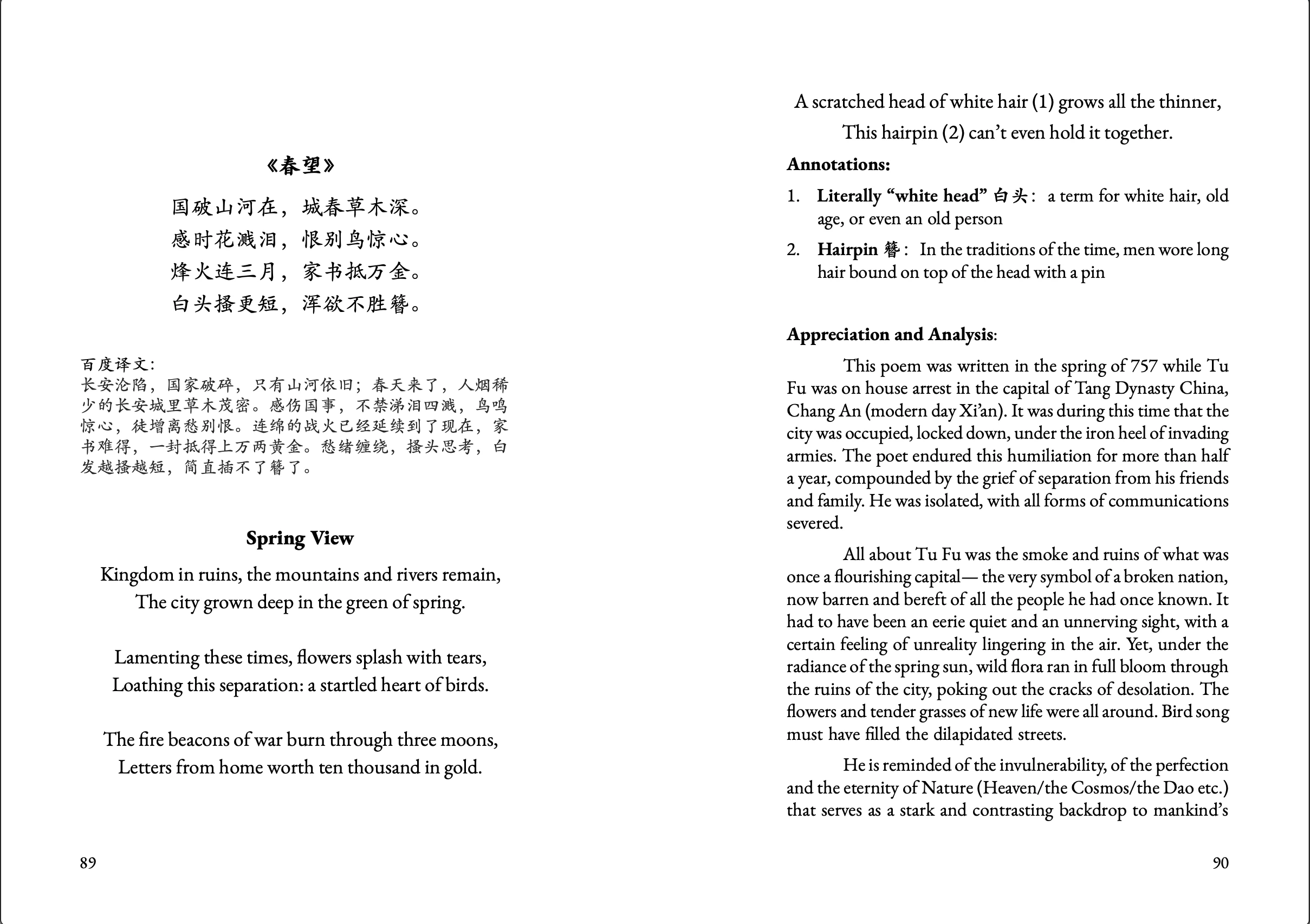
In picture 1, you can see that the page number is oddly printed on the inner corner instead of the outer corner. When I export the design file into PDF, all the page number is correctly on the outer corner.
Here is my step of exporting: File > Export > Adobe PDF (Print)
When I send to the printing house, I told them to print in perfect bound. This is meant to be printed in perfect bound. The reason why I didn’t go to File > Print Booklet is because the pages are not matching with each other in the preview.
Any solutions?


 AdChoices