


Participant
January 9, 2026
Answered

Page numbering in BOOK

  • January 9, 2026
  • 3 replies
  • 175 views

Hi.
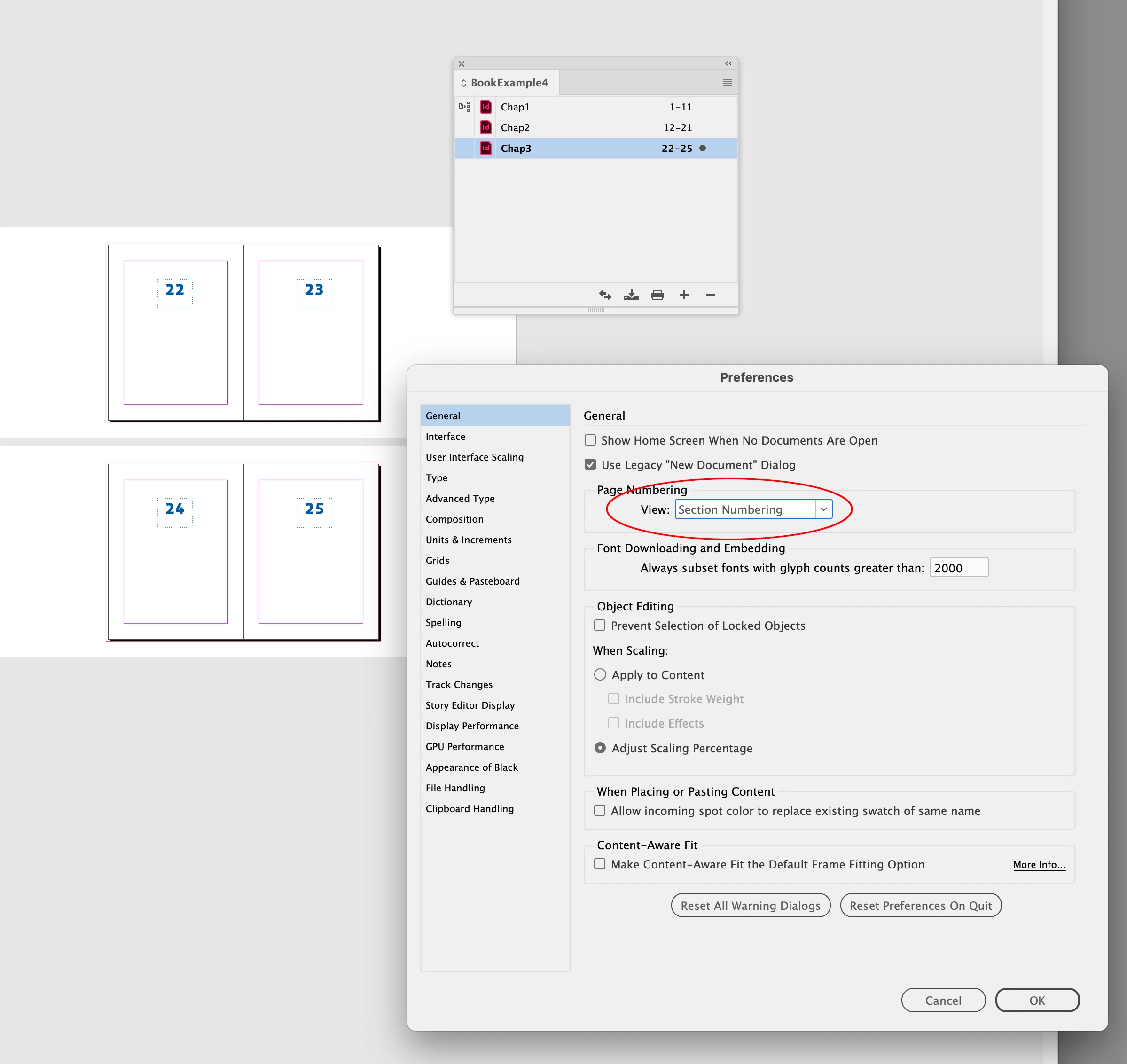
I’m having trouble with "BOOK" where the documents show each individual document’s page numbers, starting from 1 to whatever… This is a Book with linked documents I’ve worked with before (I’m just updating last year’s files now), but when I open it in the latest version of InDesign this change appears. Everything should be set to Automatic Page Numbering in each document. Does anyone have any tips?

Correct answer rob day

Hi @GeirHenriksen , Make sure your General>Page Numbering>View Preference is set to Section Numbering before you make or open the Book.


Screen Shot 5.png

3 replies

rob day
Community Expert
rob dayCommunity ExpertCorrect answer
Community Expert
January 9, 2026

Hi @GeirHenriksen , Make sure your General>Page Numbering>View Preference is set to Section Numbering before you make or open the Book.


Screen Shot 5.png

Participant
January 9, 2026

Thank You! 🙂

Participant
January 9, 2026

Screenshot 2026-01-09 at 13.30.24.png

Community Expert
January 9, 2026

On the book panel top right menu with the 3 lines

There should be an option for Page Numbering options


But I also found this article

https://creativepro.com/book-panel-shows-wrong-page-number-fixed/


Participant
January 9, 2026

That solved it.

Thank You!


Community Expert
January 9, 2026

Your attachment is not working for me.


However, working with book files, I've always found that recreating the book file itself in a new version of InDesign is best practice.


File>New Book file 

and import all the documents again and setup the book options as the previous.


On a sidenote - you may also have to export each of your docs to an IDML in the version they were created.

Open those up in the new version of InDesign and resave as fresh InDesign file.
Then make the book file.

Participant
January 9, 2026

Thanx. I did try to make a new book and add freshly saved indesign files into it without that beeing a solution...