Participant
October 11, 2023
Question

Page numbering is not correct for a book

  • October 11, 2023
  • 1 reply
  • 194 views

I've made many books before, but this, my first using indesign 18, the numbering is incorrect, or at least not what I'd expect, and I'm wondering why?


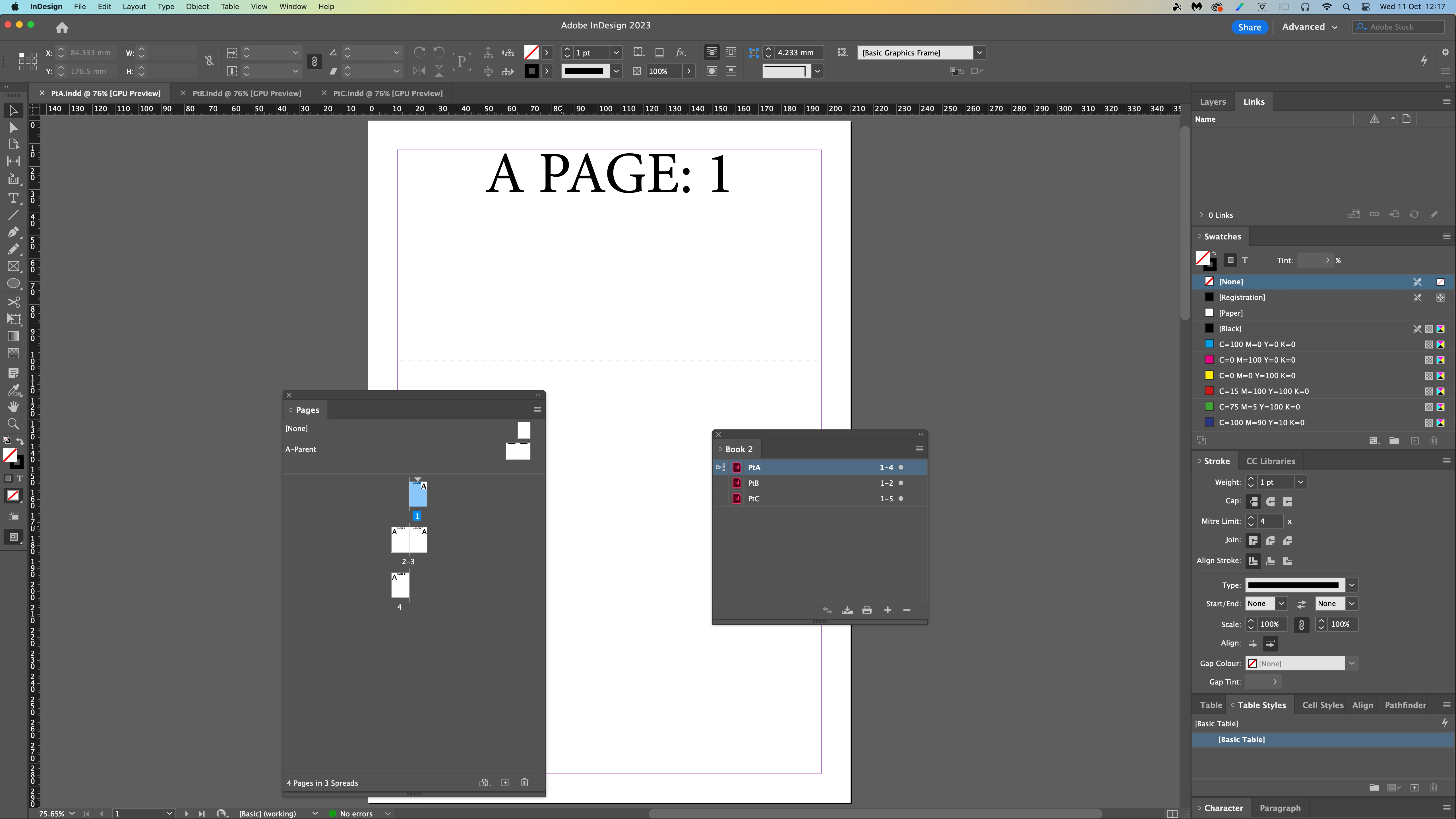
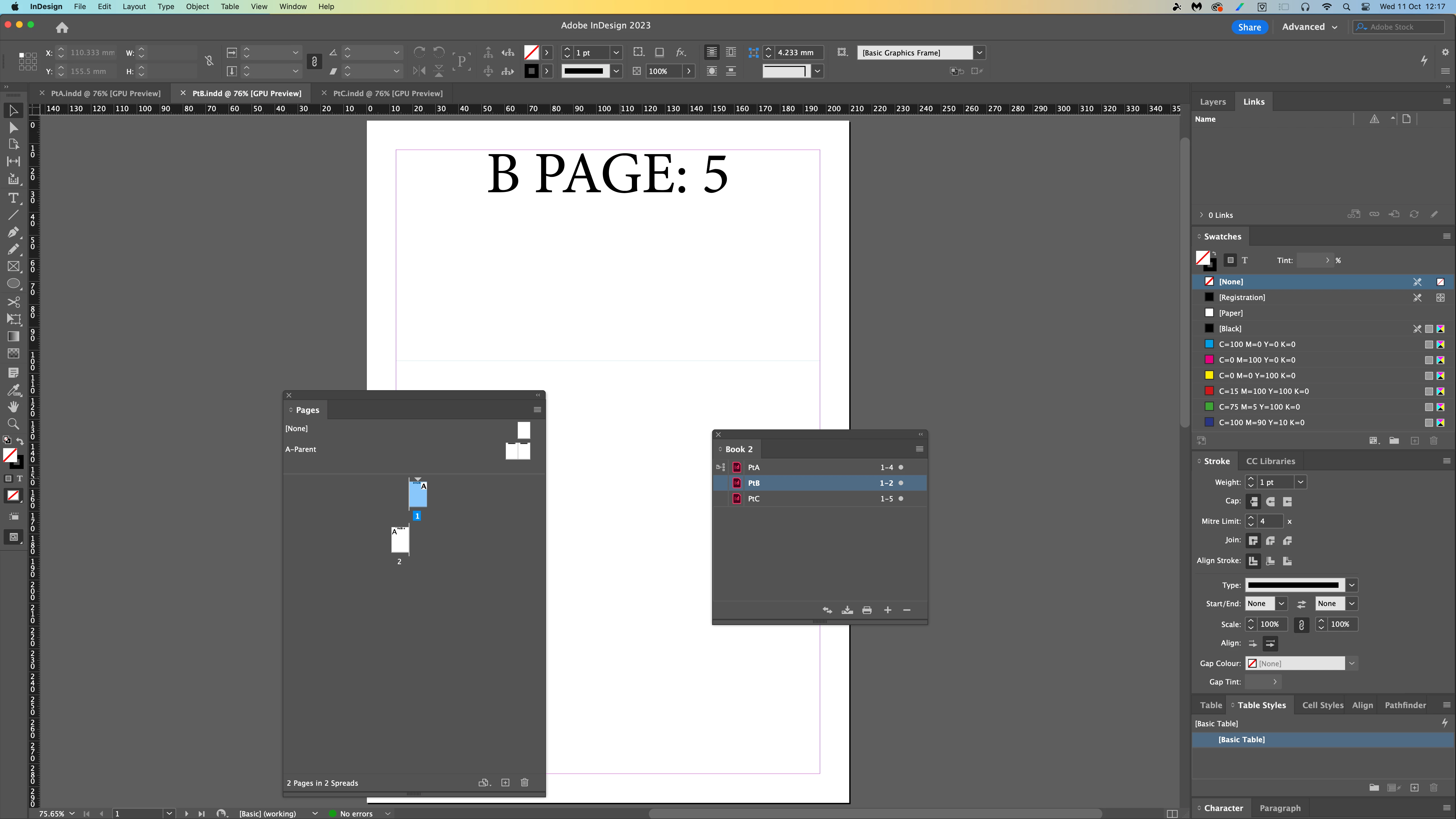
The first document in this test book is 4 pages, so the first page of the second document is correctly numbered page 5. The first page of the third document is incorrectly numbered 3 - rather than 7.


I have renumbered the document several times and nothing happens. I simply don't understand why this is suddently happening. Making books was very intuitive and just worked before. Now I've been banging my head off the desk. I found a post which suggests it's a bug, then another which pointed out the preference under General > Page Numbering > View > Section Numbering which seems to work, but makes little to no sense.
 

This topic has been closed for replies.

1 reply

Randy Hagan
Community Expert
Community Expert
October 11, 2023

I can tell you how this happens.


When you opened PtB to check the page numbering, using the Layout>Numbering and Section Options... menu command, The check box for Start Section was selected, as shown below. You didn't do this, of course. At least not intentionally. It's automatically checked whenever you open the New Section dialog box.


Since the new section was "started" automatically when you opened the panel, the first page of PtB became Page 1. Since it is only two pages, the first page of PtC became Page 3. I suspect once you reopen PtB, you'll see it shows as Page 1, just like PtA does.


You can fix that by going back to the Layout>Numbering and Section Options... menu command, which opens the New Section dialog box, and de-selecting the New Section check box, then pressing the OK button. After you do that, the first page of your PtB section should be Page 5 and the first page of your PtC section should be Page 7.


And you'll have the object lesson to make sure you always de-select the New Section check box before you do anything else in that dialog box. Because whether or not you chose to start a new section when you last opened the dialog box. InDesign will do it for you automatically when you opened the dialog box this time. If you don't want that, it'll be on you to turn it off every time you open the New Section dialog box.


For what it's worth, I don't know this because I'm Rhodes Scholar bright. I learned it by screwing up that way before. But I don't make that mistake anymore. Hopefully this will steer you away from it in the future too.


Randy