
Participant
June 15, 2017
Answered

Page Numbers Issues

  • June 15, 2017
  • 2 replies
  • 355 views

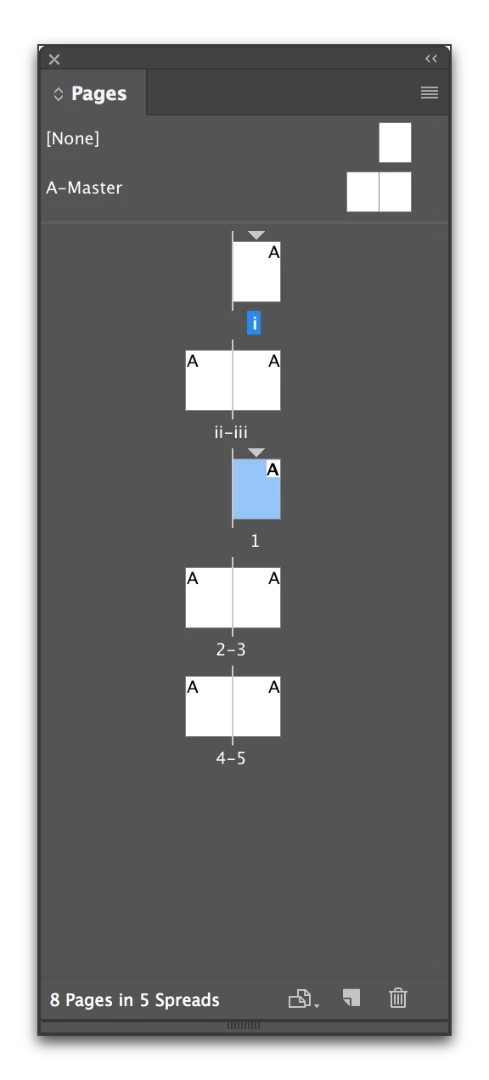
I started my entire document on page i and then I went ot change the pages from iv after to actual number starting from 1 - the problem here is that it changes the spread to a single page and messes the design up and shifts the design. How can I make a page in the middle of the document, page 1 without it shifting and making page 1 a single page (as if a cover page). HELP!
This topic has been closed for replies.
Correct answer Barb Binder

Odd page numbers are traditionally on right hand pages, and even page numbers are on left pages. Are you trying to change a left page to 1? That would force the reflow you are describing.

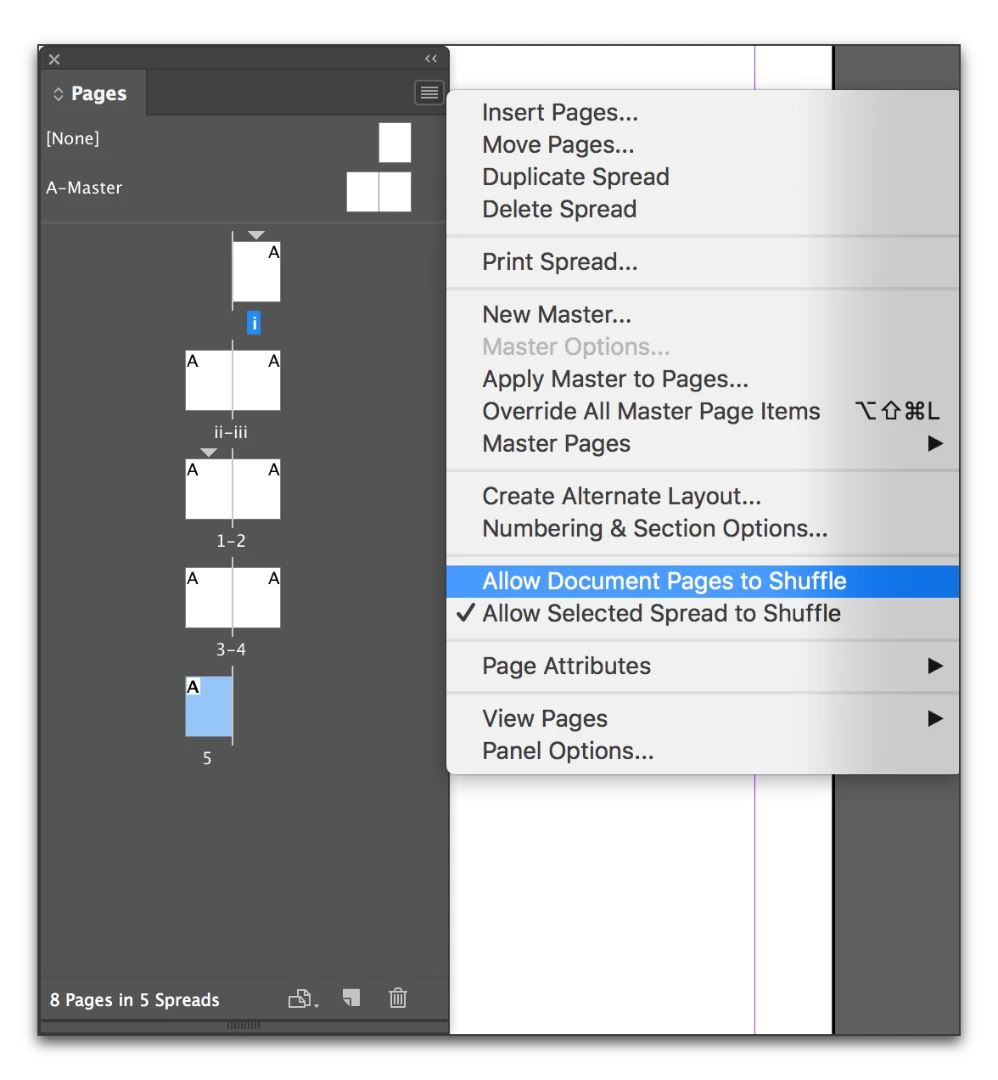
If you feel you must break with the norm, uncheck Allow Document Pages to Shuffle in the Pages panel menu, and then you can drag them into the location you want.

2 replies

KillYourselfCunt
Participant
June 16, 2017

Omg I love the Adobe community. I am so glad we can all come together in an orderly manner to have open discussions about solving issues, whether they be minor or major, and just generally to let each other feel welcome in the digital realm of creativity :3 I love and support all OF YOUUUUU

Barb Binder
Community Expert
Barb BinderCommunity ExpertCorrect answer
Community Expert
June 15, 2017

Odd page numbers are traditionally on right hand pages, and even page numbers are on left pages. Are you trying to change a left page to 1? That would force the reflow you are describing.

If you feel you must break with the norm, uncheck Allow Document Pages to Shuffle in the Pages panel menu, and then you can drag them into the location you want.

~Barb at Rocky Mountain Training
Participant
June 15, 2017

Yes, I realized those two options were checked and I needed to uncheck them in order to keep the "page 1" as a left hand page not a right hand and keep it as a spread. Thanks!

Barb Binder
Community Expert
Community Expert
June 15, 2017

Great! Glad you are back on track.

~Barb at Rocky Mountain Training