
Participating Frequently
February 3, 2017
Answered

Page Panel Spread Icons Not Visible

  • February 3, 2017
  • 5 replies
  • 8200 views

I'm using Windows 10, a PC, and InDesign CC 2017 64.

I've been using Adobe CC for about four years and am thoroughly confused at this issue that just started for me yesterday.

I have already attempted clearing settings by pressing a combination of keys at startup (got a message that it did reset when I did that). I have also uninstalled (erased user settings), and reinstalled (but did not go through and delete user files on my own). It doesn't matter what workspace (Advanced, Book, Digital, etc.) I have selected or if I start a new document, the problem remains.

Here's what's happening:

When I open an existing or new document, the pages panel spread icons (and page icons) appear to be so far to the right that they barely or don't at all appear in the panel.
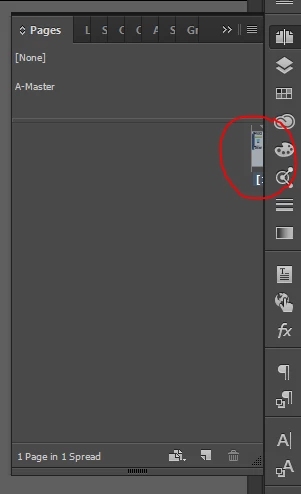
If I make the panel wider, the regular spreads and pages will show on the far right.
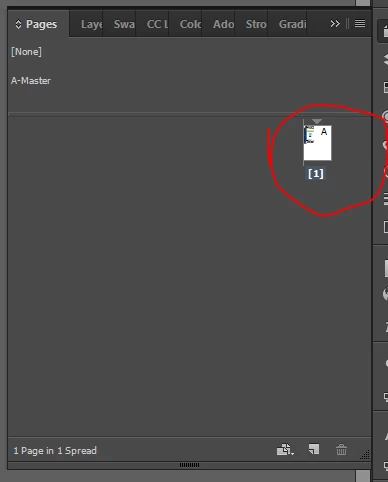
But, no matter how wide I make the panel (have spread it across two screens), if I pop it out on its own, or how I manipulate it, I am unable to see the master page icons. However, the master page is there, because I can click on the label "A-Master" and am able to access the master.

Here are my panel options:
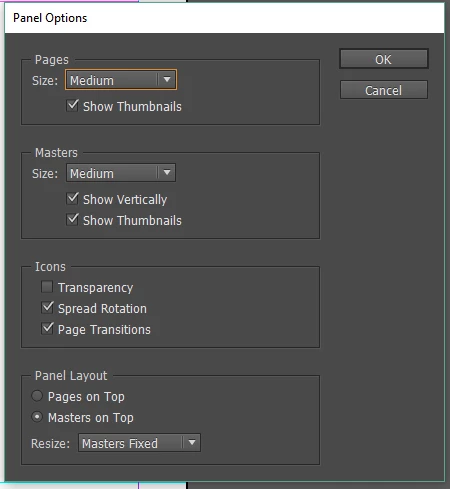
I use the pages panel a ton and would like to see it work normally again. Would love to hear that the problem is between my chair and the keyboard. Thank you in advance for your help!
This topic has been closed for replies.
Correct answer Barb Binder

From this thread on the same topic

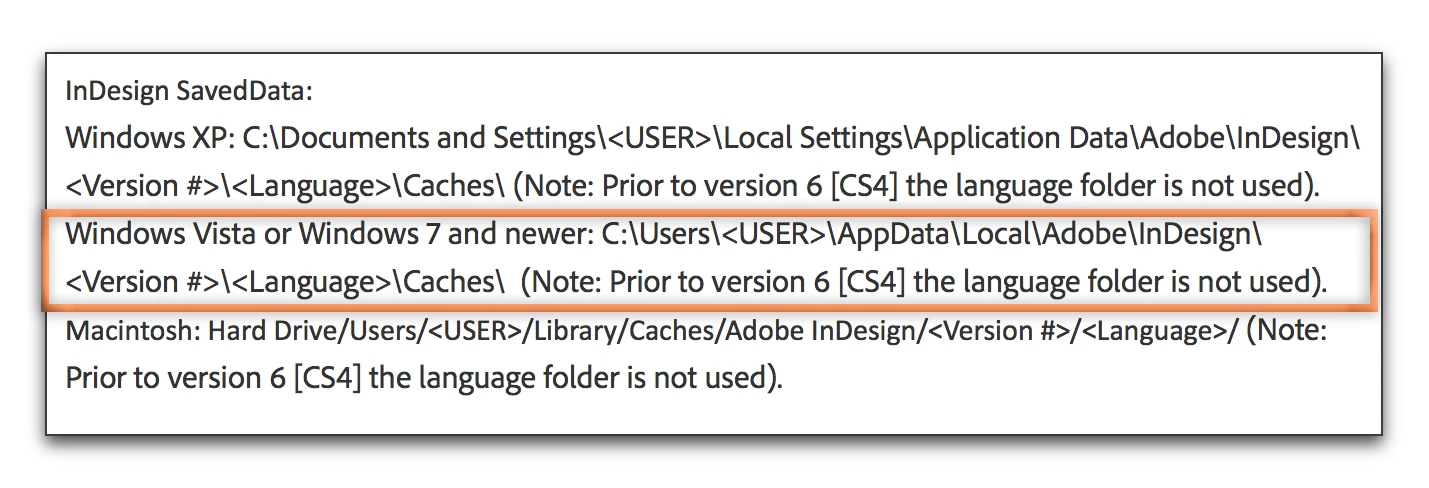
Only deleting the InDesign SavedData file did the job! So there is no need to delete the preferences.

Thumbnails Master Pages behind a scrollbar… is there a fix?

Remove this file:

Troubleshooting 101: Replace, or "trash" your InDesign preferences

5 replies

Participant
August 11, 2021

I had this same problem.  I opened pages preference options... switched the order  from 'master pages on top' to 'pages on top' and my hidden object appeared.  


Participating Frequently
May 9, 2022

My fix was also in the Panel Options; but my issue was slightly different. I couldn't see all of my pages when they were in a vertical format. But after changing the "Pages" option (in the Pages "Panel Options") to size Medium, I am now able to see all of my pages in the Pages Panel, albeit a little larger than I prefer. (In case my other settings help anyone: I have  "Parents" options set to extra small, show vertically; and the "Panel Layout" options set to Parents on Top and Parents Fixed).

Barb Binder
Community Expert
Barb BinderCommunity ExpertCorrect answer
Community Expert
February 4, 2017

From this thread on the same topic

Only deleting the InDesign SavedData file did the job! So there is no need to delete the preferences.

Thumbnails Master Pages behind a scrollbar… is there a fix?

Remove this file:

Troubleshooting 101: Replace, or "trash" your InDesign preferences

~Barb at Rocky Mountain Training
Participating Frequently
February 6, 2017

Thank you so much, BarbBinder! That fixed it! My apologies for starting a duplicate thread; I searched 30 minutes before starting this one. Thank you all for your help!

Barb Binder
Community Expert
Community Expert
February 6, 2017

No worries! Just happy to hear that it worked.

~Barb at Rocky Mountain Training
Participating Frequently
February 3, 2017

Unfortunately, the clean up tool did not work, although IT and I were not totally convinced that it did its job and they didn't have the time today to go through the files to ensure it worked. They've bumped my case up to the full-time IT staff. Will update soon.

barbara_a7746676
Community Expert
Community Expert
February 3, 2017

Darn! There have been problem running Photoshop over a network. Are you running it locally?

Participating Frequently
February 3, 2017

I am running InDesign locally, as well as all of the CC programs I currently have installed.

barbara_a7746676
Community Expert
Community Expert
February 3, 2017

You mentioned that you already cleared your settings. Next step would be to run the Adobe CC Cleaner Tool. Use the Creative Cloud Cleaner Tool to solve installation problems

Participating Frequently
February 3, 2017

Thanks, Barbara! I just realized that I was missing scroll bars for that panel, too. It looks like this might be evidence of corrupt preference files. I've contacted my IT department so they can come and sign in as administrators to help me run the tool. I'll report back with the results.

Steve Werner
Community Expert
Community Expert
February 3, 2017
Participating Frequently
February 3, 2017

Thanks, Steve. Did that yesterday, but, unfortunately, it didn't work.