Inspiring
March 10, 2025
Question

pages in wierd spot

  • March 10, 2025
  • 2 replies
  • 235 views

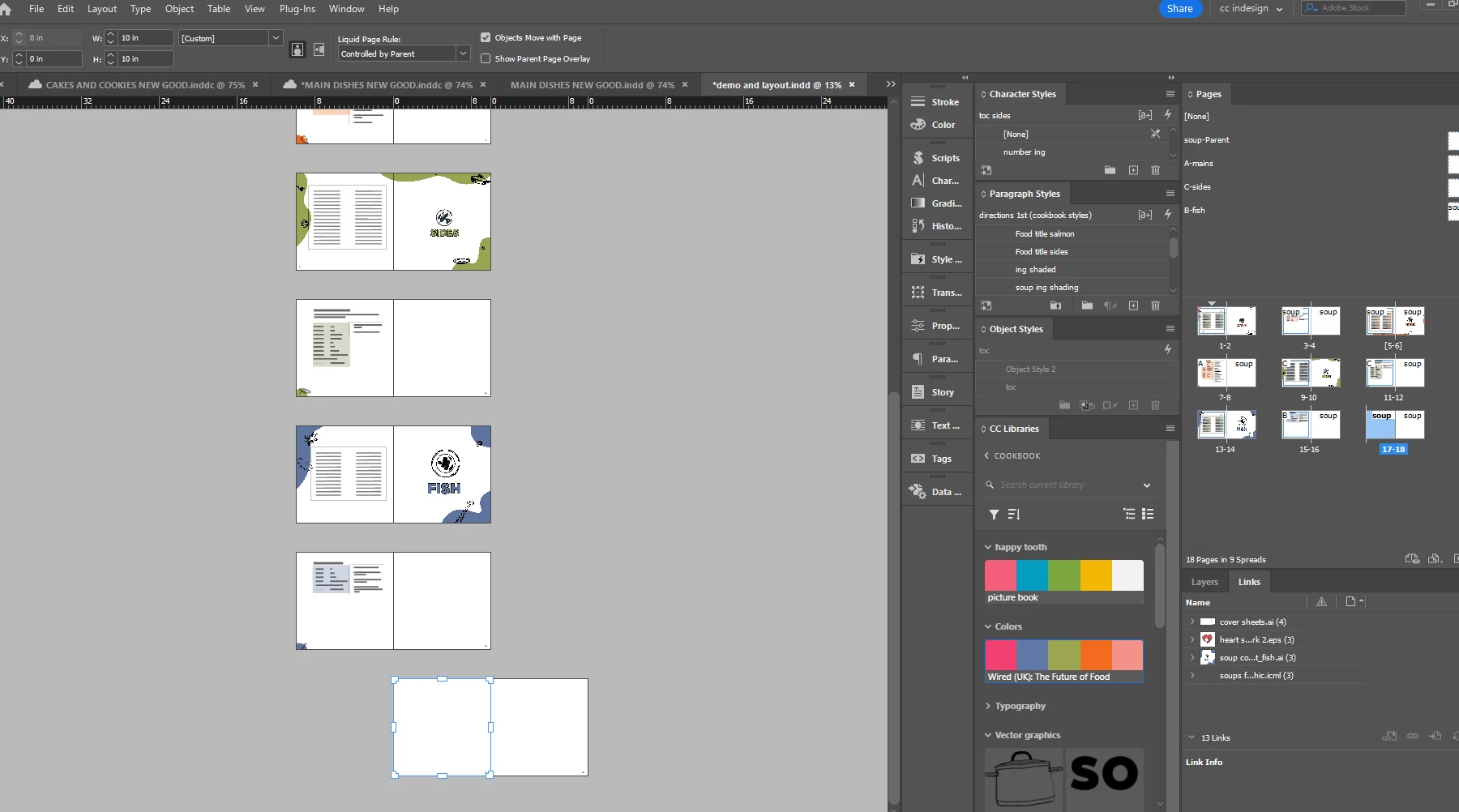
why are my pages not appearing straight under the previous?
 

2 replies

Robert at ID-Tasker
Legend
March 10, 2025

@hendy_5450


Because you've UNselected Allow Pages / Spreads to shuffle - in order to have 1st page to be on the left and to have number 1 - instead of 2. 


https://helpx.adobe.com/in/indesign/using/pages-spreads-1.html 


Community Expert
March 10, 2025

Unfortunately, they will probably need it that way to maintain the page 1 starting on the left. 


Otherwise this can happen


Issue starts when you have page 1 on the left, and adding more pages, the pages want to be right way around. 

Instead, indesign pops both pages on the right of the spine. 


 So just need to have the option turned off and then drag your page into position 

 Here I've dragged page 13 to the left of the spine area - I would need to do the same for page 15. 


Inspiring
March 11, 2025

I actualy don't want the pages from right to left,

how did it happen and how can I change it?

Community Expert
March 10, 2025

Typically in book publishing page 1 is a right hand page, you've setup your document for odd numbers to be on the left page, which is unusual. 


InDesign wants to work with you - but wants to force the pages into the correct layout, evens on the left, odds on the right, like most other books out there. 


For page 17 I drew an an arrow - showing you were InDesign thinks the Spine is.

So you have to drag page 17 over to the LEFT so it is left of the spine and 18 is RIGHT.

At the moment both page 17 and 18 are right of the spine. 


As you add pages, InDesign will try to correct the layout of the page numbering, so you'll need to adjust each new spread move the odd number left of the spine area.
