Known Participant
February 14, 2017
Answered

Palette Usage

  • February 14, 2017
  • 2 replies
  • 533 views

Do InDesign palettes open, close or group of their own accord? Maybe I'm crazy, but I'll have (for example) the color swatch palette open by itself, and later I'll look for it only to find it docked with another palette, or no longer open.
    This topic has been closed for replies.
    Correct answer Barb Binder

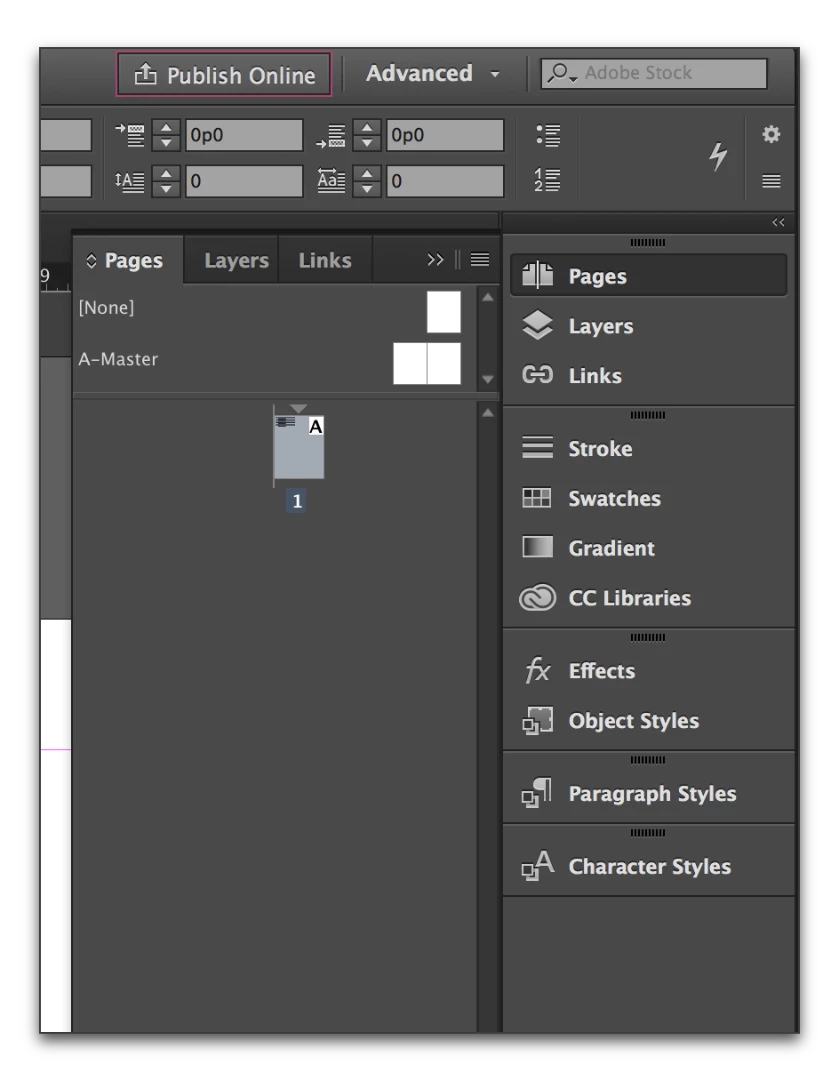
    With docked, collapsed panels, only one is open at a time. For instance if the Pages panel is open:

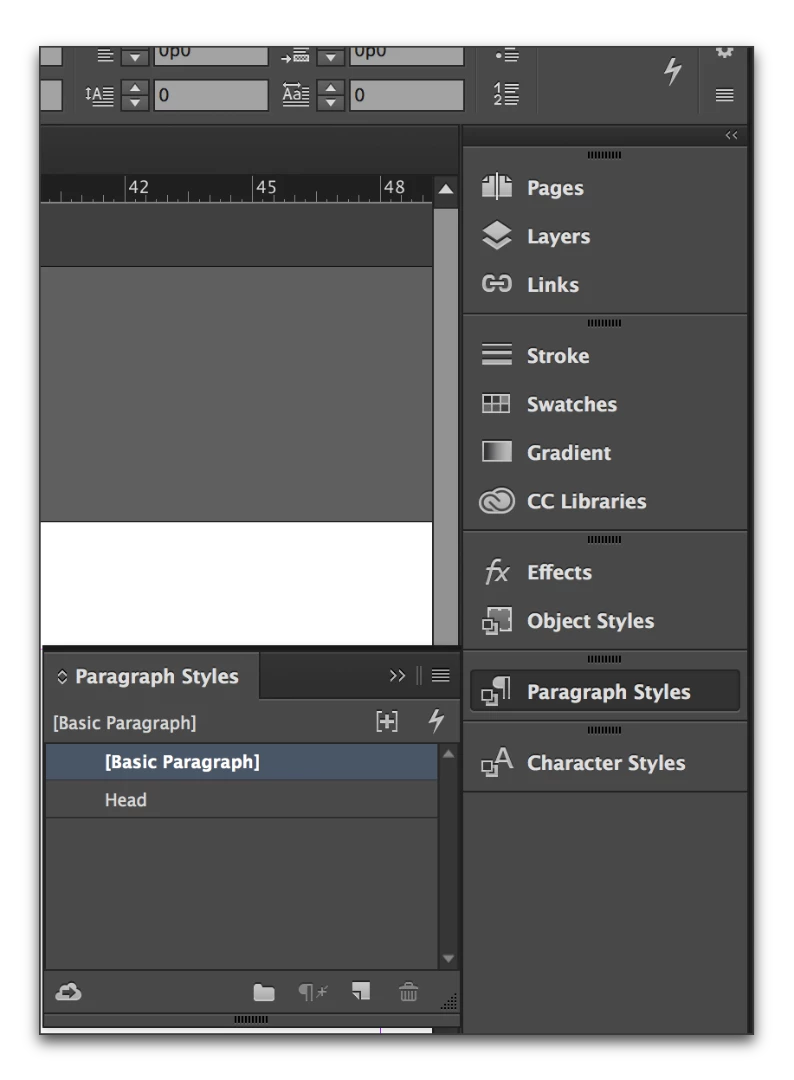
    And you open the Para Styles panel, the Pages panel closes.

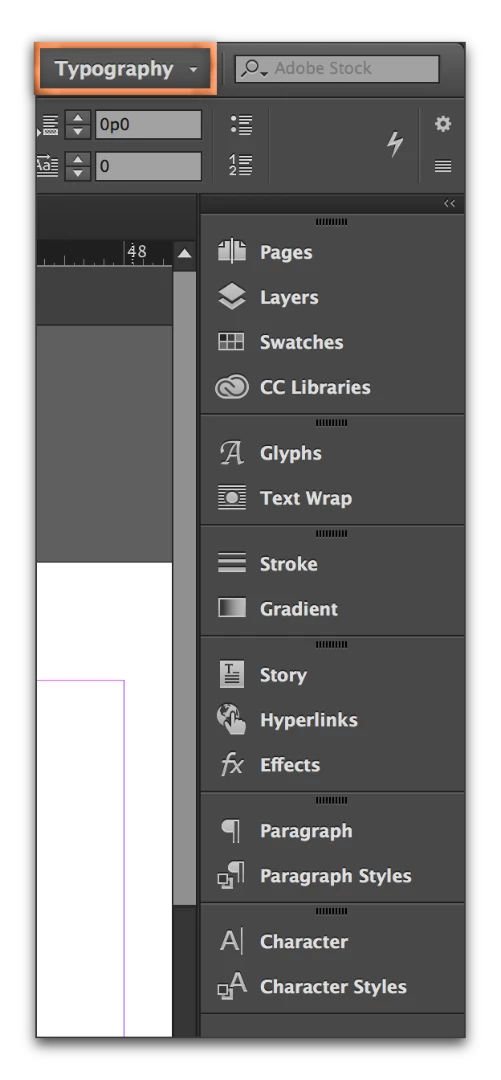
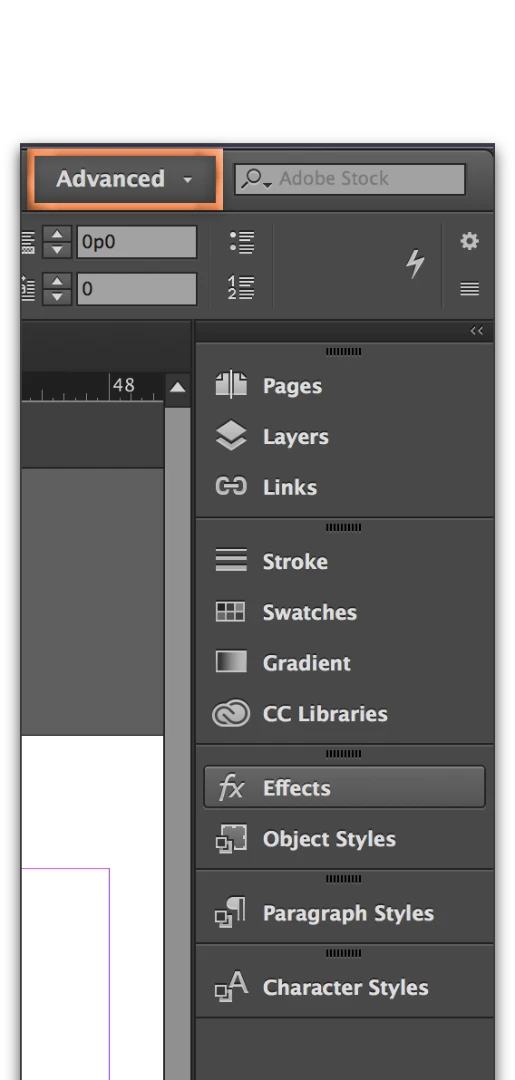
    Changing workspaces changes panel displays and groupings:

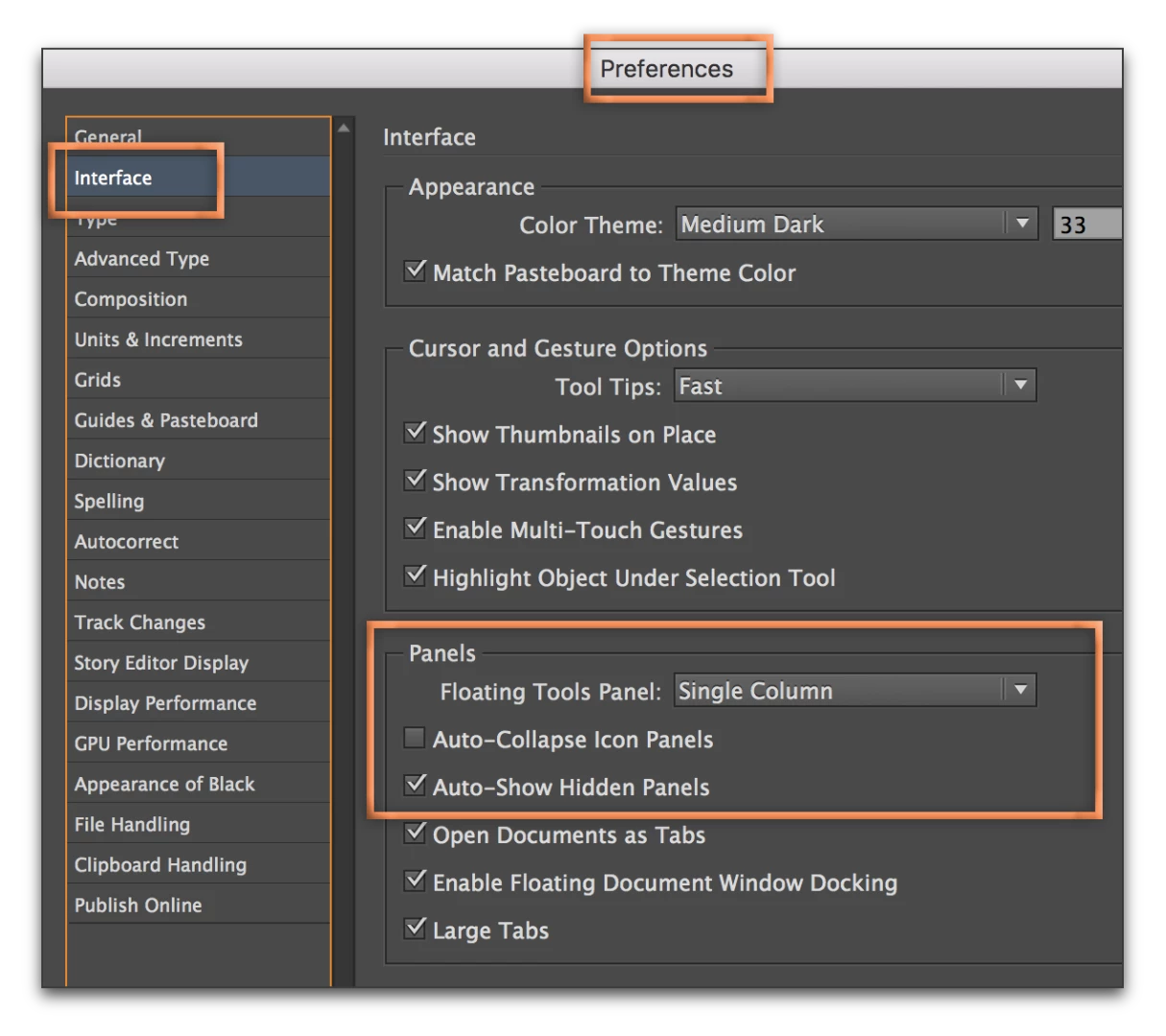
    Also, you have panel controls under Preferences:

    Finally, as an instructor, I routinely watch students undock panels and close them, unconsciously. They swear they didn't do it, but I watched and wait for the question about the missing panel. It happens All.The.Time!

    2 replies

    jobro1Author
    Known Participant
    February 23, 2017

    Thanks for the advice! I wish there was a way to disable docking altogether; I like to keep my panels separated. They seem to be "sticky," so if you move one next to another, they automatically dock.

    Barb Binder
    Community Expert
    Barb BinderCommunity ExpertCorrect answer
    Community Expert
    February 14, 2017

    With docked, collapsed panels, only one is open at a time. For instance if the Pages panel is open:

    And you open the Para Styles panel, the Pages panel closes.

    Changing workspaces changes panel displays and groupings:

    Also, you have panel controls under Preferences:

    Finally, as an instructor, I routinely watch students undock panels and close them, unconsciously. They swear they didn't do it, but I watched and wait for the question about the missing panel. It happens All.The.Time!

    ~Barb at Rocky Mountain Training
    jane-e
    Community Expert
    Community Expert
    February 14, 2017

    If your panels are collapsing immediately on use, then

    in Barb's last screen shot, the command you are looking for is:

    Auto-Collapse Icon Panels

    Uncheck it if it is checked and your problem will go away