


Pantone output with same ICC profile differs between InDesign and Photoshop
Hi, let's see if someone else who also has a good understanding of color management could provide another analysis of this:
A certain file for professional printing in CMYK space (no spot colors) should include certain Pantone swatch. Accurate color output will depend on how we manipulate the Pantone. Let's get on it:
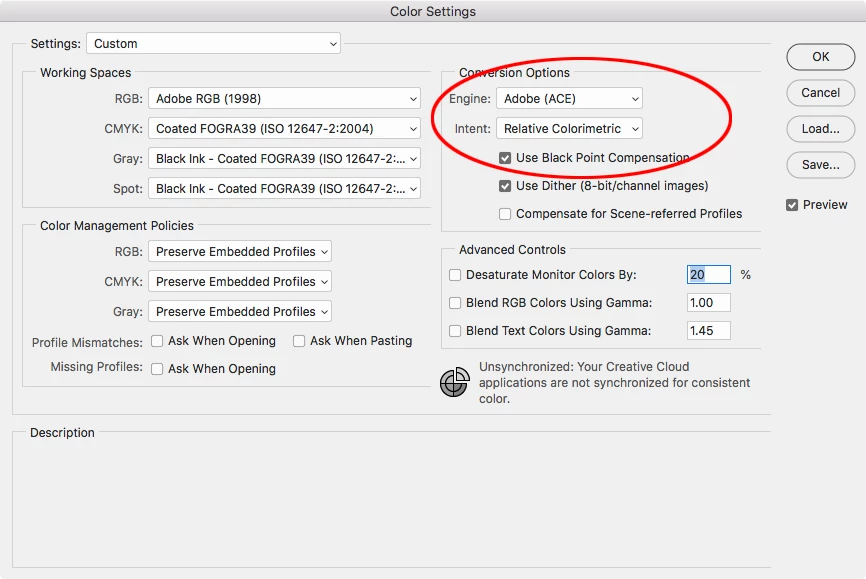
1. New INDD is set in CMYK, profile is FOGRA39.
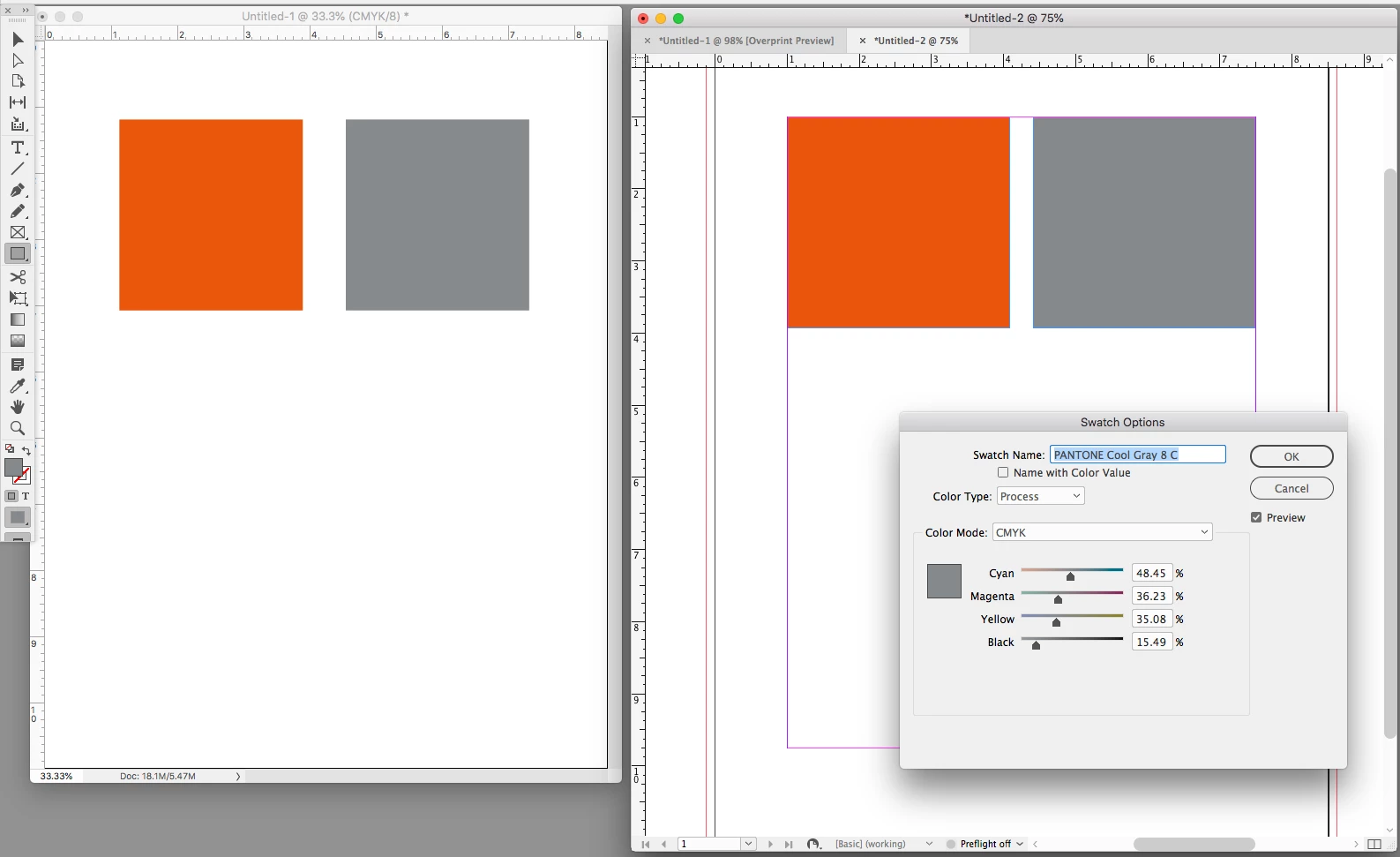
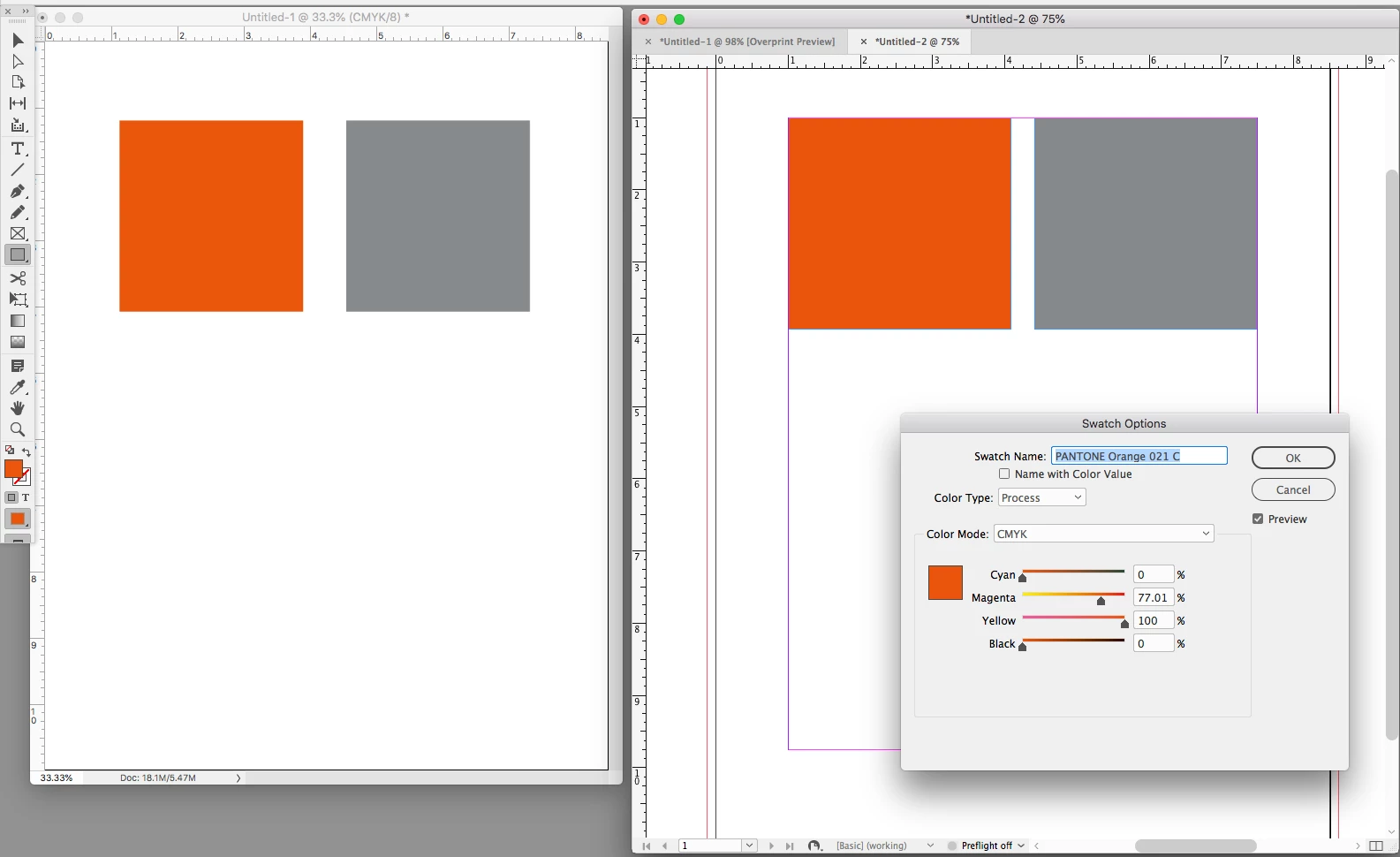
2. A new Pantone swatch (any) is added, format is LAB spot. Resulting swatch is applied to object (eg a box).
3. Same Pantone swatch is chosen, but now format is made into a CMYK process swatch. Resulting swatch is applied to another element for comparison purposes.
3. File is exported through a PDF preset that honors FOGRA39, colours DO convert to destination.
Then...
1. New PSD is set in CMYK, profile is FOGRA 39.
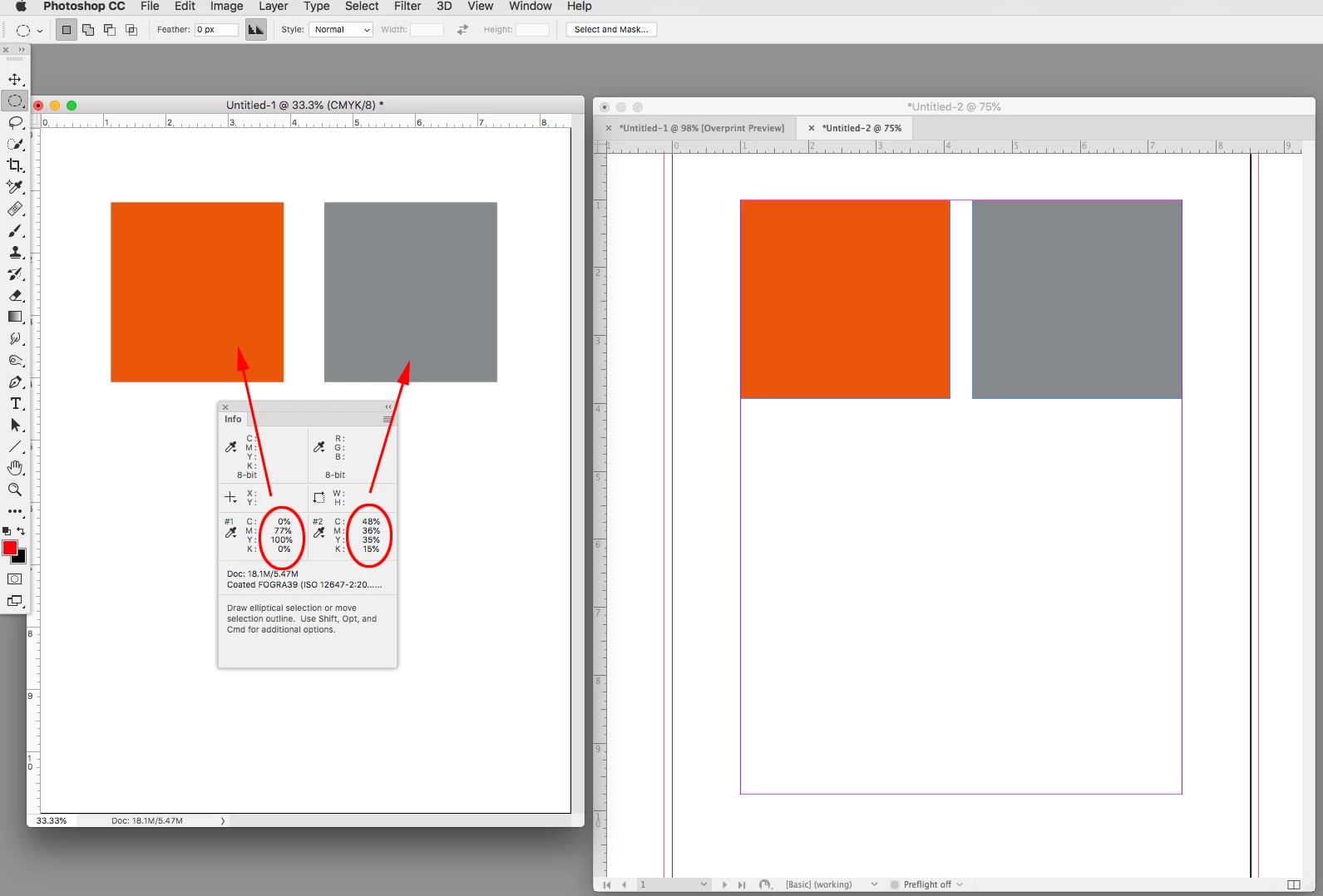
2. Same Pantone swatch is chosen from same Color Book as done with the INDD. Resulting swatch is applied to object (eg a box).
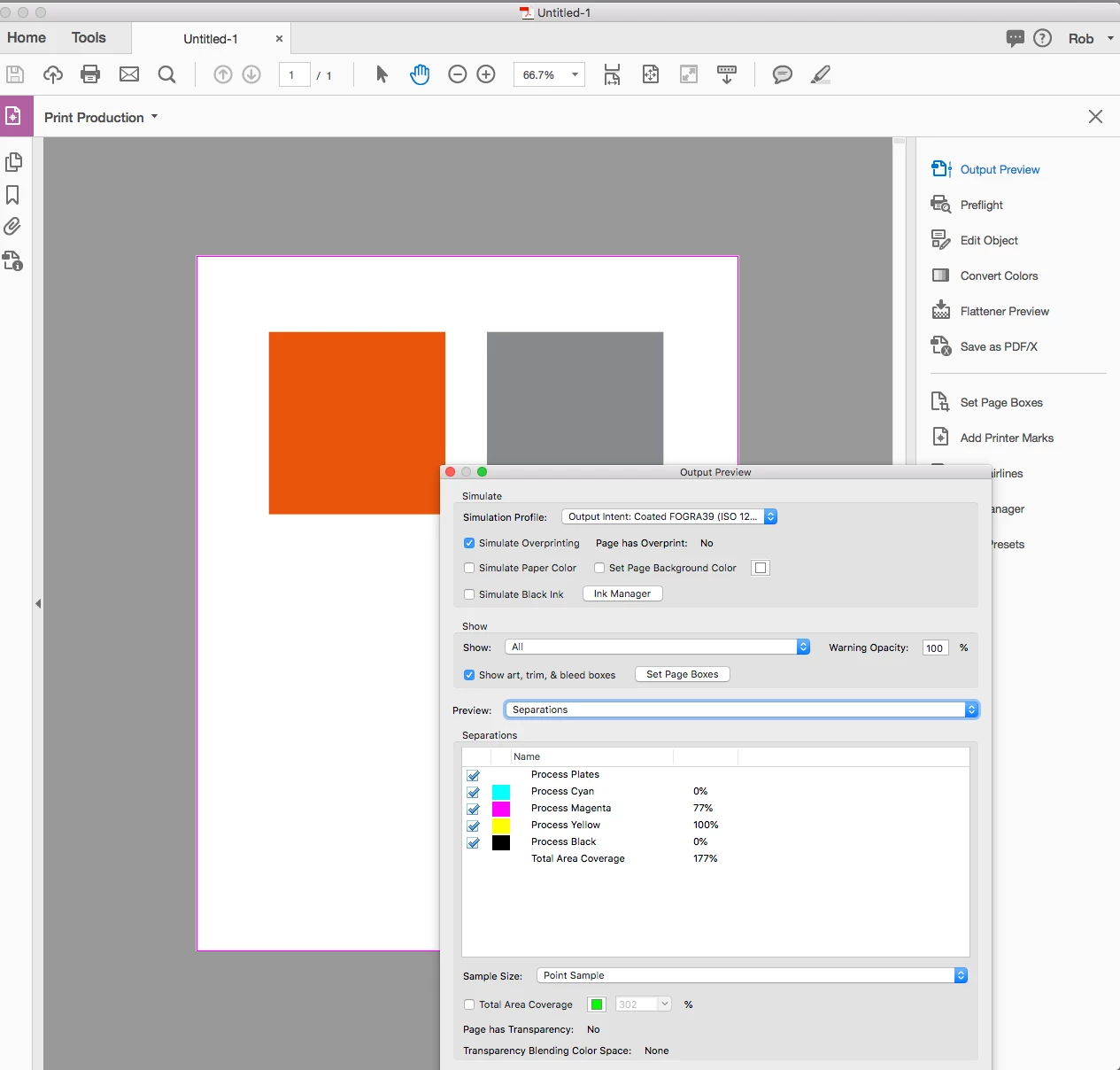
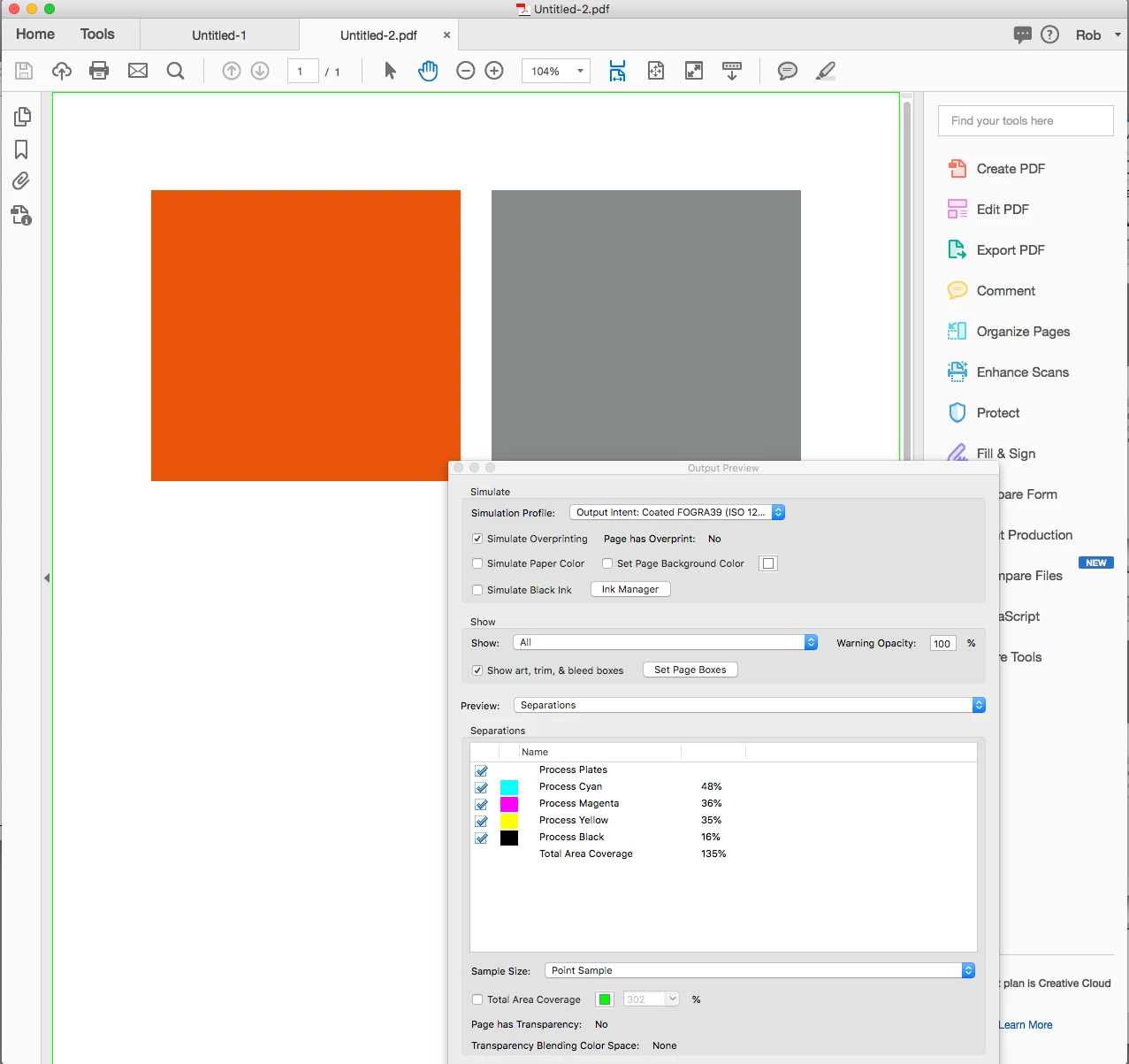
3. File is exported with the very same PDF preset that honors FOGRA 39, as done with INDD, and thus one of both INDD swatches (Lab or CMYK) should match.
Result: I open both PDF. Inspect colors. They do not match. I am yet surprised to discover that one should still distrust INDD native capability to convert a Spot into CMYK through a ICC profiles during PDF export. I assumed this was fixed, as reported by the popular indesignsecrets.com
My opinion is: trust Photoshop CMYK values, and discard INDD. Photoshop values are natively made into the desired ICC profile, while INDD works differently (colors are either converted or not to your desired ICC when exported to PDF).
Any other opinions are welcomed 

 AdChoices