
Participant
August 9, 2019
Answered

Paragraph and Character Style Shortcuts not saving

  • August 9, 2019
  • 3 replies
  • 1775 views

I'm using InDesign CS6 - I'm having trouble with paragraph and character style shortcuts. When I open a new file (or even re-open a file I had previously set up the shortcuts on), they don't work.

This is how I've been setting them up:
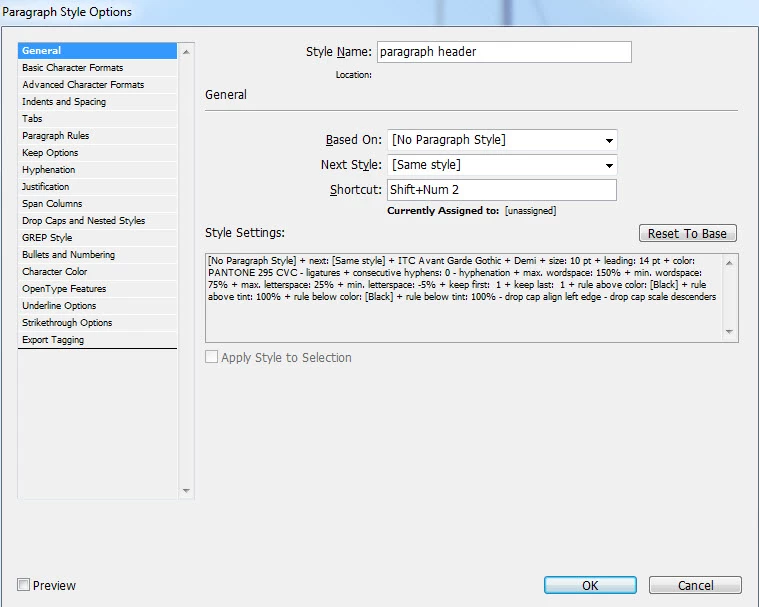
Press OK, they work fine for that specific file for the period I have it open, but that's it.

My keyboard has a Num Pad and Num Lock is turned on, so that's not an issue.
This topic has been closed for replies.
Correct answer maxwithdax

maddyd64599220  wrote

Press OK, they work fine for that specific file for the period I have it open, but that's it.

They should stick for the specific document you are setting them up in. If they are disappearing after you set them in that document, then that is a problem.

Overall though, paragraph styles are per document. There are no global shortcuts you can assign. Each document will have its own set of character/paragraph styles. You cannot set them for InDesign overall.

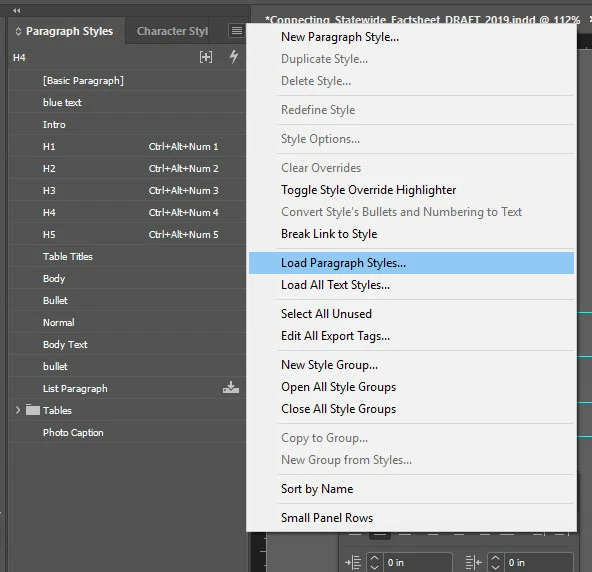
As a solution to the global shortcuts issue, you can setup a template document with the styles in it you want and then "Load" (import) the styles into your new document along with all the shortcuts you set. That would be your best route.

Hope that helps!

-Dax

3 replies

maxwithdax
Community Expert
maxwithdaxCommunity ExpertCorrect answer
Community Expert
August 12, 2019

maddyd64599220  wrote

Press OK, they work fine for that specific file for the period I have it open, but that's it.

They should stick for the specific document you are setting them up in. If they are disappearing after you set them in that document, then that is a problem.

Overall though, paragraph styles are per document. There are no global shortcuts you can assign. Each document will have its own set of character/paragraph styles. You cannot set them for InDesign overall.

As a solution to the global shortcuts issue, you can setup a template document with the styles in it you want and then "Load" (import) the styles into your new document along with all the shortcuts you set. That would be your best route.

Hope that helps!

-Dax

Participant
August 12, 2019

This solved it, thank you so much!!

Barb Binder
Community Expert
Community Expert
August 11, 2019

Hi Maddy:

I'm curious if the shortcuts show up in the Styles panels initially, and if they are gone after you close and later reopen the file. Once assigned, they should appear to the right of the style name.

~Barb

~Barb at Rocky Mountain Training
Participant
August 12, 2019

Hi Barb,

Just checked, they do indeed show up next to the style name.

Bill Silbert
Community Expert
Community Expert
August 9, 2019

Have you recently updated your operating system? InDesign CS6 is not supported for any Mac OS later than Yosemite (10.10) or for Windows 10. If you have been using it successfully on Windows 10 then the problem could have started after Windows 10 ran one of its periodic automatic updates. Please let us know what operating system you are using. If the OS is supported for CS6 then other solutions can be suggested.

BobLevine
Community Expert
Community Expert
August 12, 2019

That's Win 7. Easy to tell from the screenshot.