Participant
September 17, 2025
Question

Paragraph border in InDesign for epub issue

  • September 17, 2025
  • 3 replies
  • 204 views

Hi Everyone,

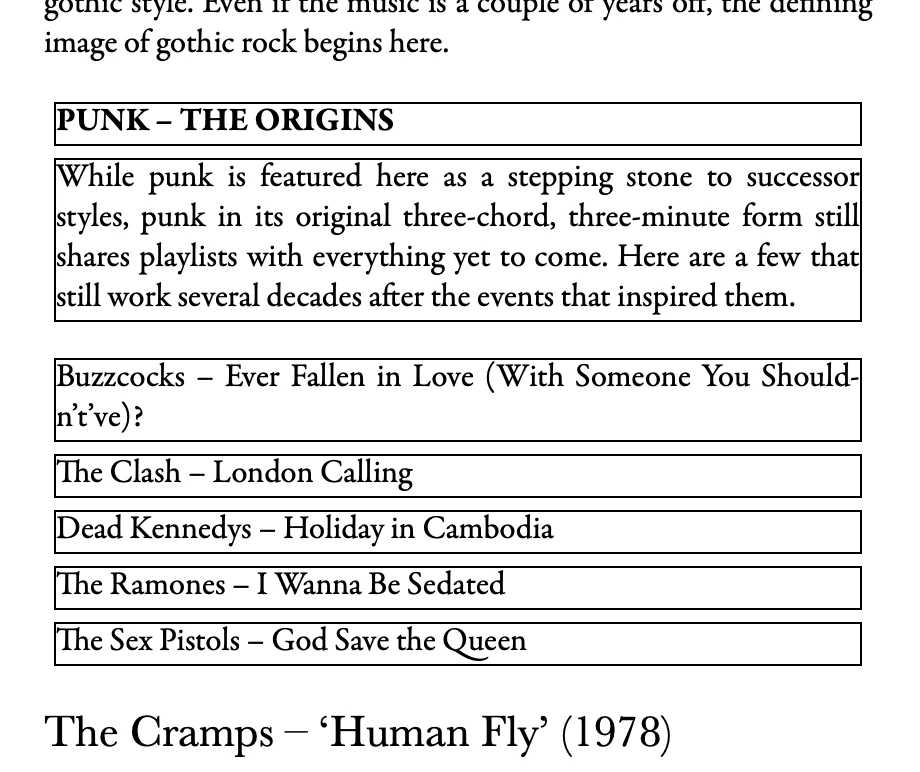
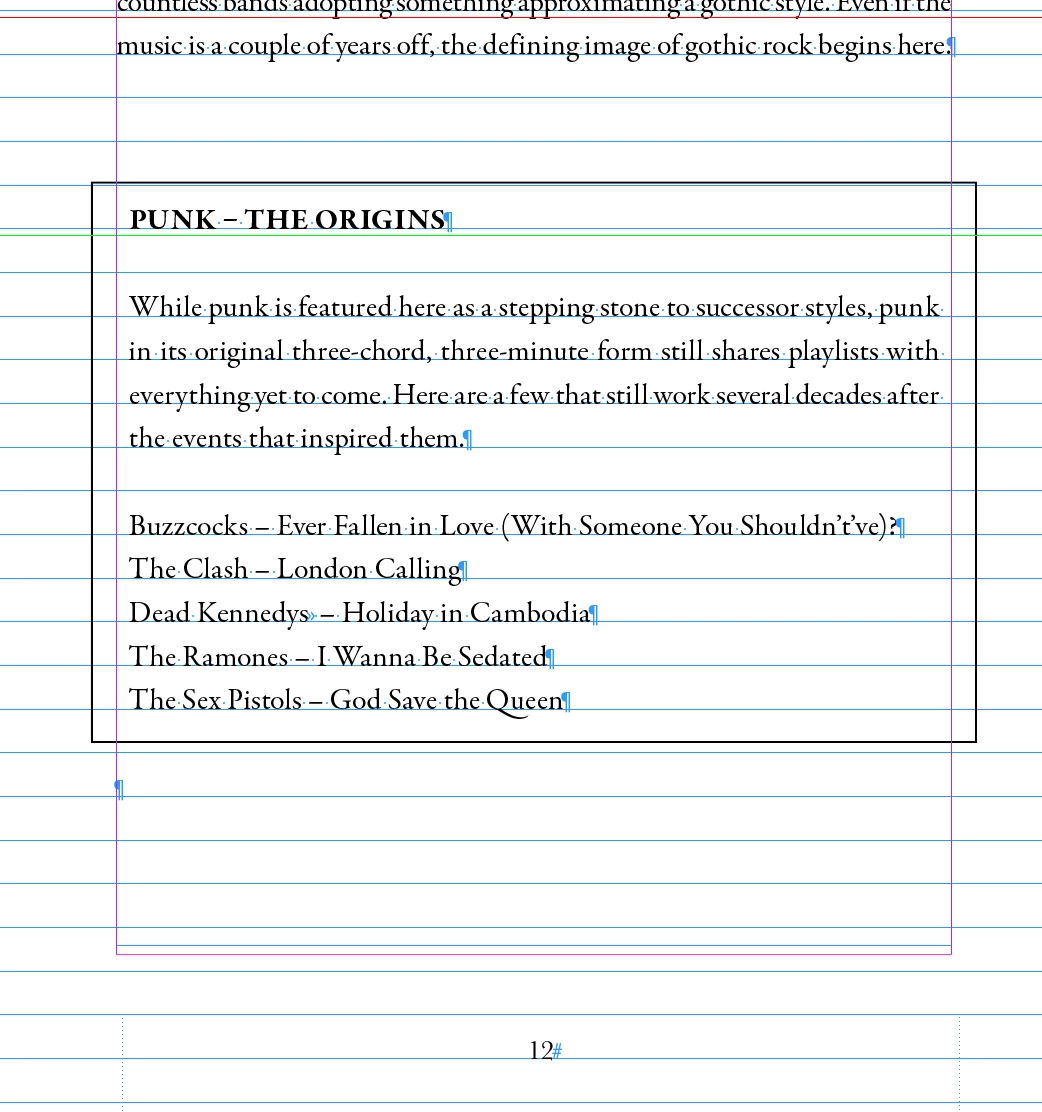
Hoping someone might be able to help me. I've created a book in InDesign and I'm exporting it to epub. Some of the paragraphs have a black border around them (see first screen grab), but when I go to export to epub, the text changes so there is a border around every line instead of the whole paragraph (see second screen grab). 

Does anyone know if there is any way of getting around this issue, so that the border is around all of the paragraphs instead of each line? 

Many thanks Zoe
 

3 replies

Mike Witherell
Community Expert
Community Expert
September 17, 2025

Hi Z,

Here is a Kindle resource of supported tagging:

https://kdp.amazon.com/en_US/help/topic/GG5R7N649LECKP7U


Maybe a table would accomplish what you are trying to make.

Bear in mind, tho, that the whole point of epub is to present text for reading as simply as possible. 

Mike Witherell
Mike Witherell
Community Expert
Community Expert
September 17, 2025

Hi Z,

This was a good practical read:

https://www.amazon.com/InDesign-Kindle-Professional-James-Gifford/dp/B0D64JG963


Also, searching this forum or asking in this forum will often get you exactly the code you need.


<opinion>

PS: Always round the corner radius of boxes, or else don't make boxes.

</opinion>

Mike Witherell
zcollisAuthor
Participant
September 17, 2025

Thanks for your help Mike, I'll have a look into these and hopefully get sorted 🙂 

nikunj.m
Legend
September 26, 2025

Hey @zcollis

Just checking in to see if you were able to get things sorted. If yes, please mark the resource shared by Mike that helped the most so that others can benefit from it as well.


Let us know if you need further assistance! 
Thanks,
Nikunj

Mike Witherell
Community Expert
Community Expert
September 17, 2025

EPUB can support ruled borders, but might also depend on the epub reader software. The most reliable method is always to manually define and include a CSS file with your EPUB export. This makes up for InDesign "over-doing it".

Mike Witherell
zcollisAuthor
Participant
September 17, 2025

Thanks Mike, is there anywhere that I can find a step-by-step guide on how to do that? I know how to use indesign for print but not for epub so any help would be much appreciated.