Known Participant
April 6, 2026
Answered

Paragraph Rule with Custom Start and End Shapes (Circle and Rectangle) in InDesign CS6

  • April 6, 2026
  • 5 replies
  • 103 views

Hello, I am using InDesign CS6 and I want to design a Paragraph Rule that automatically starts with a Circle shape and ends with a Rectangle shape, as I have applied a specific color to the rule and need this custom look for my layout. Since the standard Paragraph Rules options are limited, could you please suggest if there is any built-in feature, a specific Stroke Style setting, or a JavaScript/JSX script that can achieve this effect so it moves dynamically with the text? If Paragraph Rules cannot support these custom shapes at the ends, I would appreciate any advice on how to automate this using Anchored Objects or any other professional workaround. I am share a screenshot for more understand. 
Thank you!


    Correct answer jmlevy

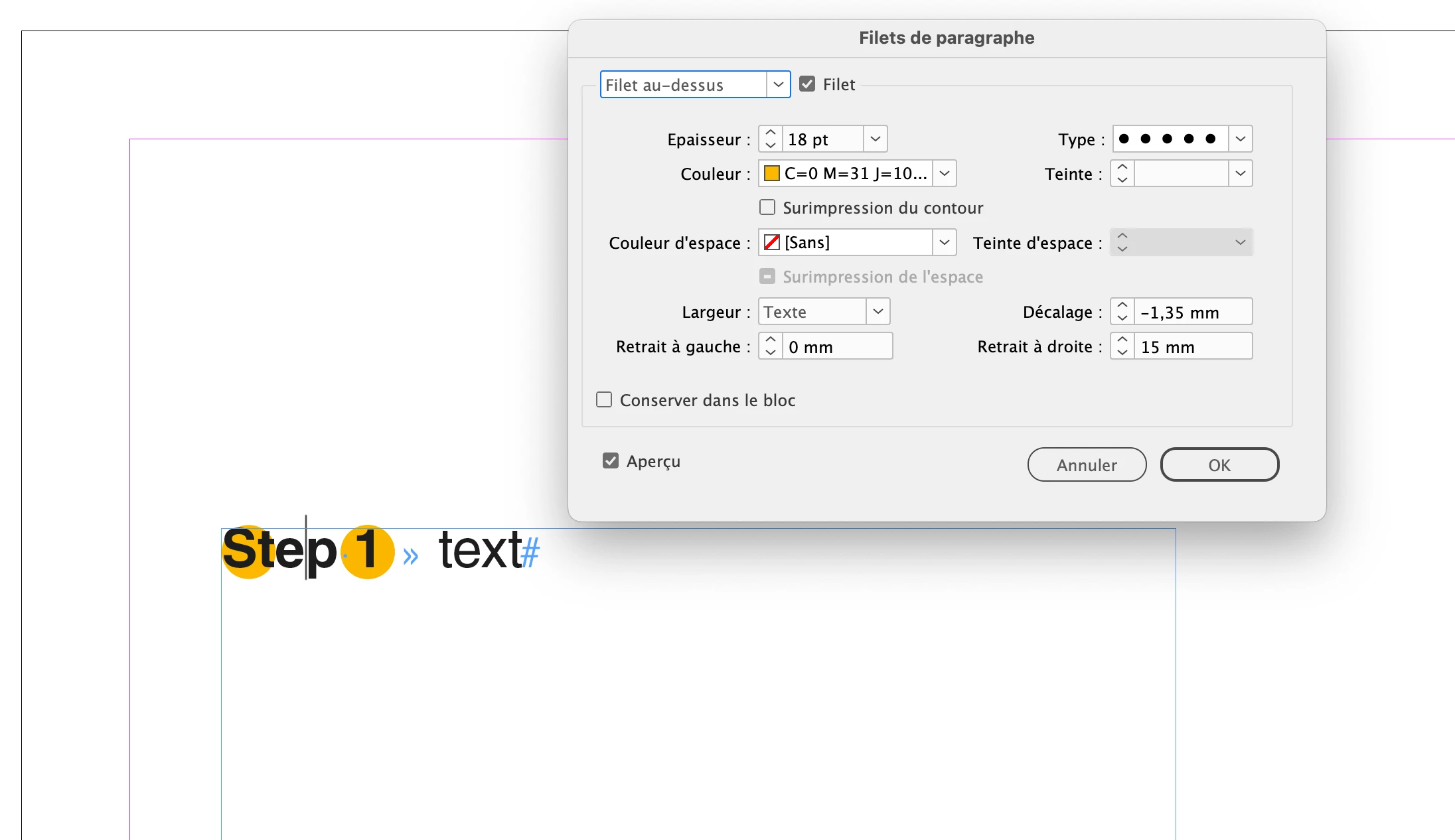
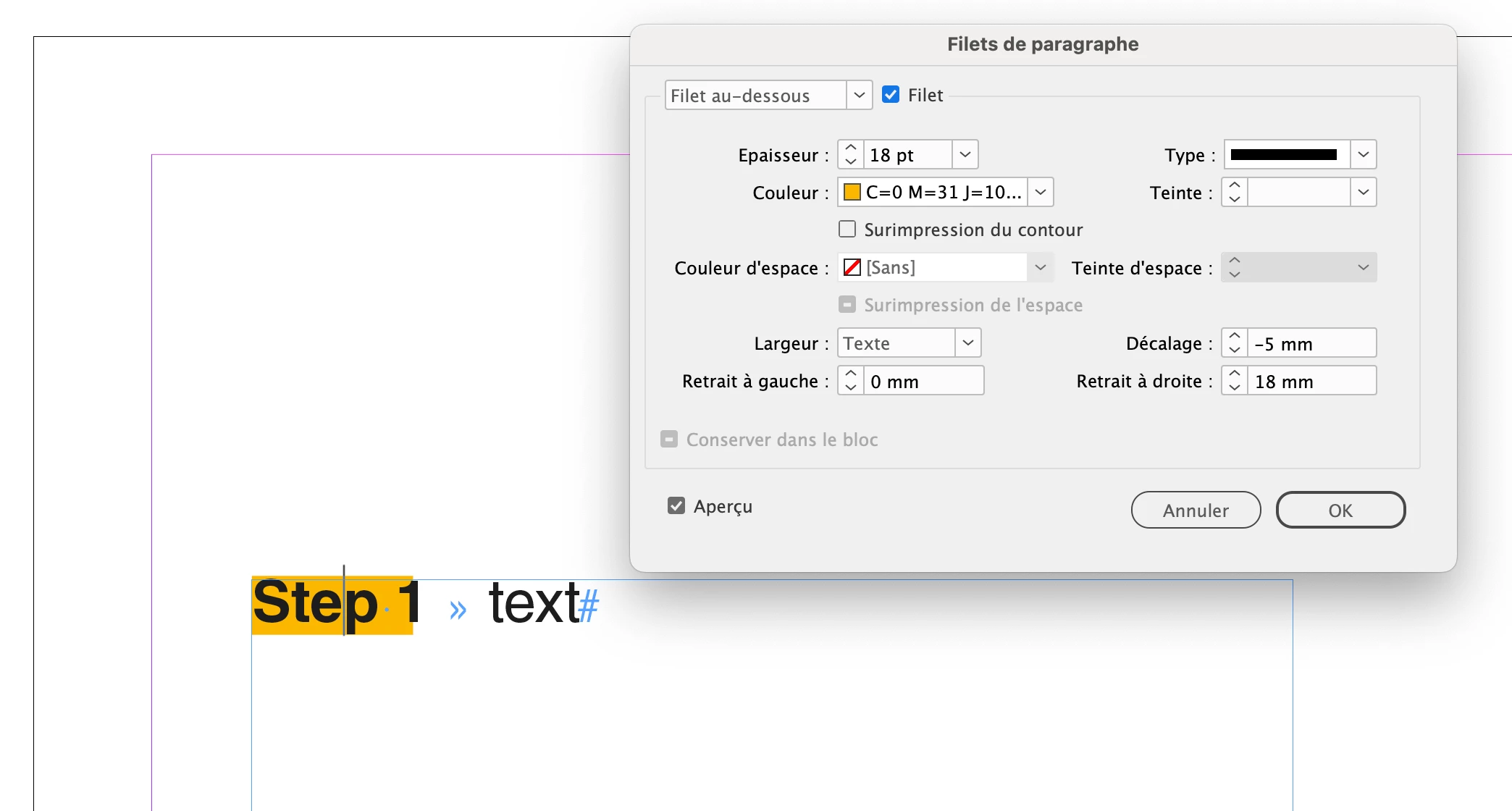
    @Peeyush37849741 you write: “ it is not proper pragraph rule”. It is indeed. The trick is I used 2 paragraph rules:
     

    One rule above with dots
     

    and one rule below with a straight line.

    The 2 rules combined give you a straight line on the left ended with a circle.

    5 replies

    FRIdNGE
    April 7, 2026

    Simply: Create your sample and then just a Grep Find/Replace!

    [Of course, the para style used for the “step” numbering includes of course an “auto-numbering” and the “step” sample includes an “auto-sizing”! You could finally apply an “object style”!   ;-)  ]


    (^/)  The Jedi

    FRIdNGE
    April 7, 2026

    Another simplistic way supposing the op doesn’t use an auto-numbering:

    A para rule above including a stroke style and a grep style !  ;-)


    (^/)

    Scott Falkner
    Community Expert
    Community Expert
    April 7, 2026

    I suggest using paragraph shading, like this:


    If you also need a border around the shaded area then use Paragraph Border with the same settings.


    This will not work if there is other text on the line you do not want highlighted this way.


    Known Participant
    April 6, 2026

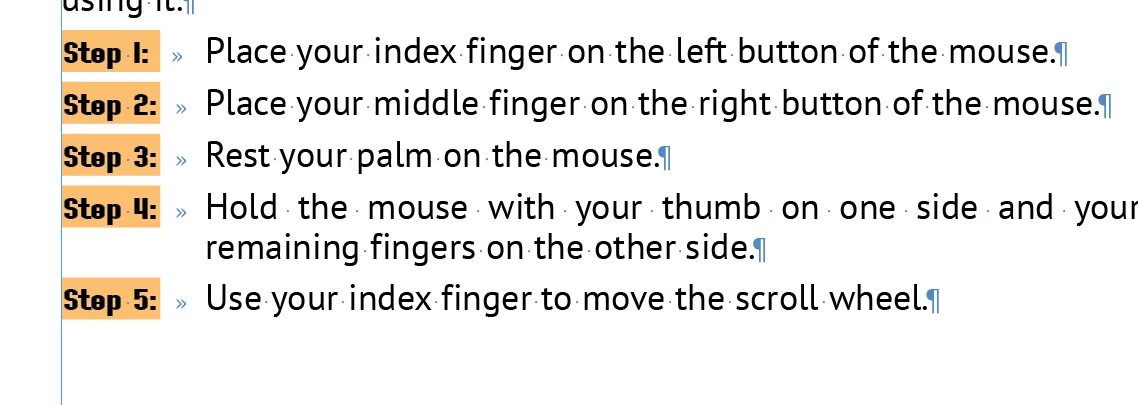
    I want like this

    Scott Falkner
    Community Expert
    Community Expert
    April 7, 2026

    Then my solution will work. Adjust offsets and corner radius.

    jmlevy
    Community Expert
    Community Expert
    April 7, 2026

    @Scott Falkner yes, it works but the problem is that the OP wants to (or can only) use CS6.

    Bill Silbert
    Community Expert
    Community Expert
    April 6, 2026

    CS6 InDesign came out in 2012. Since then many new features have been introduced for the program. Some of what you’re looking for can be achieved using the Paragraph Borders and Shading options available in versions of InDesign that came out well after CS6. You might want to check out a video or two on YouTube about how that feature works to see if you will be able to adapt it for your use. If it is what you’re looking for then you will need to get a subscription to Creative Cloud and download the latest version of InDesign. Hopefully, whatever computer you’re using is new enough to be able to do so.


    Known Participant
    April 6, 2026

    I know sir new version InDesign more powerfull of cs6. but sir i am not a owner of work. but i want a solution of this problem in indesign cs6 at this time. any script or logic .. can your help me 

    jmlevy
    Community Expert
    Community Expert
    April 6, 2026

    I don’t see any circle shape on your screenshot. Do you mean something like this?


    Known Participant
    April 6, 2026

    I want like this

    jmlevy
    Community Expert
    Community Expert
    April 6, 2026

    Did you try my solution? See file attached.