

Spenno
Inspiring
March 14, 2023
Question

Paragraph settings - viewing issue

  • March 14, 2023
  • 2 replies
  • 696 views

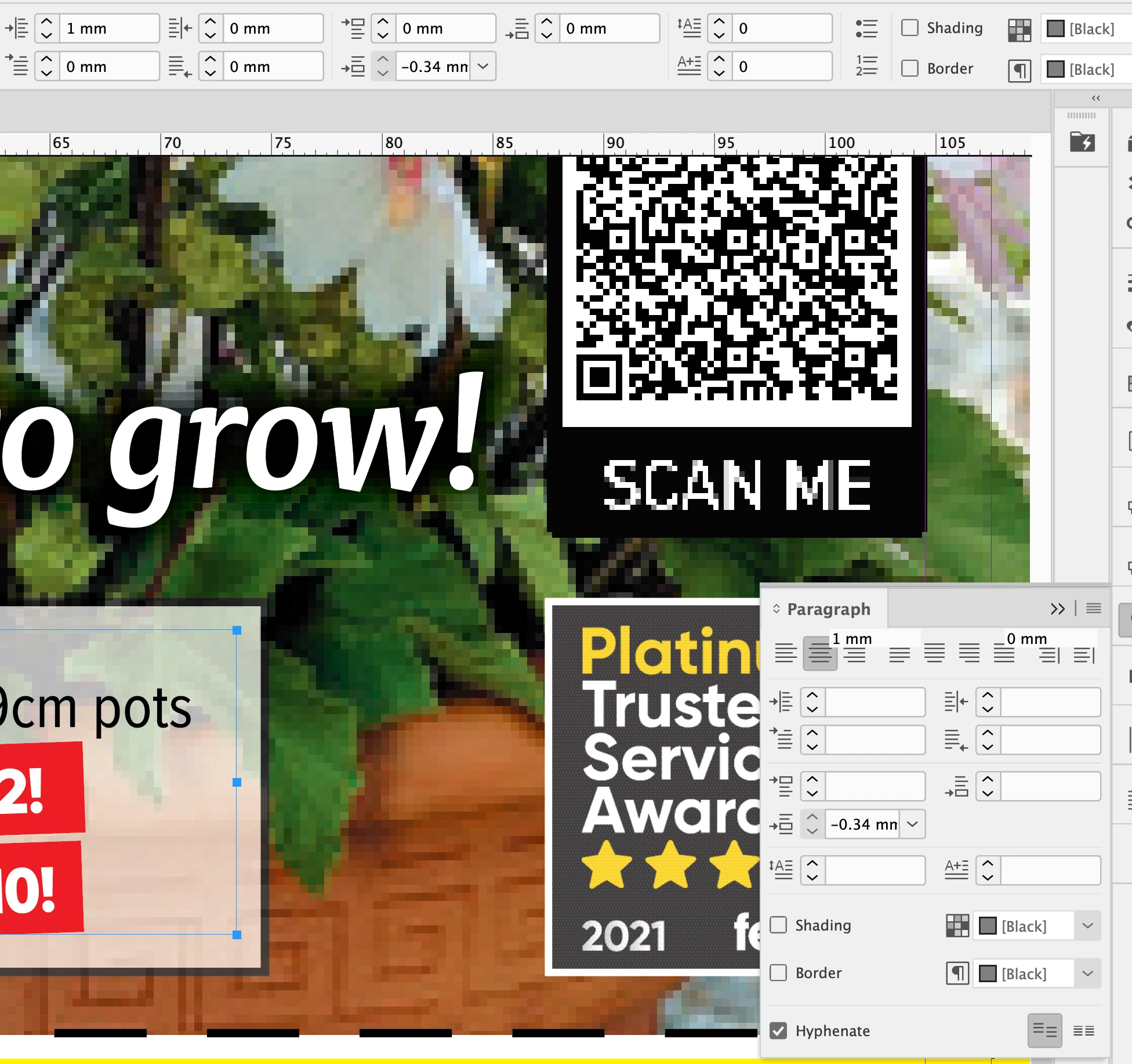
Hi all. For a month or so I've noticed this anomaly when altering paragraph spacing (left, right, before, after). Essentially everything in the paragraph pull-out box doesn't have a value and none can be entered (note a few numbers appear, but misaligned, hinting at a viewing problem). However I can alter the values in the main bar at the top. Hopefully my screenshot demonstrates all of this. I'm on a Mac (Monterey 12.6.3 - not updated yet to the latest version as all my colleagues have issues and have rolled back, or should I say reinstalled as the whole thing is a pain). CC fully up to date. Thanks for any insight.
 

This topic has been closed for replies.

2 replies

Barb Binder
Community Expert
Community Expert
March 15, 2023

Hi @Spenno:


It certainly could be corrupt preferences, but InDesign will blank out values when your selection has mixed settings. Try selecting just the text on the top line (we can see the words "cm pots"), do the values reappear? And how about if you click on the white text with the red background? If so, I'd say you have mixed settings and not corrupt preferences.


Nevermind: I see the values noted correctly on the Control panel. 


~Barb

~Barb at Rocky Mountain Training
Spenno
SpennoAuthor
Inspiring
March 16, 2023

Yep... the interface can't be interacted with, I can't input anything in any box on that pull-out menu.

Resetting is an option... but the amount of times I do that only to lose all my settings and the problem to remain makes me relucatant 😕😕

Willi Adelberger
Community Expert
Community Expert
March 14, 2023

You have selected the text frame, not the text.

Spenno
SpennoAuthor
Inspiring
March 14, 2023

Yep I know - the outcome is the same.

BobLevine
Community Expert
Community Expert
March 15, 2023

Wonky panels are usual a symptom of corrupt preferences. Resetting them should fix it.