Participating Frequently
September 8, 2020
Answered

Paragraph shading and rules are outside of box

  • September 8, 2020
  • 3 replies
  • 498 views

I'm sure there's a simple solution to this, but I've tried everything I can think of.

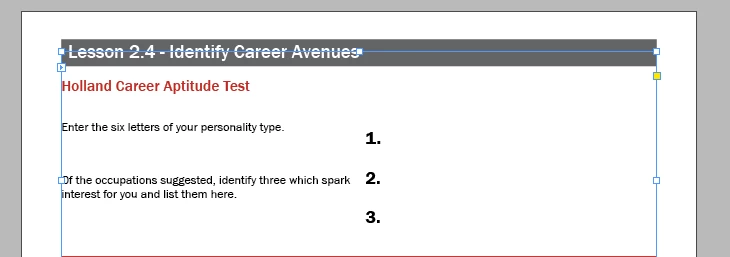
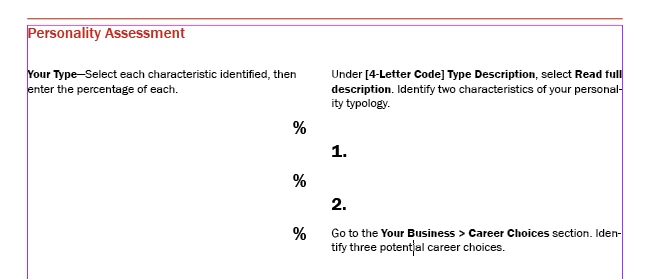
If a paragraph has shading or a rule, it's appearing above the edge of the text box. I've tried adjusting the baseline shift, adjusting offsets, changing whether or not it aligns to baseline.


What am I missing? I need the lines and the shading to line up with the top of the textbox. (relearning InDesign after 14 years is a challenge!)


This topic has been closed for replies.
Correct answer Barb Binder

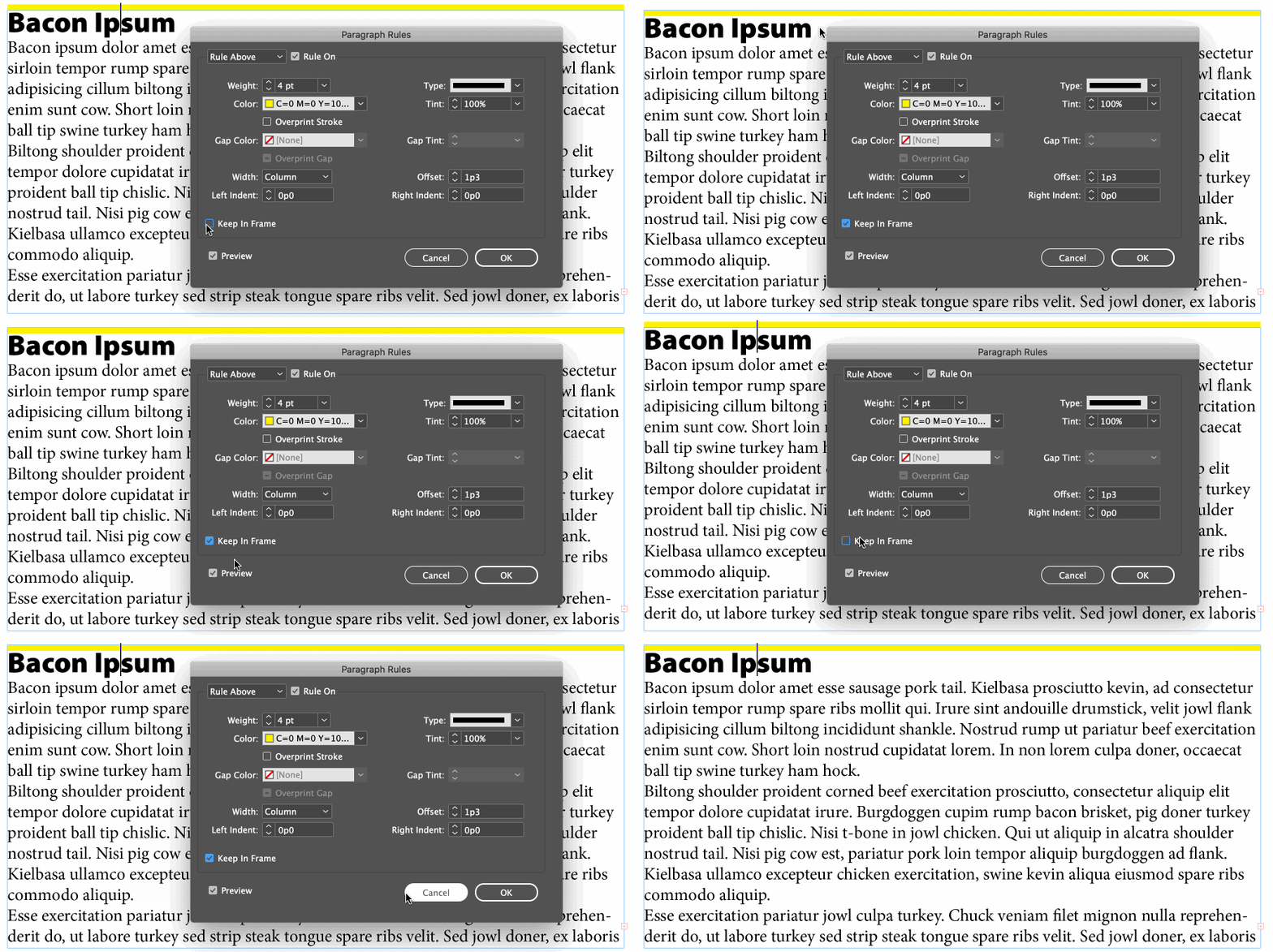
For paragraph rules, enable the Keep in Frame checkbox in the Paragraph Rules dialog box.


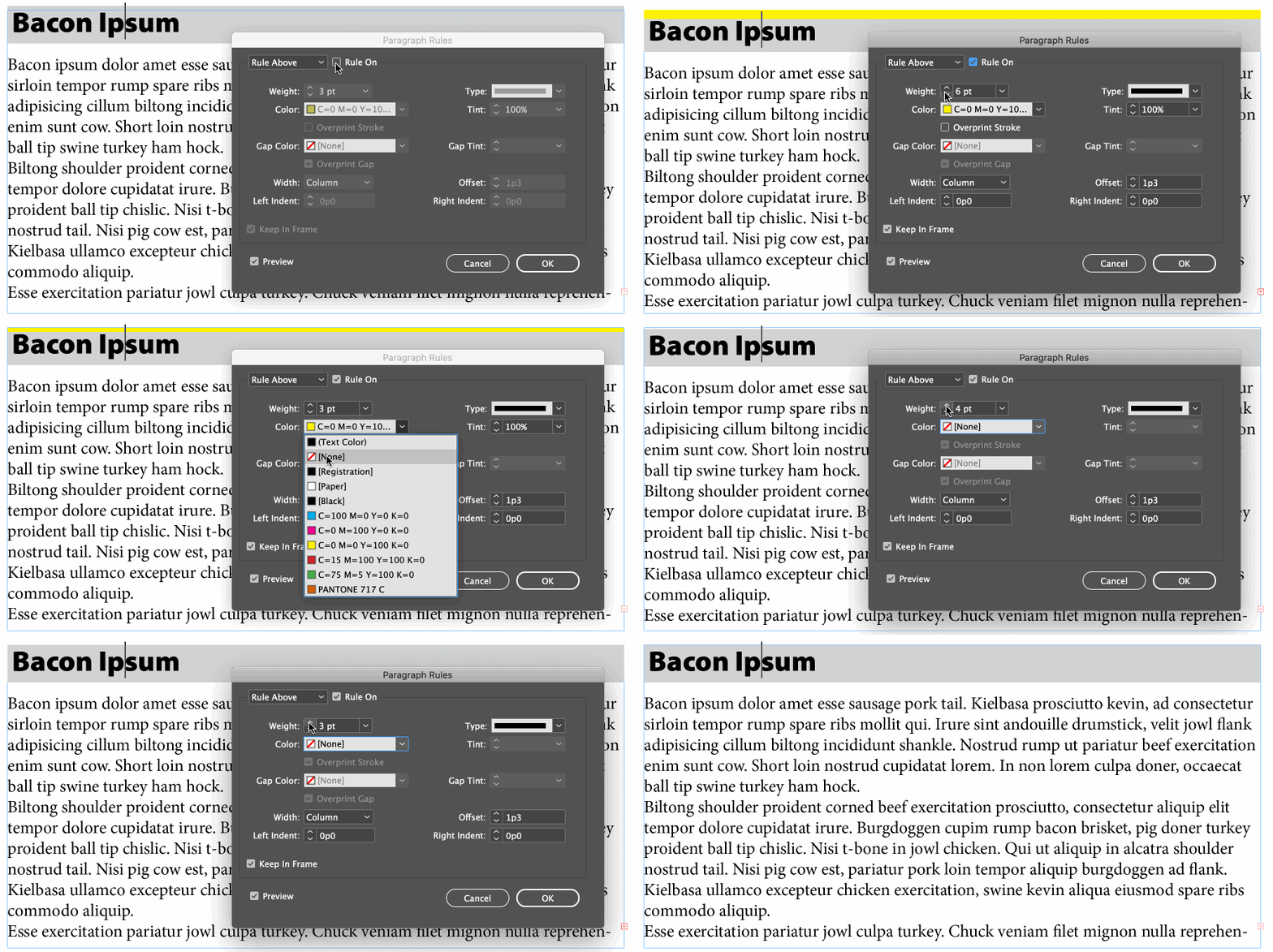
For shading, enable the paragraph rule above, but set the color to none.


~Barb 

3 replies

Barb Binder
Community Expert
Community Expert
September 8, 2020

We are always happy to help, Diane.


~Barb

~Barb at Rocky Mountain Training
Diane5CE3Author
Participating Frequently
September 8, 2020

Much appreciated!!

Barb Binder
Community Expert
Barb BinderCommunity ExpertCorrect answer
Community Expert
September 8, 2020

For paragraph rules, enable the Keep in Frame checkbox in the Paragraph Rules dialog box.


For shading, enable the paragraph rule above, but set the color to none.


~Barb 

~Barb at Rocky Mountain Training