
Paragraph Shading Text Width Not Justifying
I have three ¶Styles for indented shaded paragraphs. A first ¶ with space above, a middle ¶ without space above or below, and a last ¶ with space below. The shading is equally offset from the text the same on all styles. But I am seeing the right sides not having equal offset. Moreover it isn't consisitent — on one page the first and last are wider, and mid narrower, and on another page the opposite! What's happening? 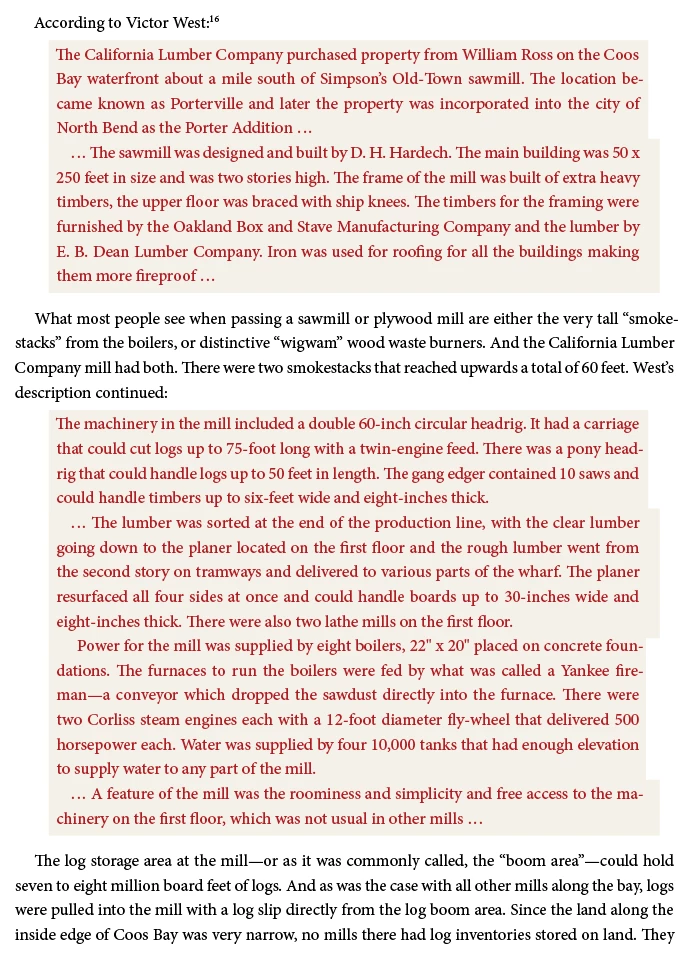
Above, the first shaded graph is First¶ style and then Last¶ style. The second set of shaded graphs is First, Middle, Middle, Last.
All the styless are using a .0625" offset. And all are using the same left and right indent on the text itself.
Has anyone run into this? Suggestions?
Um. Hmm. I pasted a snippet of text into a new doc to send, and the problem vanished. Pasting that text box back into my working doc and it stays nicely justified. But selecting the text (of the new test doc) and pasting that back into my original text flow—and it's uneven again! What the heck?
I've included my test doc below. But the problem doesn't appear there. I should also say that the shaded graphs are not aligned to the 16 pt grid but the regular text is, and that's same as the original doc. It doesnt't seem to affect it whether it's aligned to grid or not.


 AdChoices