Participating Frequently
June 14, 2018
Answered

Paragraph 'Space Before' not consistent

  • June 14, 2018
  • 2 replies
  • 745 views

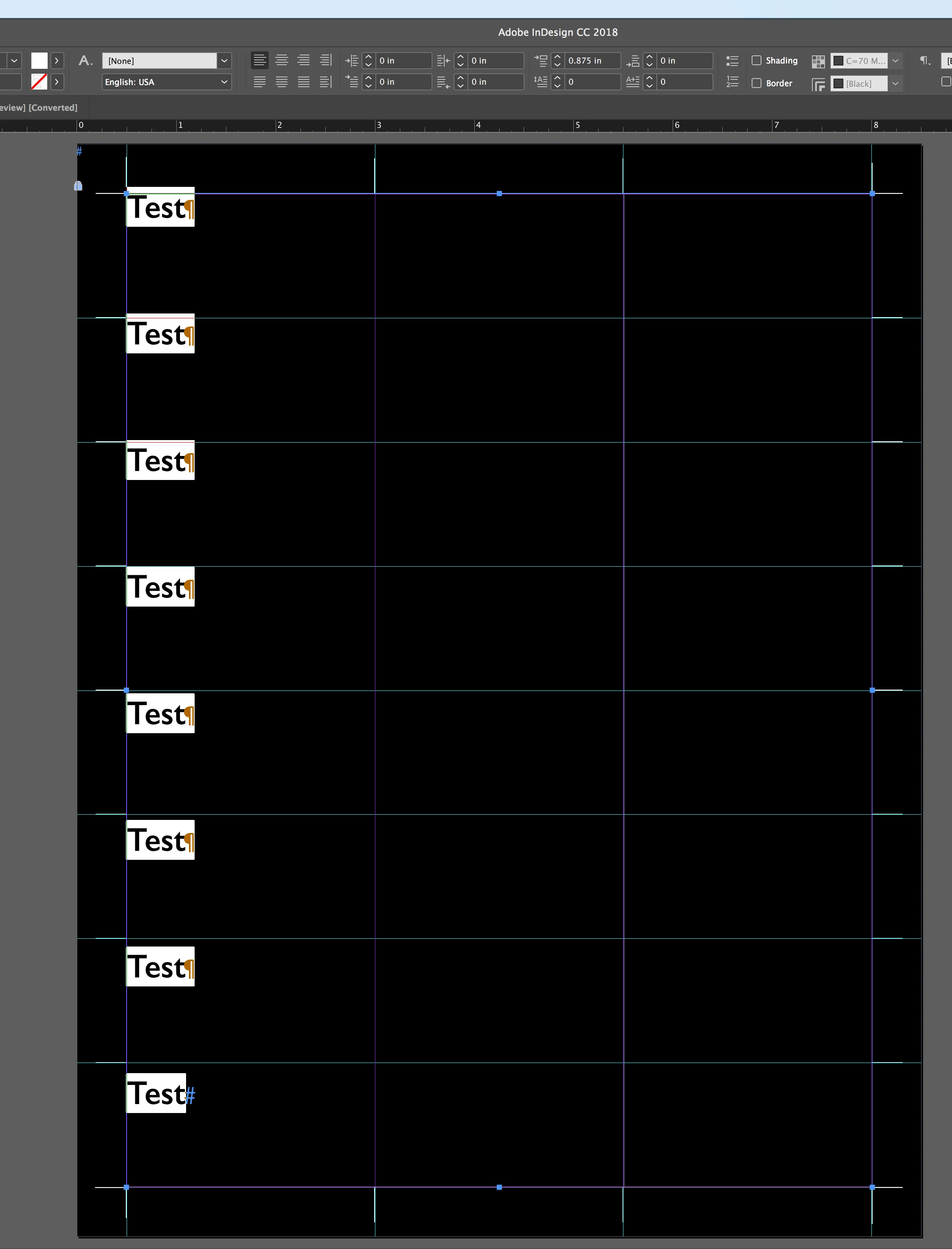
I created a grid using page columns and guides, and a bit a math to make sure they are all exactly the same size. I then made a 3-column text box to put over the grid.

However, I am confused as to why, when I set the space before to .875", that the paragraphs seem to get further apart? Shouldn't it all be exact spacing?
This topic has been closed for replies.
Correct answer rob day

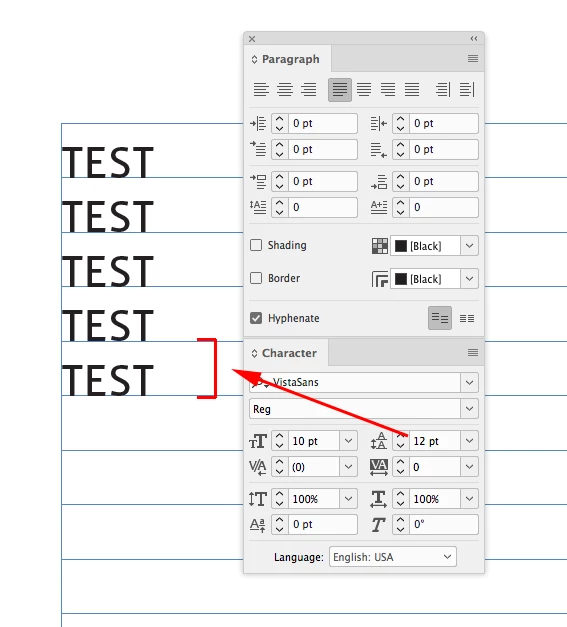
To illustrate Bill's post the space above gets added to the leading, with leading being the distance between the baselines..

Here the baseline grid is 12pt and the leading is 12pt

The space above gets added to the leading:

2 replies

vinny38
Legend
June 14, 2018

Hi

Baselines distance = leading + space before/after

Either subtract leading from space before:

Or use baseline grid (which is what I would suggest)

Use grids in Adobe InDesign

Frans v.d. Geest
Community Expert
Community Expert
June 14, 2018

Aligned to a baseline grid maybe?

Participating Frequently
June 14, 2018

Wasn't aligned to baseline grid before, and here it is when align to baseline grid is selected –– still inconsistent spacing...

Bill Silbert
Community Expert
Community Expert
June 14, 2018

Have you factored in the leading applied to the type? It would only be exactly .875 inches between the text if the leading was set at zero. Space before and/or space after is always affected by leading.