
Participating Frequently
May 21, 2024
Answered

Paragraph style for text box listed as "(No Styles)" despite having applied paragraph style to it?

  • May 21, 2024
  • 2 replies
  • 543 views

Hello all. I have been working on this document for quite some time now, and I've noticed that a lot of textboxes (seemingly at random) show "(No Styles)" in the "Paragraph Styles" section under the "Text Style" window, despite me having applied paragraph styles to it before. When I try to apply a paragraph style to said textbox, nothing changes, no visible change occurs, and the little preview window of the style with the letters "Ag" does not appear in the window displaying the current style chosen.


Additionally, Preflight states that a few (three or so) textboxes have overset text, but said textboxes lack the red plus sign indicating overset text.
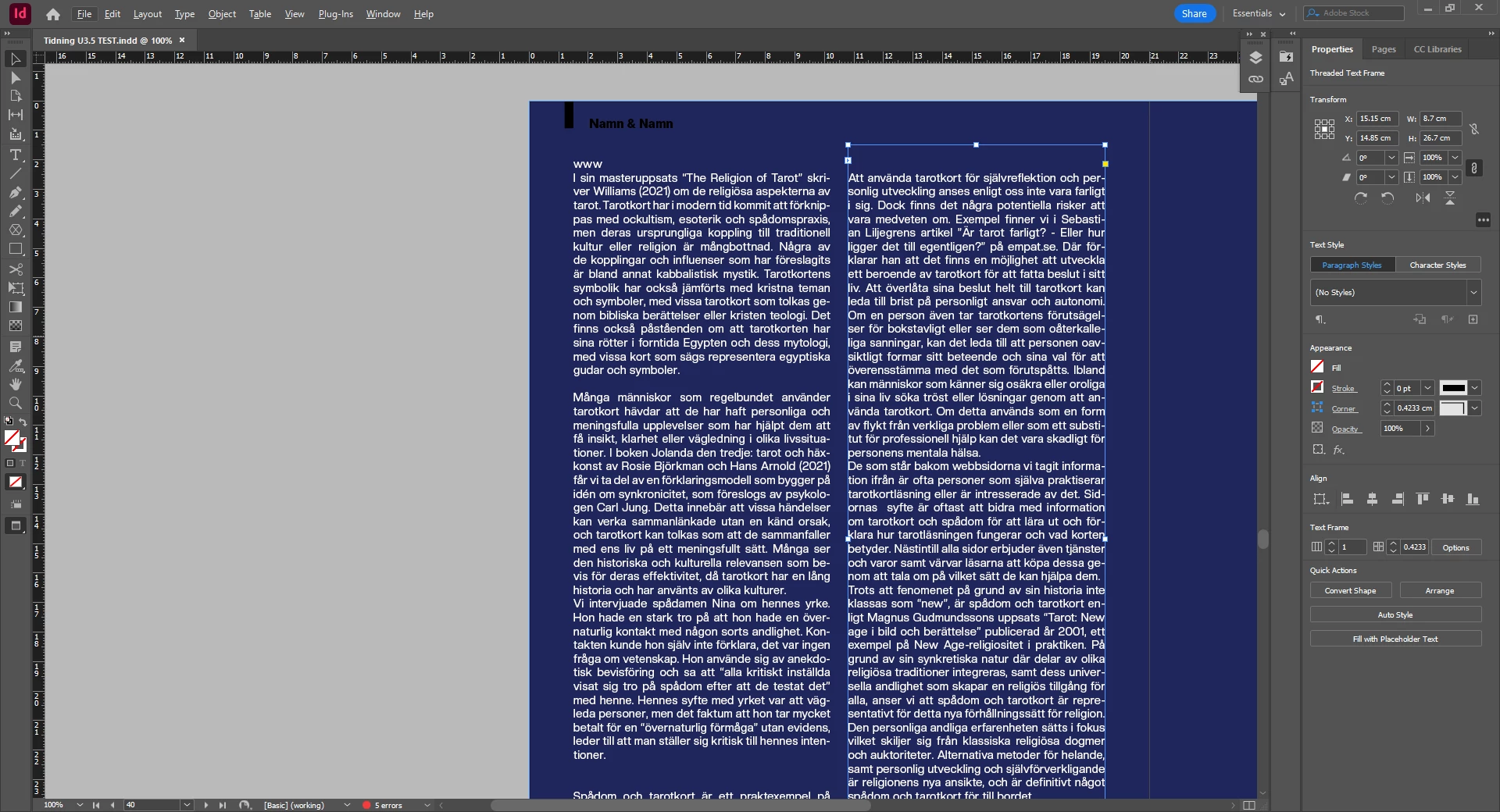
Here you can see that no style is selected.
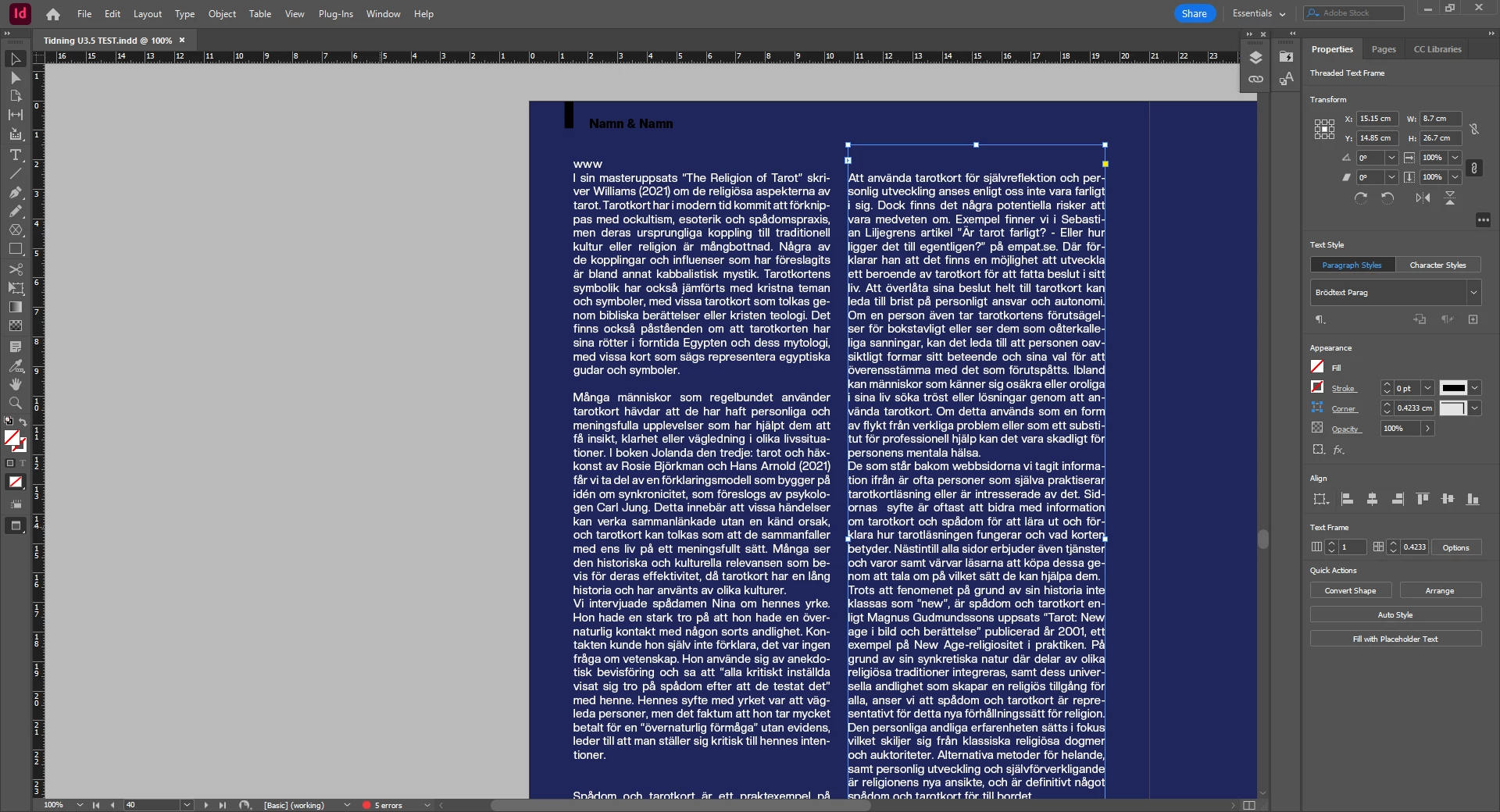
This is what it looks like when I try to apply a text. The "Ag" preview is not by the name of the style. Once I click away and return back to it it states "(No Styles)" again.


Please help! I'm really quite scared at the thought of the document having gotten corrupted, as I've been working on this intensively for days now. I tried to save a copy of it, restarting the computer, but it still has the same issue. "Forcing" it to apply the style does not work. I've read that one can export it as an IDML and then save it as a new InDesign document, but I would like to consider that a last-ditch effort. I am running Windows 10 and InDesign version 19.3.

This topic has been closed for replies.
Correct answer Mike Witherell

Try the "export to IDML and open to INDD" method. It cannot hurt.

Also, here a couple of thoughts, in case it helps:

Apply Paragraph Styles with the Type tool in the text; and rarely so by selecting the textframe.

For clarity sake, view the Paragraph Style panel and the Character Style panel at the same time while your Type tool is inserted into some text. This often reveals confusion of applied styles.

Also, make sure styles are based on "No Paragraph Style" and not "Normal" nor "Basic Paragraph Style".

2 replies

Mike Witherell
Community Expert
Mike WitherellCommunity ExpertCorrect answer
Community Expert
May 21, 2024

Try the "export to IDML and open to INDD" method. It cannot hurt.

Also, here a couple of thoughts, in case it helps:

Apply Paragraph Styles with the Type tool in the text; and rarely so by selecting the textframe.

For clarity sake, view the Paragraph Style panel and the Character Style panel at the same time while your Type tool is inserted into some text. This often reveals confusion of applied styles.

Also, make sure styles are based on "No Paragraph Style" and not "Normal" nor "Basic Paragraph Style".

Mike Witherell
Participating Frequently
May 21, 2024

Thank you, Mr. Witherell! I selected the text with the type tool (by clicking on the text and not the box itself, and the style appeared correctly). I don't quite understand why this is, but it nonetheless would appear as if it is a problem no longer. Perhaps the file isn't corrupted after all.

Participating Frequently
May 21, 2024

I have also checked for "clear overrides" but that button is greyed out so I don't believe that that is the issue.