


Inspiring
Apr 18, 2026 2:48 PM UTC
Question

Paragraph style suddenly fails

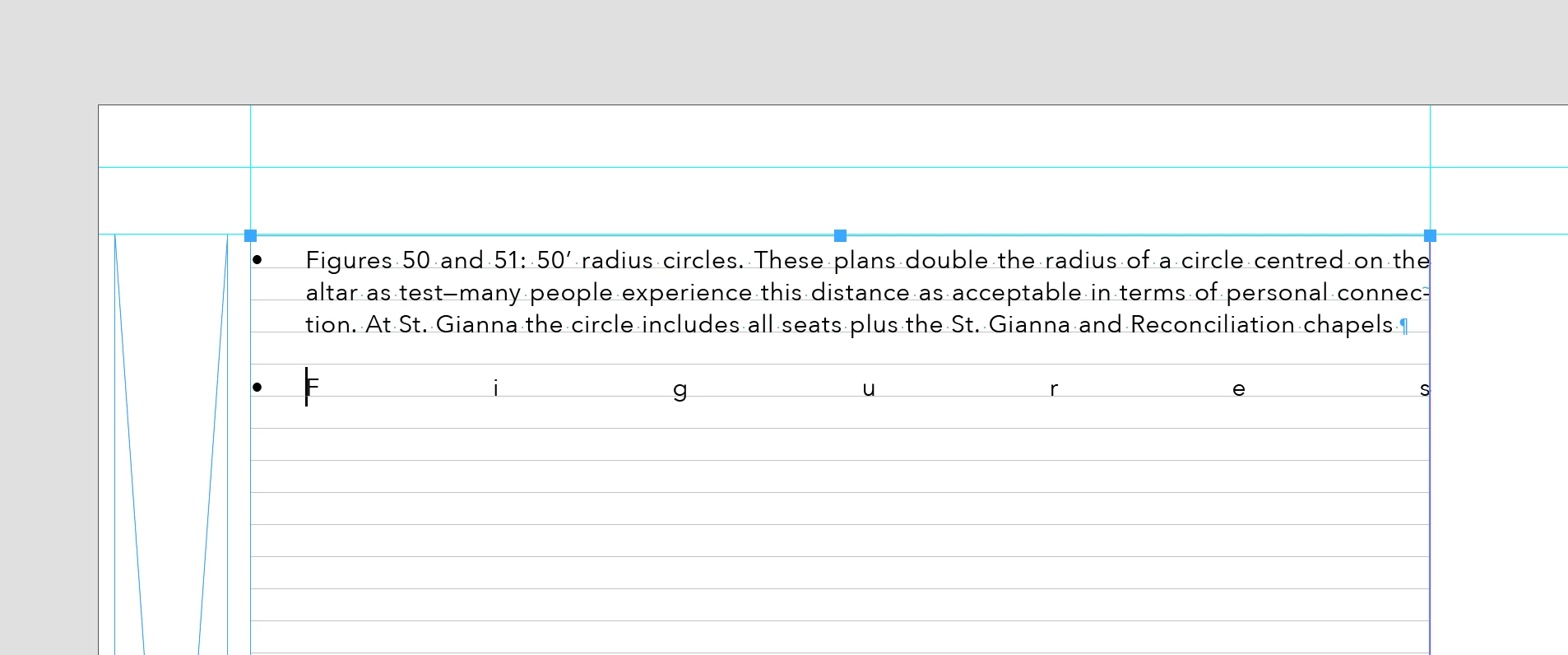
I have paragraph styles for a document I am working on. A style that I have used in the document many times has suddenly failed - it is a bullet, and attached image shows the change. I have selected the text in question, held down Option (Mac) and double clicked the style with no benefit.

What has happened ?
 

    8 replies

    Frans v.d. Geest
    Community Expert
    Community Expert
    Apr 18, 2026 6:06 PM UTC

    Use SHIFT+OPTION click, does that solves it?

    Translate
    Dave Creamer of IDEAS
    Community Expert
    Community Expert
    Apr 18, 2026 4:16 PM UTC

    What happens if you click below the problem line and backspace. 

    Translate
    David Creamer: Community Expert (ACI and ACE 1995-2023)
    BobLevine
    Community Expert
    Community Expert
    Apr 18, 2026 3:48 PM UTC

    Looks like it’s set to full justify.

    Translate
    Peter Spier
    Community Expert
    Community Expert
    Apr 18, 2026 3:54 PM UTC

    Certainly looks like it, but it would seem to be an override, if it is…

    Waiting on some screen caps that will show that.

    Translate
    Peter Spier
    Community Expert
    Community Expert
    Apr 18, 2026 3:11 PM UTC

    There’s not enough information in your screen shot to identify the problem. Please show us a capture of the Paragraph Styles panel with the cursor in the problem paragraph and a capture of the General and Indents and Spacing screens in the style definition dialog for the style.

    Translate
    Inspiring
    Apr 18, 2026 3:31 PM UTC

    Images:


    Translate
    Peter Spier
    Community Expert
    Community Expert
    Apr 18, 2026 3:39 PM UTC

    I still need to see the paragraph Styles panel with the cursor in the paragraph. Don’t crop off the top of the panel.

    Translate