
Known Participant
September 21, 2020
Answered

Paragraph Styles, WIDOWS/ORPHANS

  • September 21, 2020
  • 4 replies
  • 1020 views

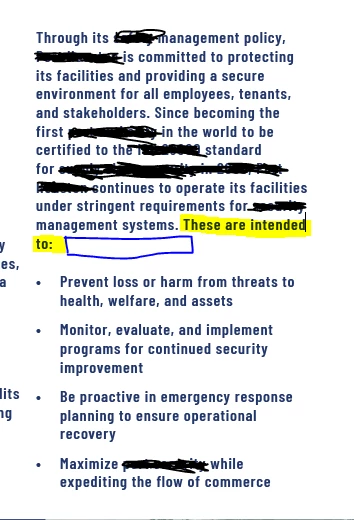
Hi! Is there a best practice way to ensure a minimum amount of words on a bottom line of text as to prevent widows/orphans (see in yellow, please excuse my silly redactions)? I usually return a word or two on the line before or add a few spaces to drop the text on the lower line but when I am revising text this becomes messy.


Thanks,
 

This topic has been closed for replies.
Correct answer Mike Witherell

Besides setting good H&J values in the paragraph style, you can also add a GREP style:

.{20}$

Translation: the last 20 characters in the paragraph

Apply a character style to it named NoBreak, wherein you have turned on just the nobreak command. This effectively forbids any last lines being any shorter than 20 characters (or whatever number you put into this formula)

4 replies

Legend
September 25, 2020

Another option is to check the Balance Ragged Lines box in your paragraph attributes.

Ashutosh_Mishra
Inspiring
September 25, 2020

Hi there,


Thanks for reaching out. In addition to Mike's response, I'd recommend checking out this Adobe Community discussion and see if the steps suggested here help you out.


Regards,

Ashutosh

Mike Witherell
Community Expert
Community Expert
September 22, 2020

BTW, these are known as short or runt lines; not necessarily widows nor orphans.

Mike Witherell
Mike Witherell
Community Expert
Mike WitherellCommunity ExpertCorrect answer
Community Expert
September 22, 2020

Besides setting good H&J values in the paragraph style, you can also add a GREP style:

.{20}$

Translation: the last 20 characters in the paragraph

Apply a character style to it named NoBreak, wherein you have turned on just the nobreak command. This effectively forbids any last lines being any shorter than 20 characters (or whatever number you put into this formula)

Mike Witherell